


Participant
November 27, 2025

PDF download re-adding erased elements to file

  • November 27, 2025
  • 3 replies
  • 168 views

I used express to create my business cards however they have printed incorrectly and the reason seems to be the file.

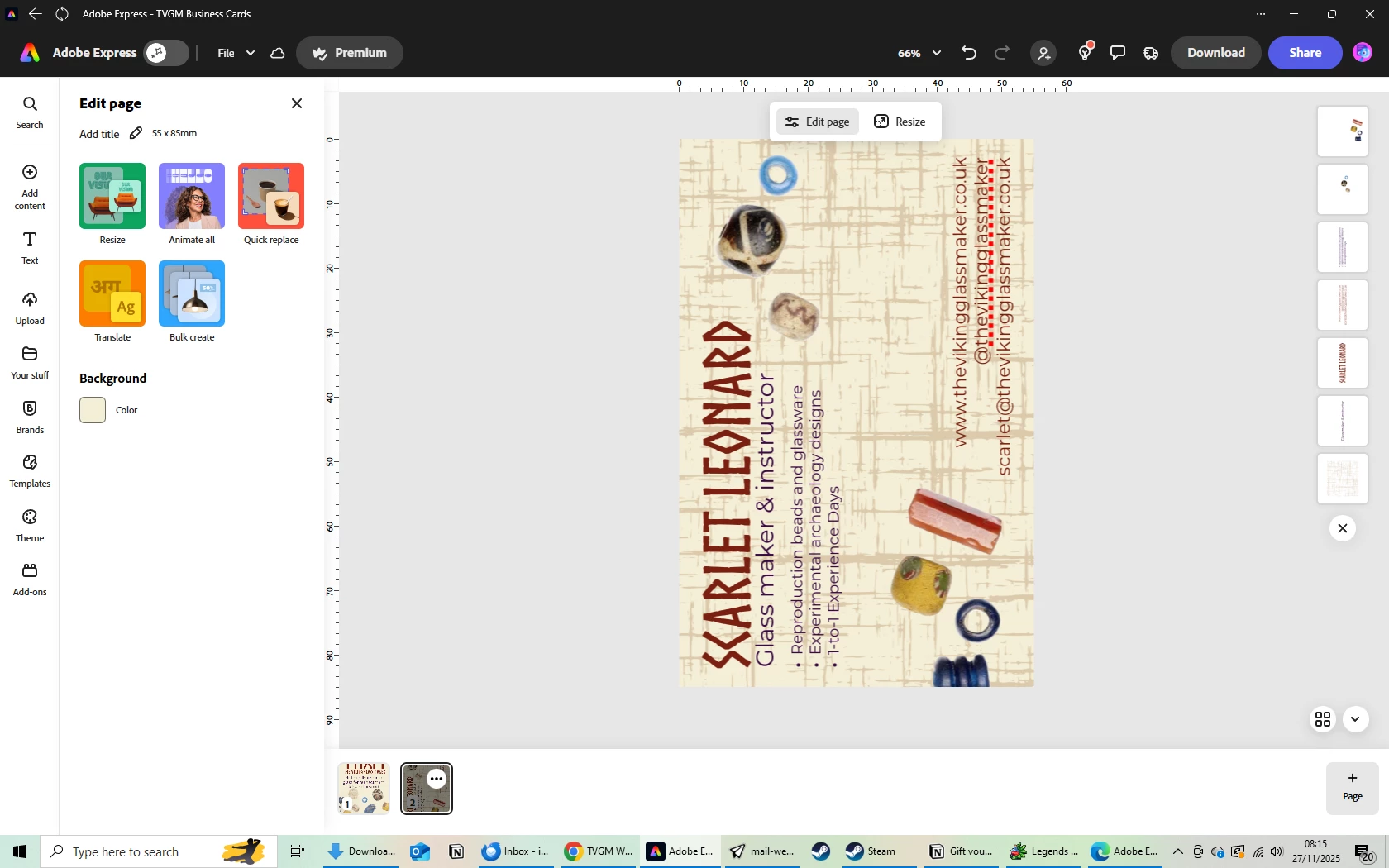
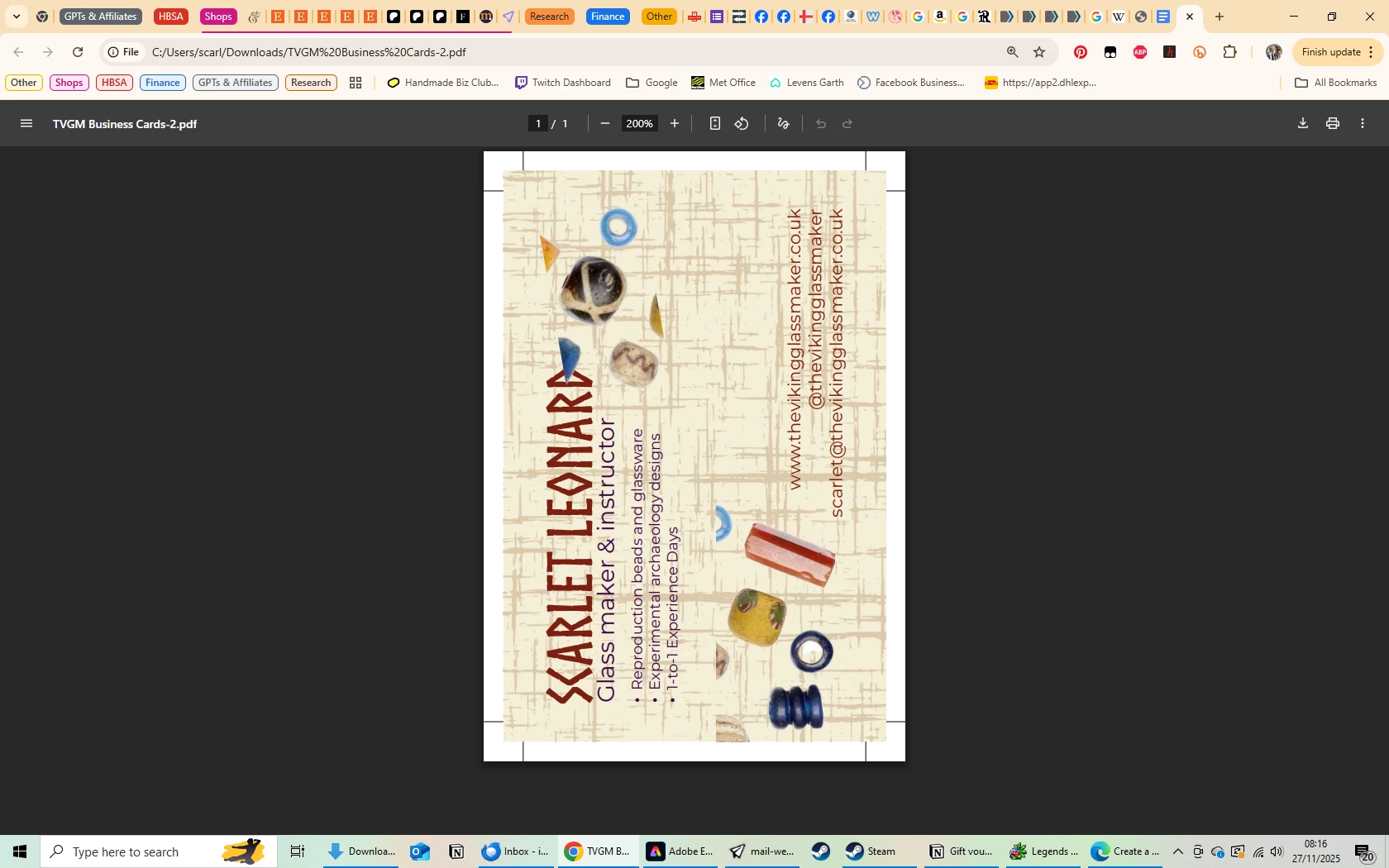
Screenshots below show the file as I see it in express then the PDF print download with crop and bleed. 

I used sections from a larger image that is in my branding to add to the card cropping and erasing the parts I didn't want to use. 

No matter how many times I re-erase on the area's I don't want they still show up in the PDF download, not in any other download, only the print version.

How can this be rectified because now I'm going to have to reorder my business cards to fix the error but can't because it won't let me download the file as it should be.


3 replies

Participant
November 30, 2025

I just added a response to this and it wasn't allowed to post.

No actual solution for this yet.

I have had to fashion a work around so that I can reorder my print work as now I'm only a few days away from when I need it.

The workaround.
Create a new file from your larger image and erase the parts you do not need.
Download as PNG 

Upload the new image to your final project and the PDF will have the correct elements you originally tried to have.

It's not a solution and takes extra time rather than being able to select exactly what you need from an image. But it may save someone else the expense of realising after the fact that thier PDF isn't what they see on the screen. 

Amitej S
Community Manager
Community Manager
December 1, 2025

Thanks for sharing your workaround, @Scarlet Impressions. I really appreciate you taking the time to document it.

You're right, this isn't an ideal solution, and having to rebuild parts of an image manually definitely adds extra work. I'll share this internally with the team and let you know about the updates once we have them. 


Participant
November 27, 2025

It only happens after downloading the PDF. The elements are perfectly normal in the editor
If I download as a PNG it downloads correctly, same with jpeg but any PDF option and they are in the file after download.

All my projects are created from scratch in express, it's not even a template I started with.

I have tried this in the Desktop, Chrome and Mobile to the same result. 

Tarun Saini
Community Manager
Community Manager
November 27, 2025

Thanks for your response @Scarlet Impressions,


Could you please share the document with me via private message? Private messages should be accessible from the envelope in the top right corner.


This should be the direct URL-  https://community.adobe.com/t5/notes/privatenotespage


Regards,

Tarun

Tarun Saini
Community Manager
Community Manager
November 27, 2025

Hi @Scarlet Impressions,


Thanks for bringing this up! I understand you’re seeing previously erased elements reappear when downloading your file as a PDF in Adobe Express.

To better understand the issue, could you share a few details?

  1. Does this happen only after downloading as PDF, or do you notice the elements reappear in the editor before export?
  2. Did you create the document from scratch in Adobe Express or is it imported from another app?


Try using the other suggested browsers (Safari, Microsoft Edge, and Google Chrome) or incognito mode to see if it makes a difference. 


Also, try clearing the browser's cache and cookies, and restarting the browser and try again. For more information on how to clear cache and cookies check this link- https://adobe.ly/4a5ipUF and how to use incognito mode- https://adobe.ly/4a2UzZV 


Regards,

Tarun