


Participant
September 21, 2026

Remove Background feature will not work.

  • September 21, 2026
  • 1 reply
  • 32 views

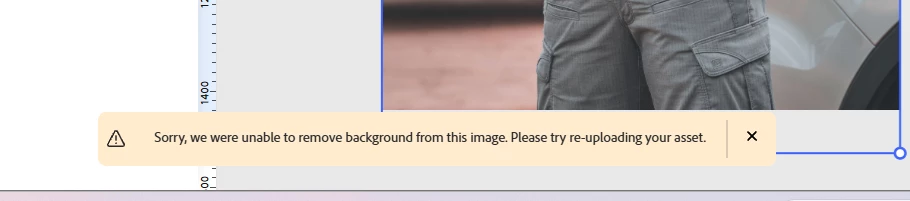
Issue summary: Remove background feature will not work on Chrome or on mobile app. I’ve cleared my cache and cookies, restarted my computer, redownloaded the app, and tried using it in incognito mode. None of it works. 

Product & version: Adobe Express (web and mobile app)

Platform: Chrome and iOS

Steps to reproduce: Create a new design, upload a JPEG, duplicate, remove background on one photo.

Expected result: The background should disappear and only leave me with the person.

Actual result: Express notifies me they are unable to remove background from image. 

Attachments:
 

    1 reply

    Rose DV
    Community Manager
    Community Manager
    September 22, 2026

    Hi @victoria_4632,

    Quick update: I tested Remove Background on my end just now and it's working, so the feature isn't down across the board. That's actually useful, because it means what you're hitting is something more specific rather than a broad outage, which is narrower to track down.

    The single most helpful thing you can do next: try Remove Background on a completely different image, ideally a simple JPEG from another source (a quick photo from your phone, or a stock image with a clear subject and plain background).

    • If that image works, we know it's something about your original file, and we'll sort that out.

    • If it still fails, and on both Chrome and the app, then it's not the image, and I'll dig into what else is going on.

    Let me know how that goes and we'll take the next step from there.

    Rose