


Participant
May 12, 2026

Serious issue with timeline group dragging in Adobe Express Enterprise Edition

  • May 12, 2026
  • 1 reply
  • 53 views

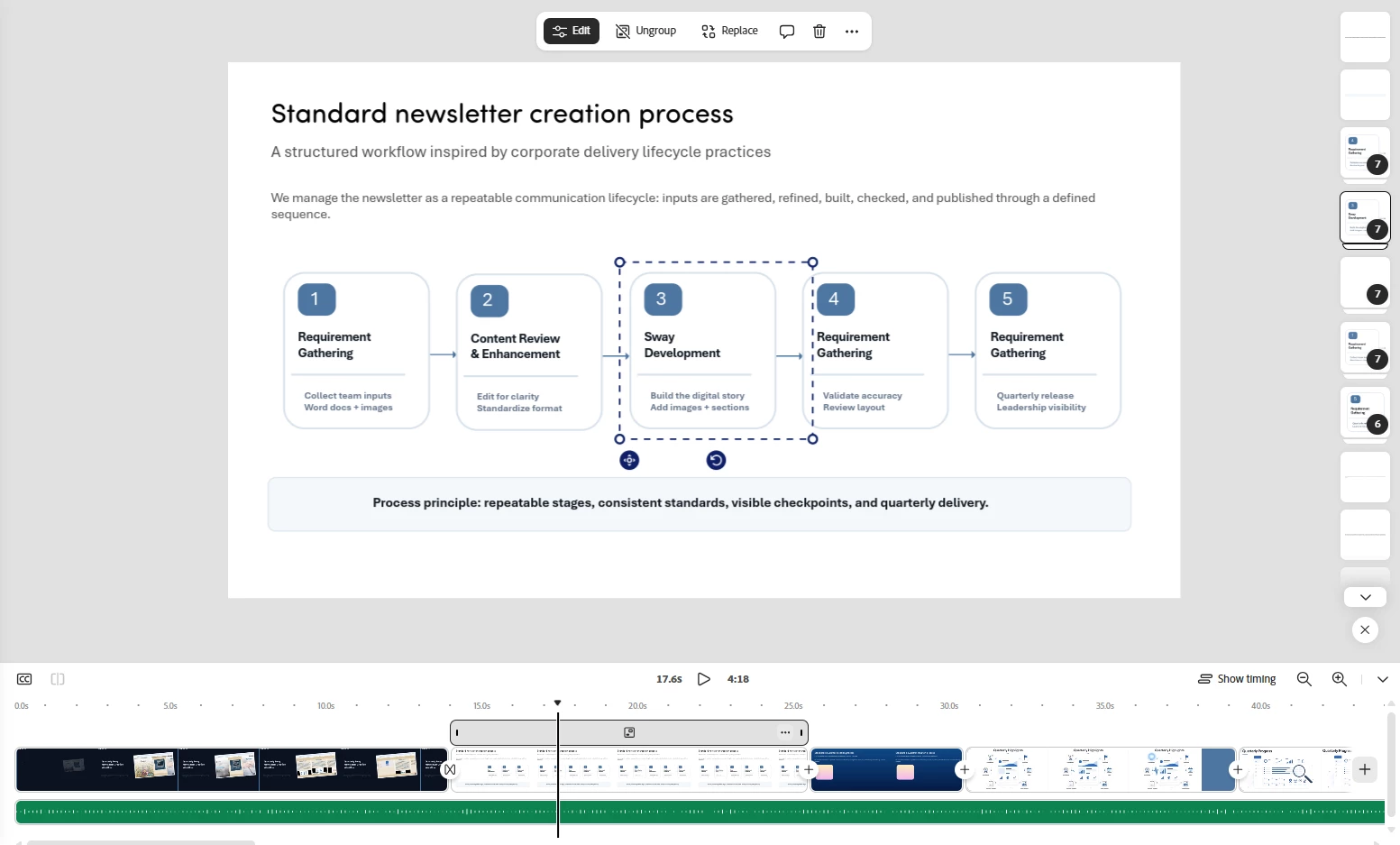
I am facing a critical issue in Adobe Express while editing a video project. I am unable to properly drag or move a grouped timeline/image section in the timeline. The grouped element gets stuck and does not move smoothly or respond as expected.

This issue appears to have started after the latest Adobe Express updates. It is affecting my editing workflow and causing delays, especially while working on structured corporate/enterprise video content.

As an enterprise user, this kind of timeline-editing issue is very concerning. Adobe Express is expected to be stable and reliable for professional work. Please treat this as a serious bug and investigate urgently.


Expected behavior:
The grouped timeline/image section should move smoothly when dragged.

Actual behavior:
The grouped timeline/image section gets stuck and cannot be moved properly.

Impact:


This blocks smooth video editing and affects professional enterprise content creation.


1 reply

Rose DV
Community Manager
Community Manager
May 12, 2026

Hi ​@Joy_India!


Thank you for the detailed report!


We're taking this seriously and want to get it in front of our engineering team. To help us investigate and reproduce the issue, could you share a few more details?


- Browser and version (or are you using the desktop app?)

- Operating system

- A screen recording of the drag behavior if possible - even a short clip showing the element getting stuck would be very valuable

- Roughly when did this start? If you recall a specific date or notice it tied to a particular update, that helps us narrow down what changed


We'll escalate this once we have those details. Thanks again for flagging it so clearly.


Rose

Joy_IndiaAuthor
Participant
May 13, 2026

Hi ​@Rose DV 

Thank you for the quick response.

Please find the requested details below:

  • Browser and version / Desktop app:
    I faced this issue in both the browser and the Adobe Express desktop app.
    Browser: Google Chrome, latest updated version — Version 148.0.7778.97 (Official Build) (64-bit)

  • Operating system:
    Windows 11

  • Screen recording:
    Please check the attached recorded video showing the grouped timeline/image section getting stuck while dragging.

  • When the issue started:
    The issue started when I tried to drag the grouped elements to a specific position in the timeline. It appears to happen particularly with grouped timeline/image sections after the recent Adobe Express updates.

This issue is affecting my editing workflow, especially for structured corporate/enterprise video content. Please escalate this to the engineering team for urgent investigation.

Thanks again for looking into this.


Best regards,
Joy

Joy_IndiaAuthor
Participant
May 14, 2026

Hi ​@Rose DV 


Has my issue been resolved?