


Show Bleed does not show up after exporting your file for commercial printer
I created a beautiful business card for one of my clients (I can use InDesign) but decided to try Adobe Express it could be easier with the number of photos and design assets available. I didn't realize that my print-ready file did not show a bleed, as my commercial printer required to ensure there was no white border around it. How are we supposed to use this to design print items if this feature does not work? Also, they don't seem to convert within the platform to CMYK. I know we can do this afterward in Adobe Pro DC, but it would be nice if this was built in as most commercial printers require CMYK and bleed cropmarks. The "show bleed" feature is broken in the Adobe Express desktop platform. Please fix this bug soon. Here are some screenshots of what I mean. 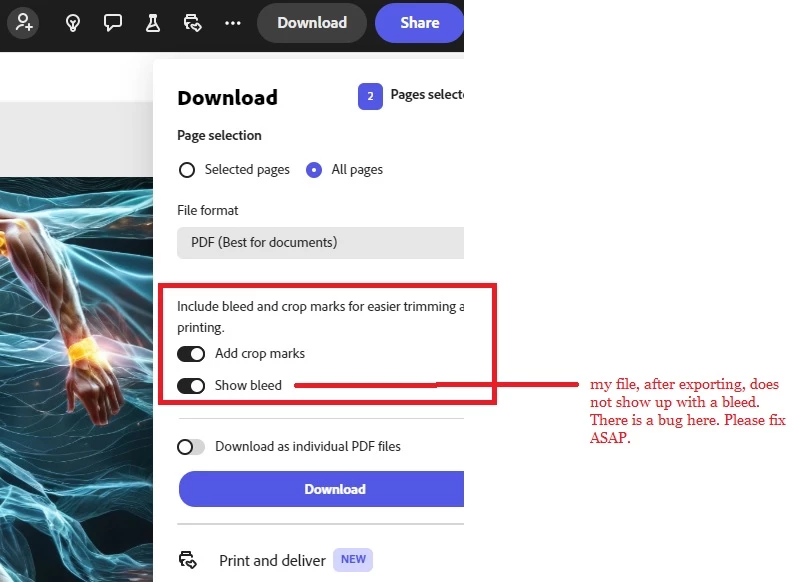

 AdChoices