


Participant
November 17, 2025

Suddenly can't download a project as a PDF for Printing

  • November 17, 2025
  • 1 reply
  • 87 views

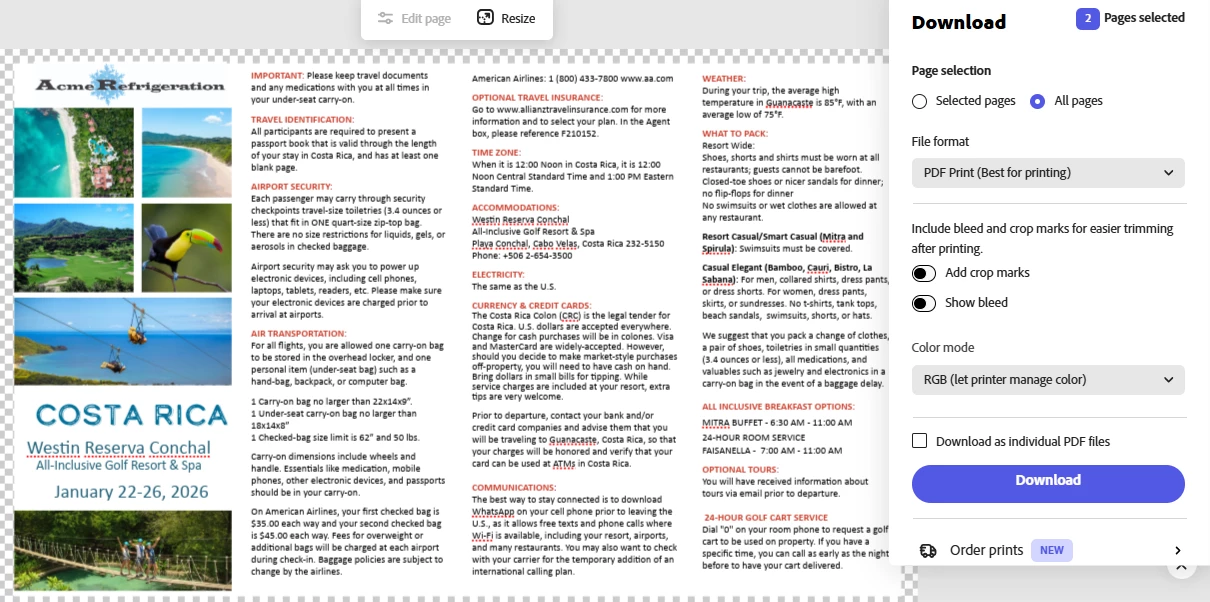
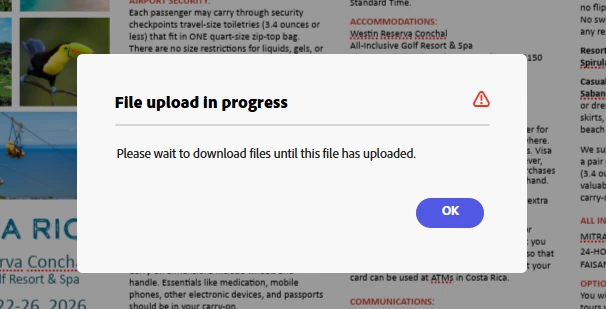
Two weeks ago I downloaded this project as a PDF for Print, but last week i made changes to the project and now I can't download it in any format. Between these two occasions, I changed some text and images. I tried downloading only 1 of the 2 pages, but that didn't work either. I've been using Express for 2 months. I'm working on a desktop computer with Windows and Chrome.  See Download pop-up below, and File Upload in Progress, which never uploads below that. Thanks for any help! MK
 

1 reply

Tarun Saini
Community Manager
Community Manager
November 17, 2025

Hi @mary_4543,


Welcome to the community! We're sorry to hear about the difficulties. Did you try using the other suggested browsers (Safari, Microsoft Edge, and Google Chrome) or incognito mode to see if it makes a difference? 


Also, try clearing the browser's cache and cookies, and restarting the browser and try again. For more information on how to clear cache and cookies check this link- https://adobe.ly/4a5ipUF and how to use incognito mode- https://adobe.ly/4a2UzZV 


If that doesn't help, can you share your socument with me via private message?


Private messages should be accessible from the envelope in the top right corner. This should be the direct URL https://community.adobe.com/t5/notes/privatenotespage


Regards,

Tarun

mary_4543Author
Participant
November 17, 2025

Hi Tarun,
How do I send this project via private email if I can't download it?
Thanks,
Mary

Mary Rader
{Mod Note- Personal Information has been removed by the Moderator}

Community Manager
November 18, 2025

Hi @mary_4543,


Here’s how to share your Adobe Express project link via DM on the community with granted access so our team can view and edit:

  1. Open your project in Adobe Express.

  2. Click the “Share” button and select “Invite via link” or “Anyone with the link can edit”.

  3. Ensure you toggle on editing permissions so viewers can make changes.

  4. Copy the link provided.

  5. Go to the Adobe Express Community, click the envelope icon (top-right) to open your DMs.

  6. Paste the link into a new message and send it to our team.

This allows us to open the project and collaborate directly. I have also sent you a private message on the community so you can respond to it. Thanks


^MM