3 replies

Participant
October 13, 2025

I got the same message, when trying to duplicate it says "not able to...file sync in progress".
Did try to start over, same this..did leave the tab open, but no change i a few hours...

Are making a resize of a video (works) and then adding a second video layer (stucked)

Tarun Saini
Community Manager
Community Manager
October 13, 2025

Hi @SwePalm,


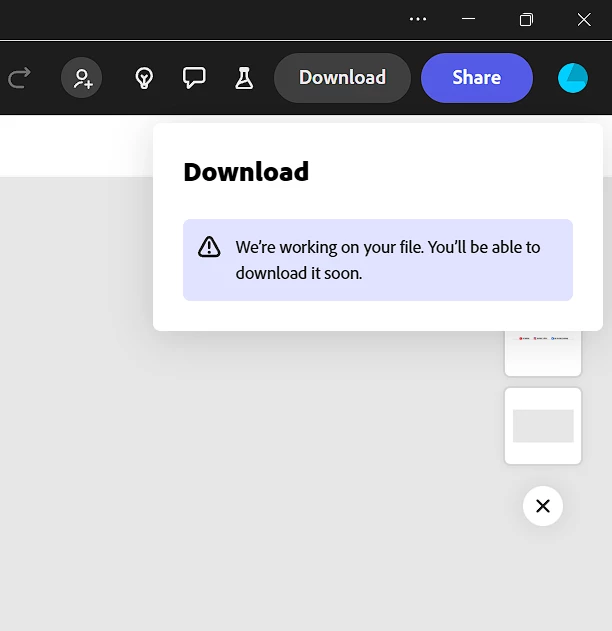
Thanks for reporting this issue. I understand how frustrating it can be to wait hours only to see the same “We’re working on your file” message.

To help us investigate further, could you please try the following steps:

  1. Browser Refresh & Reopen- Go back to the Express Home page or refresh the browser tab. Do you see a message like “Leaving so soon”? If yes, it may indicate a session timeout.
  2. Try a Different Browser or Incognito Mode- Open the same project in a different browser (e.g., Chrome, Firefox, Edge) or in an incognito/private window of your current browser. This can help bypass caching or session issues.
  3. Duplicate the Project- Create a duplicate of the video project and try downloading the duplicate. Sometimes this resets the rendering pipeline.

If the issue persists, please share:

  1. The browser and device you’re using.
  2. Whether this happens with all projects or just one.
  3. A link to the affected project (via DM if needed).

We’re here to help.


Regards,
Tarun 

Tarun Saini
Community Manager
Community Manager
July 28, 2025

Hi @chirag_rana8439,


Please check if, after going back to the Express Home page or refreshing the browser tab, you see a message saying Leaving so soon”?


Also, could you try opening the same file in a different browser or in an incognito/private window of your current browser and let us know if the issue still occurs?


Regards,

Tarun

Tarun Saini
Community Manager
Community Manager
July 25, 2025
Hi there, Could you please try duplicating the file and try again. Regards, Tarun