


Participant
May 13, 2025

Unable to download Instagram Stories design created on Adobe Express

  • May 13, 2025
  • 7 replies
  • 815 views

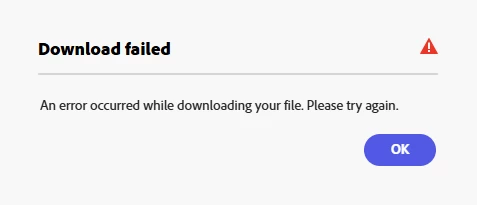
Hey everyone, I've never had any issues downloading the Instagram Stories I've designed on Adobe Express but recently I've been getting the download error message below. Strange thing is, other people I've asked for help are able to download this exact file from their laptops. Checked the fonts, layers and resized images (all photos are mine) to ensure the file size isn't too big. Also cleared by cache after checking other discussion threads. Any idea what's wrong?


7 replies

Jing ZhiAuthor
Participant
May 15, 2025

Hi MM and Tarun,


Just to clarify - as45120527 and I (Jing Zhi) are not the same person.


I see that your responses have not acknowledged me nor have you included me throughout the thread. Nevertheless, I have dropped MM (mahmoud_5524) a direct message for futher assistance on the download issues with my project. 


Appreciate your support. Thanks.


- Jing Zhi

Community Manager
May 15, 2025

Hello @Jing Zhi,


Thank you for your message, and we apologize for the frustration this issue has caused. I would like to kindly inform you that I have not yet received a direct message from you regarding the download issue.

Could you please resend the message? To send a direct message, please:

  1. Visit my profile (mahmoud_5524)

  2. Click on “Send Message” or “Direct Message.”

  3. Attach the relevant files and details, then send

Once I receive your message, I will promptly confirm and assist you further. Thank you for your understanding and cooperation


^MM

as45120527
Known Participant
May 14, 2025

The name of the project is "Learn"


I don't understand Endpoints because nothing has changed or been changed by me from when it was working before


I screenshotted the Console and Network sections of the logs for Chrome


I can't how to upload them


I can email them to you  - I need your email

as45120527
Known Participant
May 14, 2025

The Share > Invite > > "Can Edit" doesn't work


I can click on the Share 


I can click on the Invite


There is no "Can Edit" showing


There is no "Can Edit" showing!


Tarun Saini
Community Manager
Community Manager
May 14, 2025

Hi 

@as45120527

,

Thanks for trying the steps. Please make sure that the network endpoints listed on https://adobe.ly/3YGo53e;are allowed.


If that doesn't help, can you get the console logs from your browser? To know more about how to fetch these logs, you can check this link- https://adobe.ly/3SyLVKC and upload them to a cloud storage link and share that link with us to investigate further. Also, please let us know the name of your project, which is causing this issue.


Regards,

Tarun

as45120527
Known Participant
May 14, 2025

https://new.express.adobe.com/id/urn:aaid:sc:US:fc68115c-c852-4cab-8849-9d7a8c8d7608?category=text


I have changed browsers - it doesn't work


I have utilized Incognito browser - it doesn't work


I have cleared cookies and cache - it doesn't work


This is the only project I have tried to play and download - neither work

Community Manager
May 14, 2025

Hi @as45120527,


Thanks again for the update! To help us look into this further, please send us a direct message (DM) with the share link to your project. Here's how:

  1. Open your project in Adobe Express.

  2. Click "Share" in the top-right corner.

  3. Choose "Invite" and set the access to “Can edit”.

  4. Enter your own email to generate the link, then copy and paste that link into a DM to us here.

Please make sure the access is set to “Can edit”, not just view — this will allow us to fully check the file and help troubleshoot effectively. Looking forward to resolving this with you.


^MM

as45120527
Known Participant
May 14, 2025

This download error issue persists with me also


The video I edited is 30 seconds in length and it will play a fraction of a second of it, and then stall


Jing ZhiAuthor
Participant
May 14, 2025

Hi MM,


  • I'm using Chrome and I tried downloading my file from the Edge browser – it doesn't work
  • Have logged out, cleared cookies and logged back in but the issue persists
  • I'm unable to use incognito mode as my organisation's IT policy is very strict; I do not have alternate devices to use
  • I've encountered the same download issue with other files I've created in the past and had no issues downloading previously
  • Please let me know how I can share the file with your Adobe team for assistance, thank you.


Regarding testing the file download error with other people in my organisation – a handful of them are facing the same issue while some are able to download with no issues. 


as45120527
Known Participant
May 13, 2025

Same - may be a server issue


Seems like we shouldn't have these issues!

Community Manager
May 13, 2025

Hi @as45120527,


Thanks for reaching out — and sorry to hear you’re running into this issue.

 Since others can download the same file without issue, this could be related to:

  • Browser-specific issues: Try using a different browser (e.g., Chrome, Edge, Firefox).

  • Account/session glitches: Log out of Adobe Express, clear cookies, and log back in.

  • Device-specific factors: Try from a different device or incognito mode to rule out local conflicts.

  • Are you experiencing this problem only with this specific file, or does it happen with other projects as well?

  • If possible, could you please share the affected file with us? That would really help us investigate the root cause more effectively.

Looking forward to your reply so we can get this resolved for you.


^MM