



Hyperkind
Participant
July 5, 2026

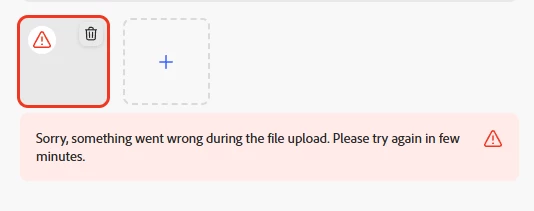
Unable to upload video file through scheduler. "Sorry, something went wrong during the file upload. Please try again in few minutes"
  • July 5, 2026
  • 3 replies
  • 52 views


Getting an error when trying to upload a video for the past few days. Using Google Chrome, have cleared the cache and cookies, checked settings on the account, disconnected and reconnected all linked accounts and also tried using the installed app on my pc as well and still no luck.

Any thoughts on what is going on?

    3 replies

    Participant
    July 24, 2026

    I’m having the same issue. I’ve tried all of the above and at one point thought the issue was resolved by clearing third-party cookies but now it’s back at it despite clearing cookies and cache files. 

    Tarun Saini
    Community Manager
    Community Manager
    July 27, 2026

    Hi ​@JoeEndurus8,


    Thanks for reporting this. Please let us know:

    • Which social platform you're scheduling to.
    • The video format and file size.
    • Your browser and operating system.
    • Whether the same video uploads successfully directly on the social platform.

    If possible, please share a screen recording of the upload attempt. This will help us investigate the issue further.


    Regards,

    Tarun

    Participant
    July 28, 2026

    My workflow has been the same for months. 

    I’m scheduling short form vertical video to Multiple Platforms 

    facebook , instagram and tiktok

    THE same videos upload fine on Youtube

    all videos are edited and rendered Premiere Pro / Media incoder

    All settings have been the same unchanged


    Video: 

    H.264 1080x1920 (1.0) 30FPS

    Progressive Rec.709 

    203(75% HLG, 58% PQ)

    Hardware Encoding - Nvidia Codec 

    29MB

    Chrome Browser - Windows 10

    Cleared all cache -and third party cookies


    Videos Upload Fine Directly on the platforms independently


    Participant
    July 9, 2026

    I’m having the exact same issue… tried trouble shooting everything possible. Video file is an mp4, 111 mb, not on VPN

    Amitej S
    Community Manager
    Community Manager
    July 10, 2026

    Hi ​@James3412936467h9, Could you let us know if this happens with all video files or only this specific MP4? It would also help to know whether the video is encoded as H.264 MP4 with AAC audio, as the Content Scheduler has additional validation requirements before uploading to social platforms.

    As a few things to try:

    • Disconnect and reconnect the affected social account in the Scheduler, as an expired connection can sometimes cause uploads to fail.

    • Try uploading the video to the regular Adobe Express editor first, export it, and then use the exported file in the Scheduler.

    • Test in a Chrome Incognito window and temporarily disable any ad blockers, VPNs, or firewalls if they're enabled.

    If the issue continues, please let us know which social platform you're publishing to, the approximate video duration, and whether you're on a home or workplace network.

    That will help us investigate further.

    Tarun Saini
    Community Manager
    Community Manager
    July 7, 2026

    Hi ​@Hyperkind,


    Welcome to the Adobe Express Community! We’re sorry to hear about this. Thanks for trying the troubleshooting steps so far. Could you please let us know the video file format you’re uploading? How large is the video file? Are you on a VPN? Is it happening with all videos, or just a specific one? 

    You may try logging out and logging in again to check if that helps.


    Regards,

    Tarun