Participant
October 16, 2025

Updating Presentations Shows Skipped Slides
  • October 16, 2025
  • 1 reply
  • 103 views


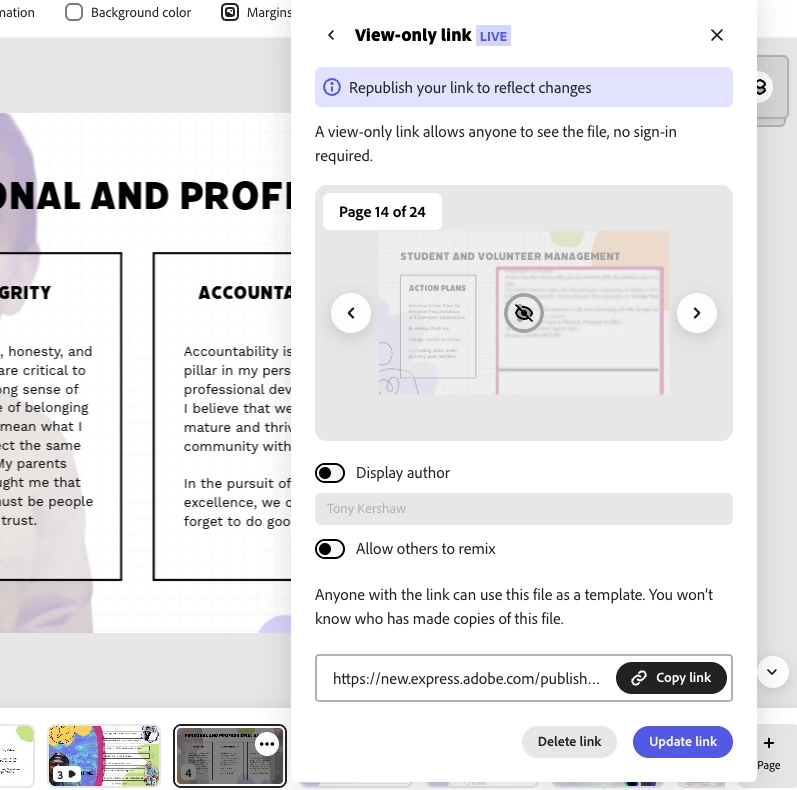
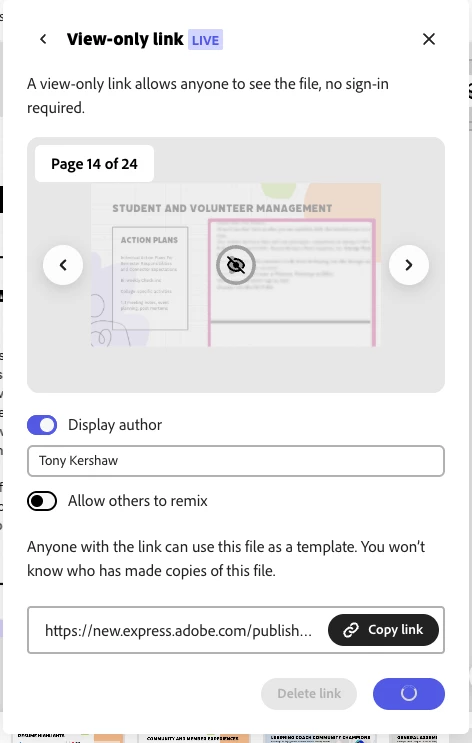
When trying to update the view-only link, two things happen:

1) Skipped slides are shown both in the preview window and on the live link
2) The display author button resets itself if it was turned off prior to updating

1 reply

Participant
October 16, 2025

This was done on Chrome, Mac OS Ventura 13.4, tested on desktop and mobile browser

Amitej S
Community Manager
Community Manager
October 16, 2025

Hi @tonyfriedbologna, Welcome to our community.

Thanks for reaching out and sharing the details of the issue clearly. 


I tried to replicate the issue, and it works fine for me. When I skip certain presentation pages, they do not show in the view-only link preview. Even the Display Author toggle button works fine. I'll get this checked on multiple devices to ensure that there isn't any underlying issue. 

Until then, can you try working in incognito/private browsing mode? Try on a new/different presentation file to confirm the issue is not related to the one you're using. 


Please share your observations, we are here to help!


Best!