
Inspiring
September 7, 2023

Upload to PDF / Import same PDF

  • September 7, 2023
  • 2 replies
  • 227 views

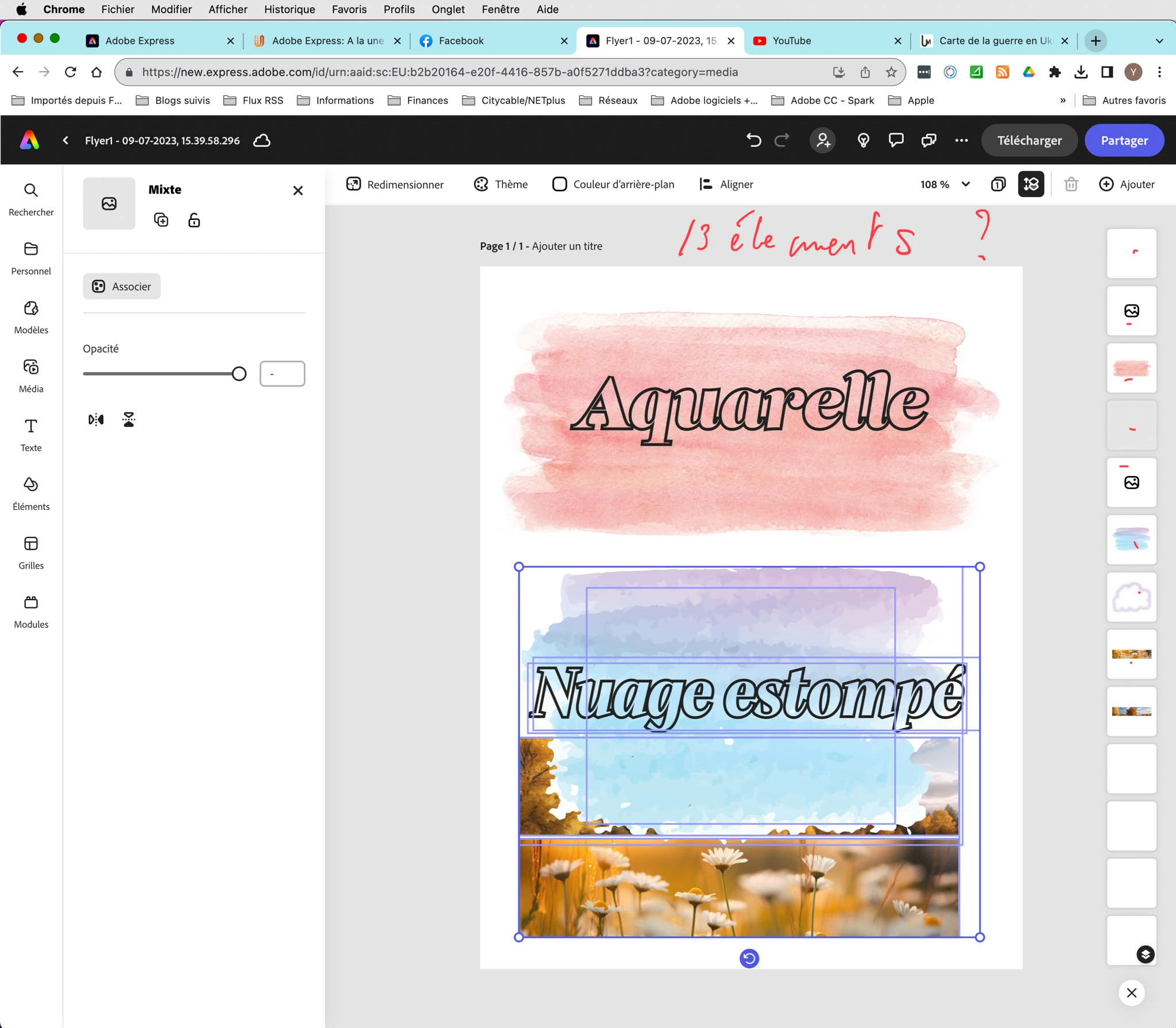
I save this AE document to a .PDF file then I import it back into AE as a base document, the number of elements is different. Is this a bug or a software necessity?


Original document :
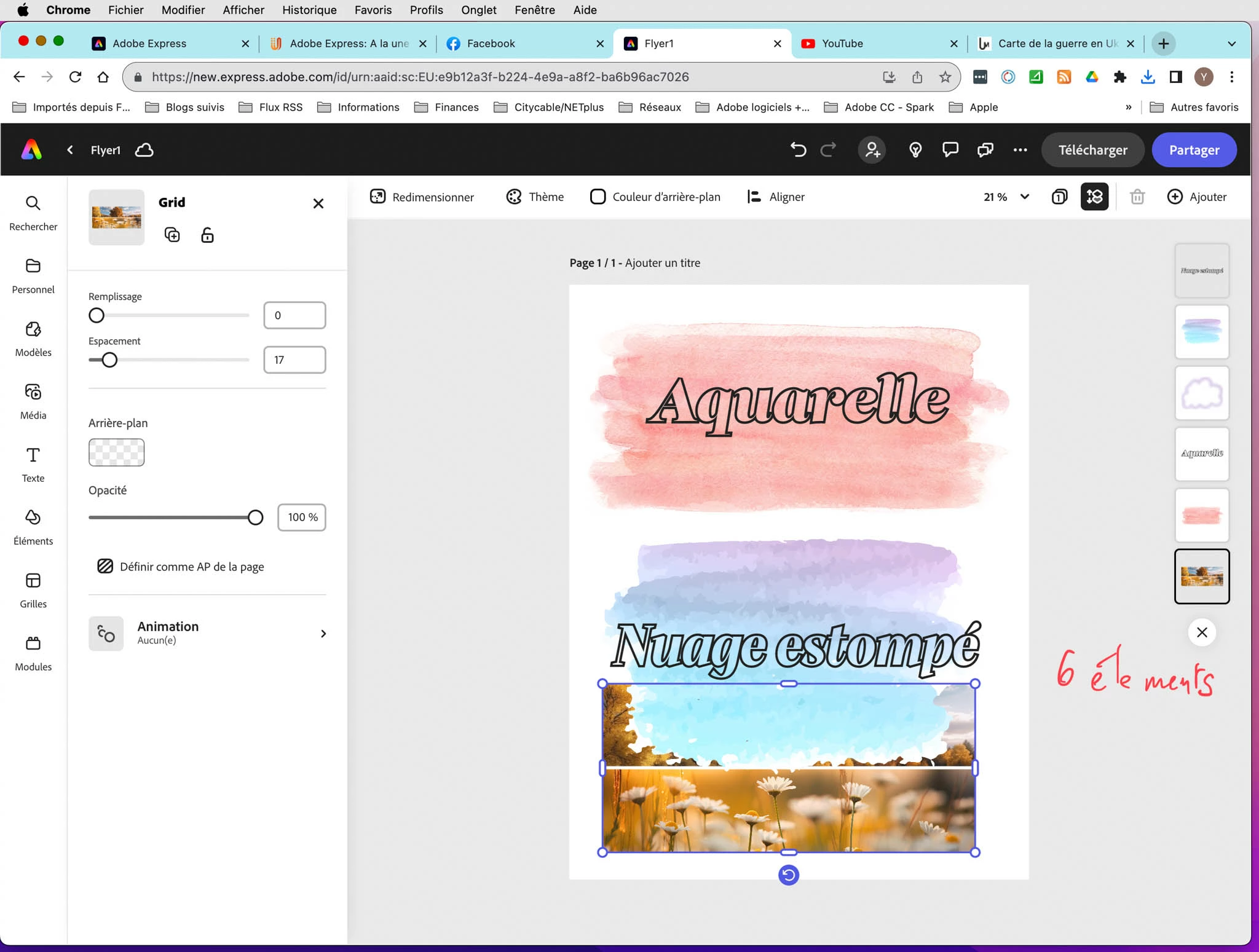
 

Imported .PDF document.... Why are these empty elements?,They were two photos in a placement element (Grid) originally.
 

2 replies

Adobe Employee
September 11, 2023

Hi @Yves-CH, thanks for reaching out to us. That behavior is not what we want to be happening, and we'll work to fix that.


When the original document was downloaded as a PDF, it looks like the various elements had extra (white) background fill elements added to the PDF file. When that gets imported, those fill elements are converted to white images. That is what I think you were seeing, but again that is not what we intended to happen; sorry about that.

Tarun Saini
Community Manager
Community Manager
September 11, 2023

Hi there,


Thanks for reaching out. Please let us know if this is happening with all the PDFs or just with this one. Which browser are you using? 

Also, Have you tried using the other suggested browsers (Safari, Microsoft Edge, and Google Chrome) to see if it makes a difference?


Such problems can also be fixed by clearing the browser's cache and cookies. Please check this link for more information on how to clear cache and cookies: https://support.google.com/accounts/answer/32050


Let us know if that helps.


Regards,

Tarun