

Participant
June 7, 2024

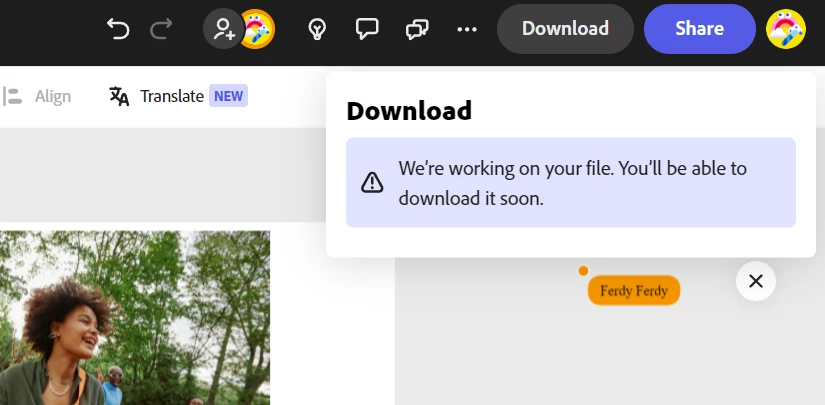
We're working on your file. You'll be able to download it soon!

  • June 7, 2024
  • 20 replies
  • 23029 views

Hi could you help me? My working file is stuck and can't be downloaded
 

20 replies

Adobe Employee
July 15, 2025

Hi @Gabriel37244784c469 


Thanks for sharing your file. So far, I have been unable to replicate the issue with your file. Nor did I find anything suspicious in the associated logs.


You mentioned that duplicating helps, but the issue comes back after a couple of downloads. I am curious if you make any edits before the issue recurs, and if so, what kinds (uploading assets, for example?)


Also, could you try another browser or an incognito window of your preferred browser?


Thanks

Abhi G 

Participating Frequently
July 17, 2025
I need to duplicate to a new file at least once a day, sometimes more often.

It tells me that it can't autosave and cannot download. But it is autosaving perfectly fine. When I duplicate, it has everything immediately the same.

This is incredibly frustrating and it feels like I'm bashing my head against a wall.
Adobe Employee
July 14, 2025

Hi @Gabriel37244784c469 


Thanks for your response. I have sent you a direct message to set up file-sharing.


Abhi G

Participating Frequently
July 14, 2025

That fix works for one or two downloads before also breaking. Please escalate.

Adobe Employee
July 11, 2025

Got it, @Gabriel37244784c469 


Here's what I would try

  1. Duplicate the file
  2. Check if the duplicate also runs into the same issue
  3. If it does, please send me a DM so we can set up file sharing for further investigation
  4. If it doesn't, check if all your recent edits made it to the duplicate. If not, you might have to manually recreate them


Abhi G

Participating Frequently
July 11, 2025

@Abhi.G @ ADBE I have the most severe case. No orange or red icons, it pops up a prompt when I leave the page. 

This is what I have: "In the most severe (but rare) variation, for some reason, auto-save has stopped working. If you attempt to navigate away or reload the browser tab, you get the "Leaving so soon?" dialog"

Adobe Employee
July 11, 2025

@Gabriel37244784c469 


I understand how annoying this behavior can be.


The download block is well intended — it's ensures that we do not attempt to download while some important activity (e.g. asset upload, file saving) is in progress as that could lead to incomplete/incorrect downloads that only a manual visual check would reveal.


That said, we are aware that the download block sometimes persists for an inordinately long time — possibly due to bugs. Even as we fix these bugs, one of the things the team is considering is providing a more detailed explanation of what exactly is preventing the download, so you can rectify the situation (by, for example, deleting or reuploading an asset that is "stuck").


Some more background in this earlier post: https://community.adobe.com/t5/adobe-express-bugs/we-re-working-on-your-file-you-will-be-able-to-download-it-soon-error-in-adobe-express/idc-p/14593051#M16705


Thanks for your patience in the meantime.


Abhi G

Participating Frequently
July 11, 2025

Absolutely enraging. @Adobe are you able to fix this??

Participant
July 11, 2025

I was able to resolve this issue with some assistance from Adobe support. I opened Express in an InPrivate window on Microsoft Edge. I believe every major browser would have a simlar incognito tab. This gave me the option to download because private browser tabs do not cache data or store browser histories.

Participant
July 11, 2025

I am having the same issue. I let my file sit for 24 hours, but I'm still getting the same message.

Participant
June 8, 2025

I have the same problem, did you get a solution?
