

Report a bug

Select a community

Choose the Adobe product you’d like to report a bug for. Bug reporting is only available for these communities.

Participant
April 30, 2025

Wrong Aspect Ratio?

  • April 30, 2025
  • 3 replies
  • 678 views

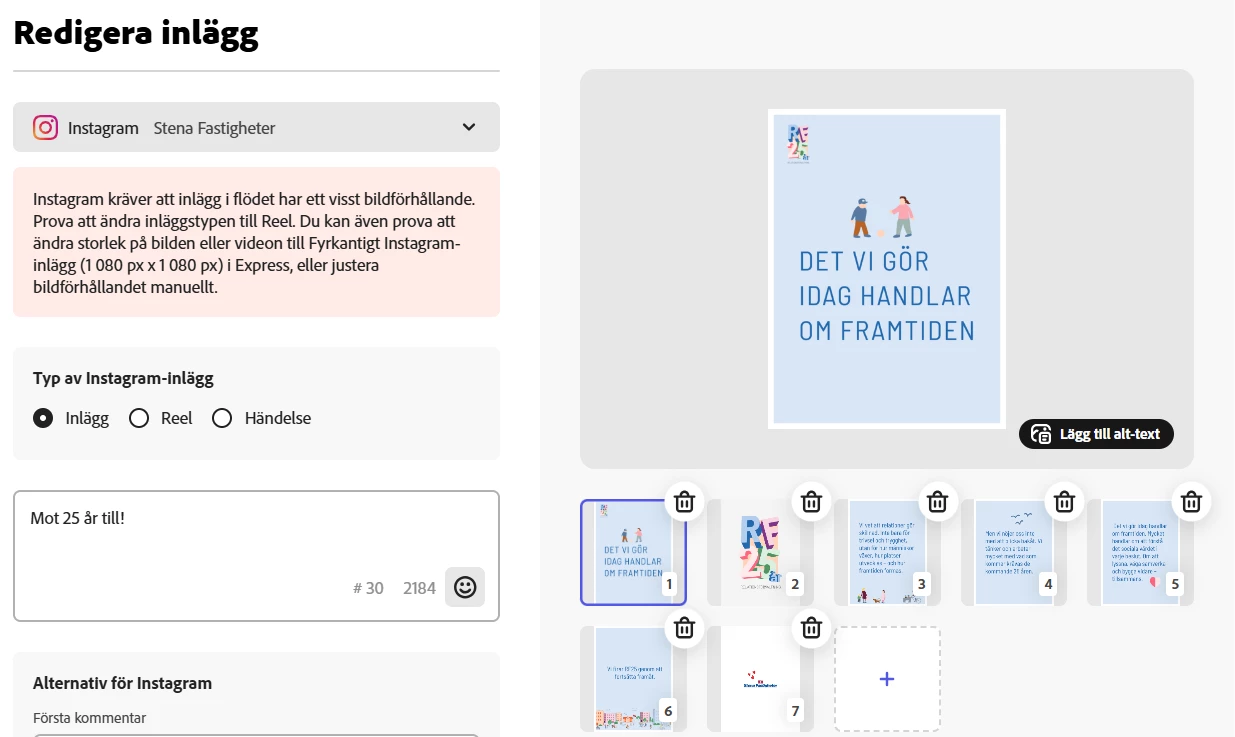
I'm getting an error message when I try to schedule images/carousels for the Instagram feed. It recommends changing the post to 1080 x 1080 instead of 1350, but that seems strange?



3 replies

Adobe Employee
April 30, 2025

Hi @Just_Leo


1080 x 1350px should work; would you be able to share your file with me for investigation? If so, please send me a DM so we can set up file-sharing.


Thank

Abhi G

Participant
April 30, 2025

I made my post in 1080 x 1350, shouldn’t that work? It seems unnecessary if I have to change it to portrait just because of this. It’s worked like this before? I also can’t find an easy way to resize it in the tool."

chaimaa.7
Community Manager
Community Manager
April 30, 2025

Hi @Christincb. The error message suggests changing your post to 1080 x 1080 pixels because the scheduler currently supports only this size for certain posts. Adobe is working on updating this.

To resize your image in Adobe Express:

  1. Open Adobe Express and select Photo.
  2. Choose Resize Image in Photo Quick Actions.
  3. Upload your image and select 1080 x 1080.
  4. Adjust and download your resized image.   

-I also recommend checking this link: https://adobe.ly/4373mrH.

Adobe is aware of the inconvenience and is actively working on updating the scheduler to support 1080 x 1350 pixels. In the meantime, resizing your images to 1080 x 1080 pixels will ensure they can be scheduled without issues.

If you have any further questions or need additional assistance, feel free to reach out. We're here to help! 


Regards,

Chaimaa

Participant
April 30, 2025

I usually plan my social media posts using the Adobe Express Content Scheduler. Today, I wanted to schedule a post for Instagram in the new standard size (1080 x 1350 px), but I noticed that the scheduler now only allows uploads in 1080 x 1080 px.
This is strange because I’ve previously scheduled posts in the 1080 x 1350 px format without any issues. Has anything changed recently, or is this a bug?

Thanks in advance for your help!

Tarun Saini
Community Manager
Community Manager
April 30, 2025

Hi 

@Christincb

,

Welcome to the community! Please try resizing to Instagram square or Instagram Portrait post in Express and re-sharing.


Let us know if that helps.


Regards,

Tarun