Stan Brown
Participant
July 27, 2022

16 Bit nodes with 16 bit inputs outputting 8 bit results intermittently

  • July 27, 2022
  • 8 replies
  • 2136 views

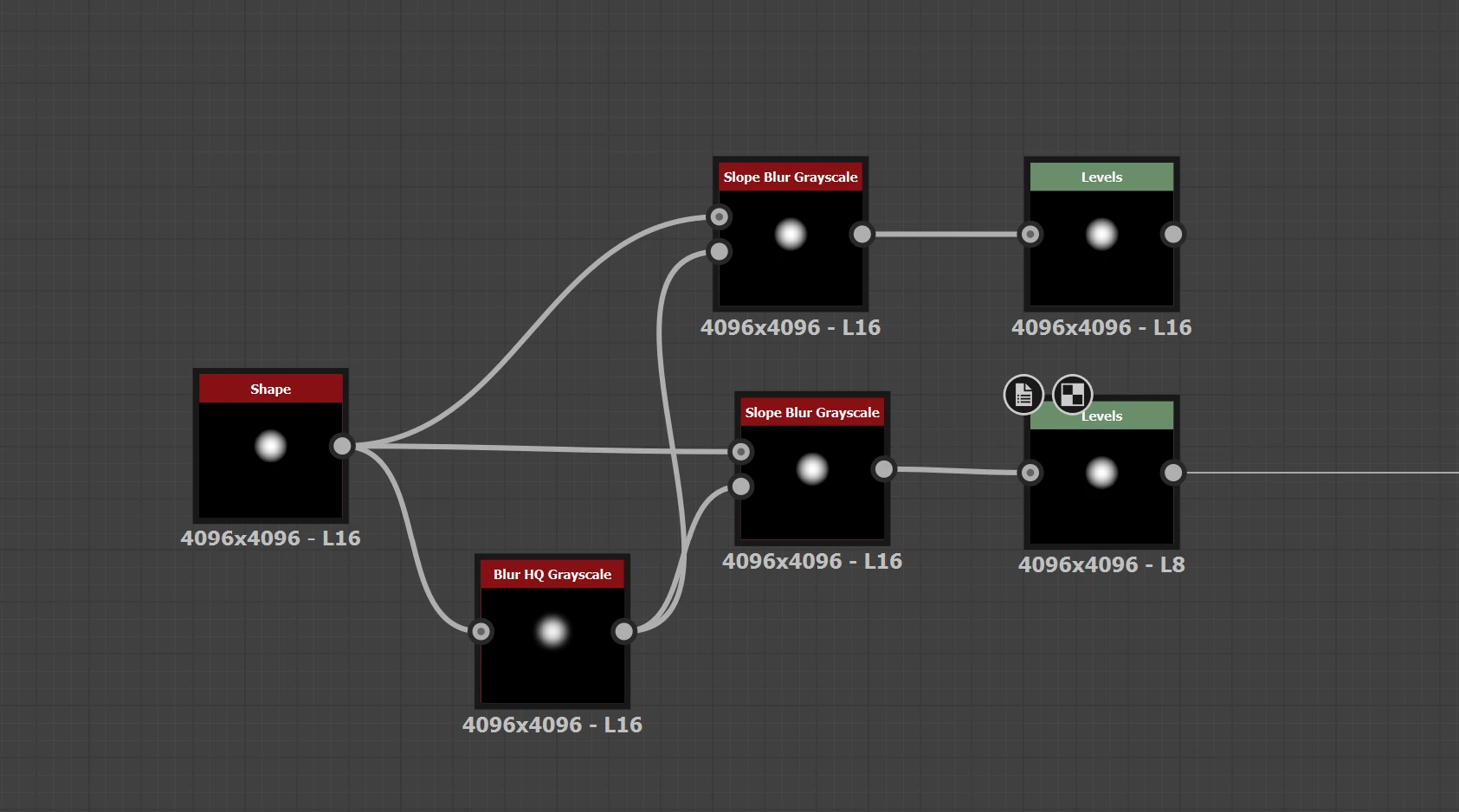
In the latest build (12.2.0 Build 5912) I am having issues of nodes that are 16-Bit with 16Bit inputs output 8-Bit results randomly.
(Windows 10) 
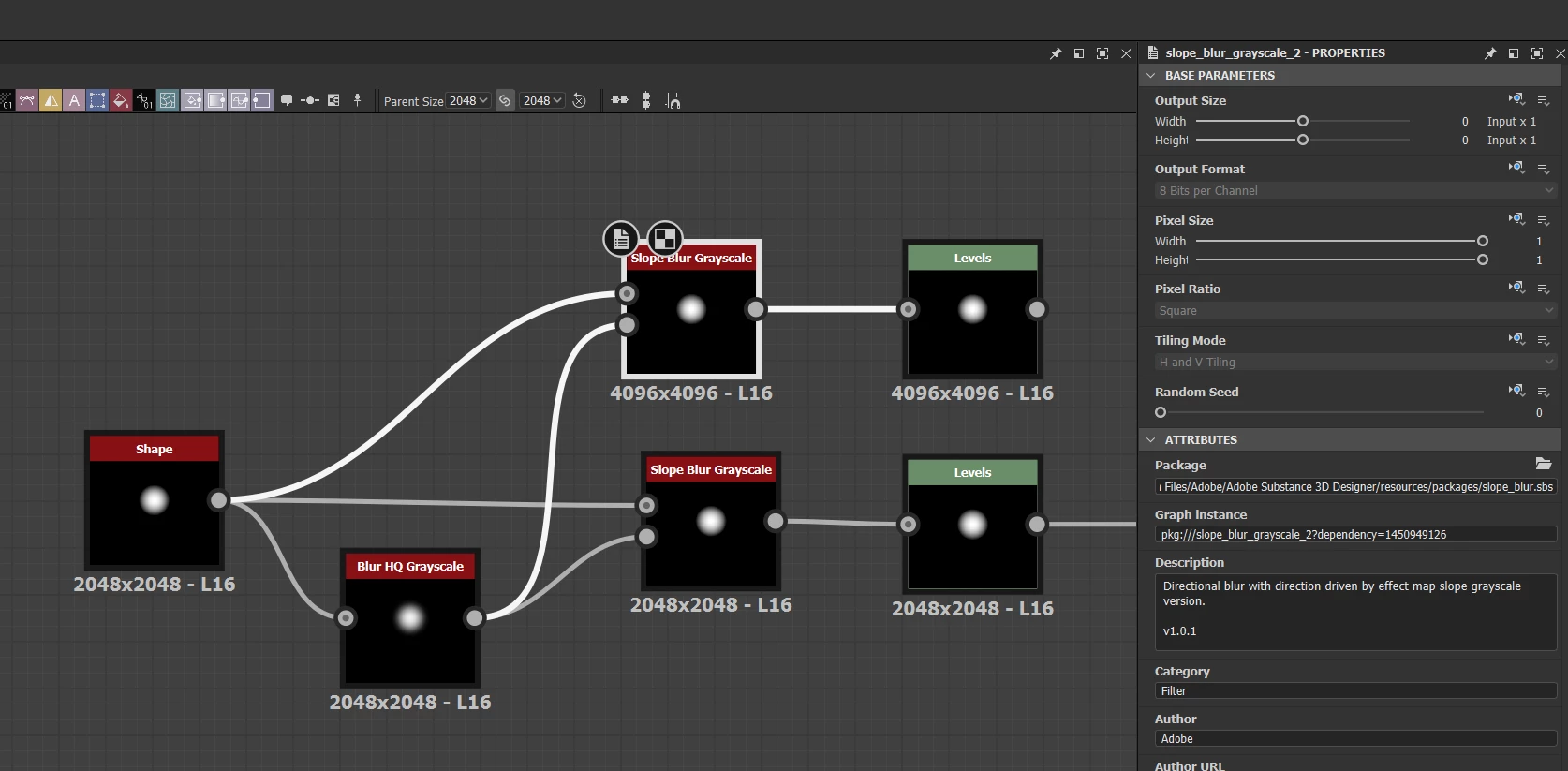
No noticed node in particular, have confirmed with Blend node, Slpoe Blur and Non- Uniform blur. However it is not consistent - When I notice it has happened, I can copy the node and find that the copy works fine (shown in attached example).
I have been working mostly in 4k.

I went to test 2k to see if the issue still occured, and found that after changing to 2k, some nodes are not updating resolution either - example attached.

Please advise if there is a fix / if other info etc required.
Thanks!

Stan Brown
  

    8 replies

    davescm
    Community Expert
    Community Expert
    August 4, 2022

    Wow - that was fast!  Thank you

    Dave

    Nicolas3D
    Community Manager
    Community Manager
    August 4, 2022

    And the fix is now live! Feel free to update your version to solve the issue 🙂

    Stan Brown
    Participant
    August 1, 2022

    Thank you @Luca Giarrizzo and @Nicolas3D for getting on to it so quick, Work around worked for me also, and appreciate an update coming soon!
    Cheers,
    Stan

    davescm
    Community Expert
    Community Expert
    July 29, 2022

    Excellent - thanks Nico

    Dave

    Nicolas3D
    Community Manager
    Community Manager
    July 29, 2022

    And in the meantime, we found a fix yesterday 🙂

    The new version with the fix should be online end of next week. Thanks in advance for your patience. 

    Nico

    davescm
    Community Expert
    Community Expert
    July 28, 2022

    @Luca Giarrizzo Thanks.

    I can confirm that the workaround does appear to work here.


    Dave

    Luca Giarrizzo
    Community Manager
    Community Manager
    July 28, 2022

    Hello,


    Thank you @davescm for the heads-up!


    Indeed, there is a known issue related to the propagation of inherited parameters – e.g., Output Size, Output Format, ... – in the 12.2.0 version. We are working on a fix.


    In the meantime, you may try to enable In-Context Editing as a workaround. You can find the option in Edit > Preferences > Graph. I appreciate your patience while we resolve this!


    Best regards.


    Luca Giarrizzo | Quality Engineer - Substance 3D Designer | Adobe
    davescm
    Community Expert
    Community Expert
    July 28, 2022

    Hi

    I can replicate this. There appears to be issues with the inheritance of both size and bit depth.  At first I suspected it was on node trees not connected to an output, however that proved not to be the case, the issue still occurs with all node trees connected to outputs.


    System : Windows 10 v21H2 : CPU i9-10920X; 512GB RAM : GPU RTX3090 Studio driver 472.84    SD version 12.2.0 build 5912


    I will tag Adobe's @Luca Giarrizzo to see if he can help


    Dave