


Channel usage when creating Painter filters seems broken
Hello,
I'm having trouble using any painter channels within a 'specific filter'
(https://helpx.adobe.com/substance-3d-painter/content/creating-custom-effects/channel-specific-filter.html )
For anything I try, not the channel in Painter but the inputs default value in the designer graph is used.
I wanted to use the user channels initially but failing that I tried to simply make the
Specific Filter - Painter sample work, but here the same thing happens.
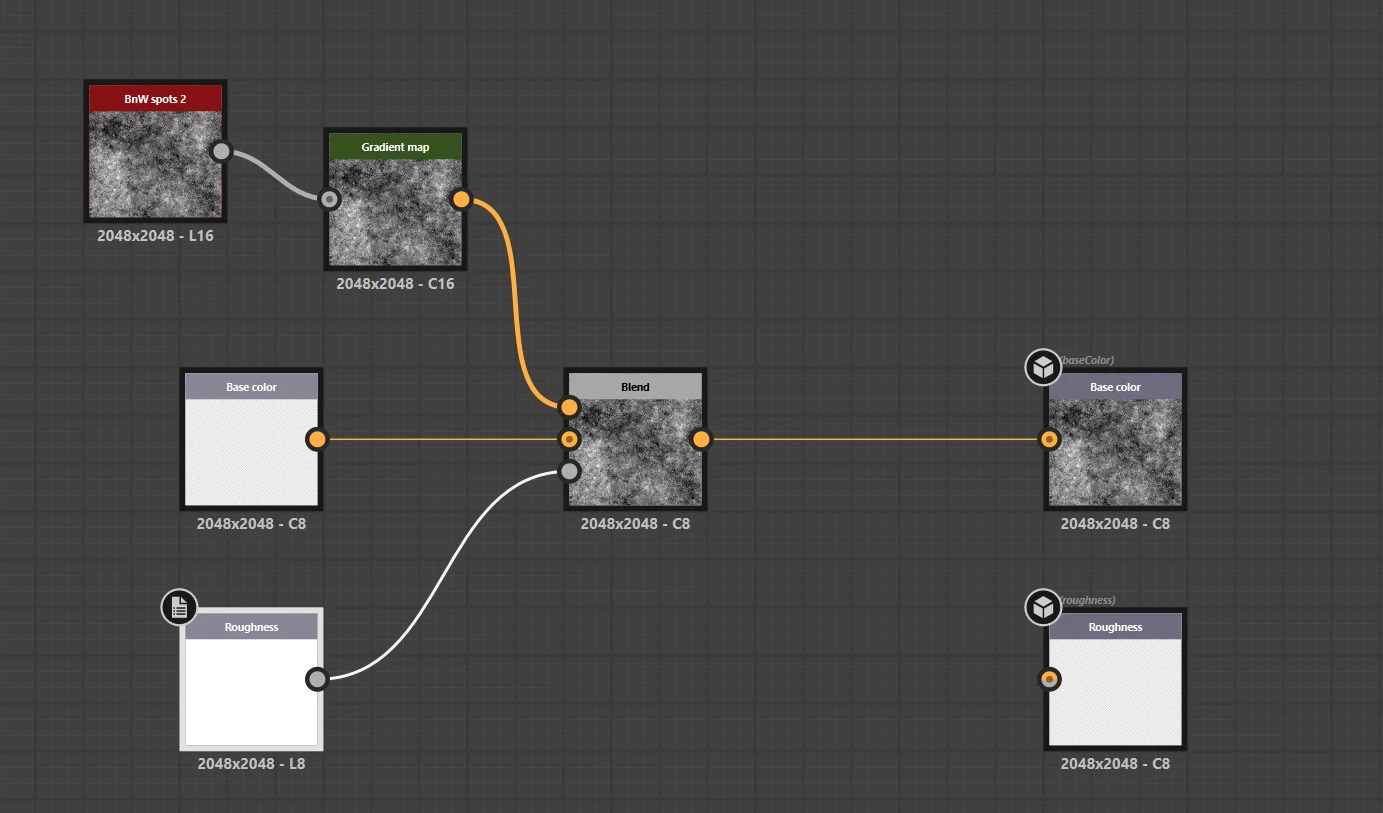
This the small modification I made to the sample, using the roughness channel to blend the base color with noise):
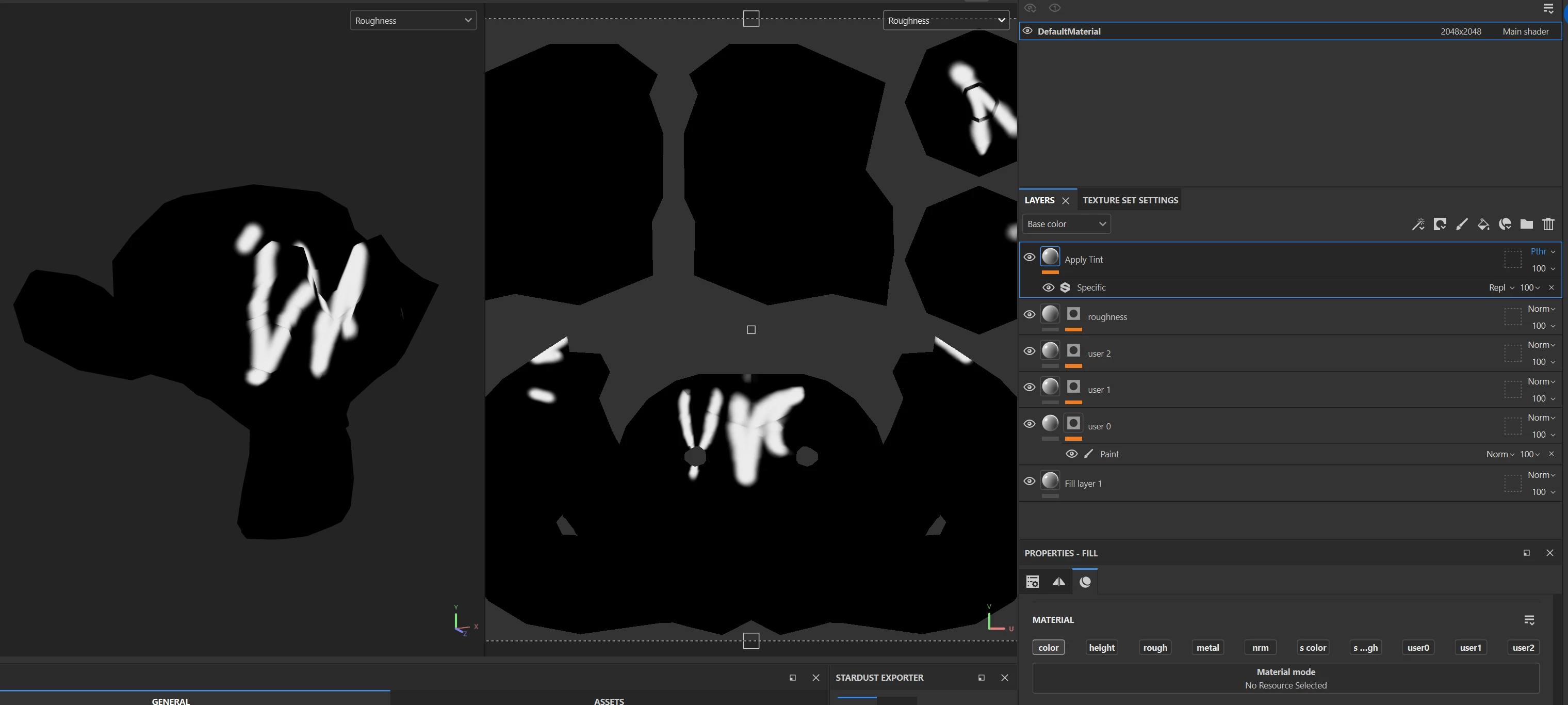
Roughness channel:
Result (should use roughness but uses white value from graph):
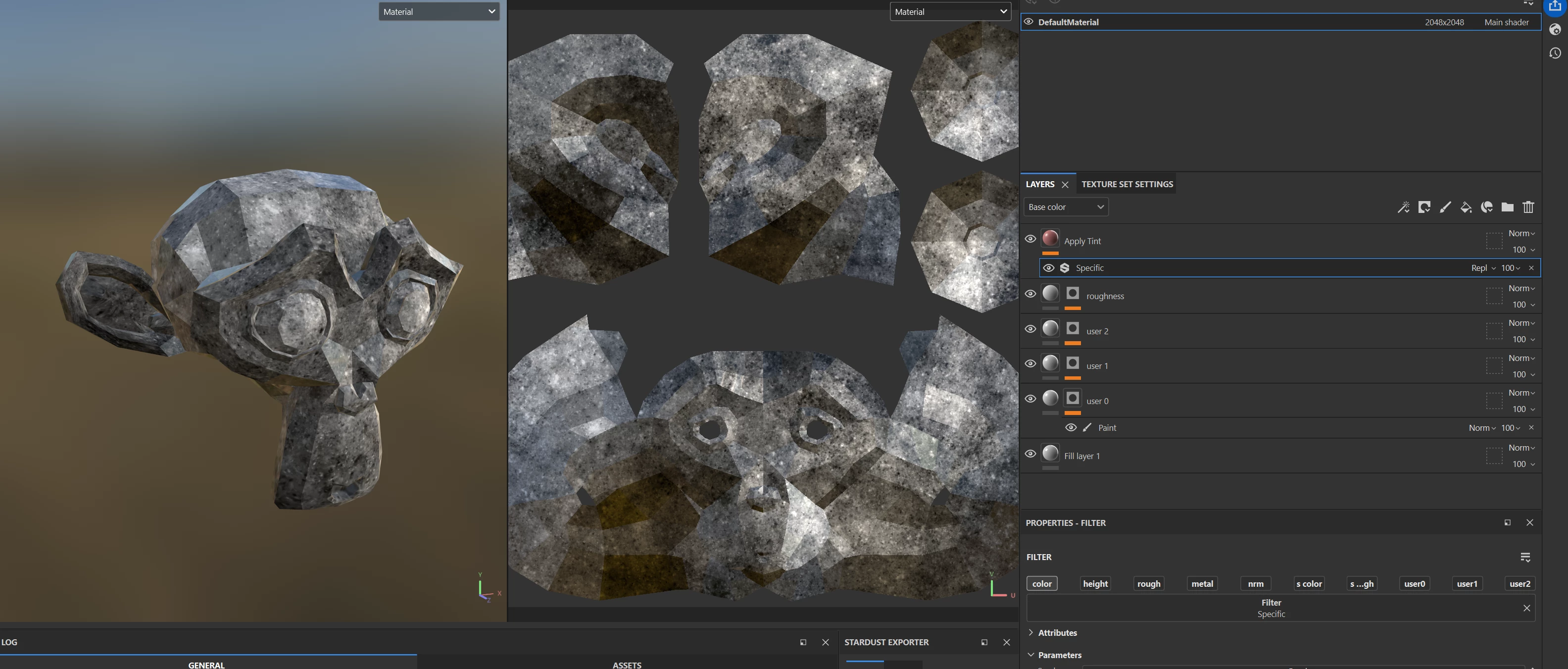
I checked with others who experienced the same issue. It might still be a user error, but if it is, it might be good to make it more obvious that something is wrong 🙂
This is using the latest designer and painter versions:
Substance 3D Painter, version 11.1.2
Build 5115 - 5faba39802156445fcb0e2b9673b9805f16bd435
15.1.1 build 10305 commit 12408c79 Release (01/15/2026)
Thanks so much for any pointers!
Seb
 AdChoices