


Participant
October 3, 2025

Color.Raytraced does not render correct material colors

  • October 3, 2025
  • 5 replies
  • 152 views

Hello,

The new Color.Raytraced baker does not render the correct material colors
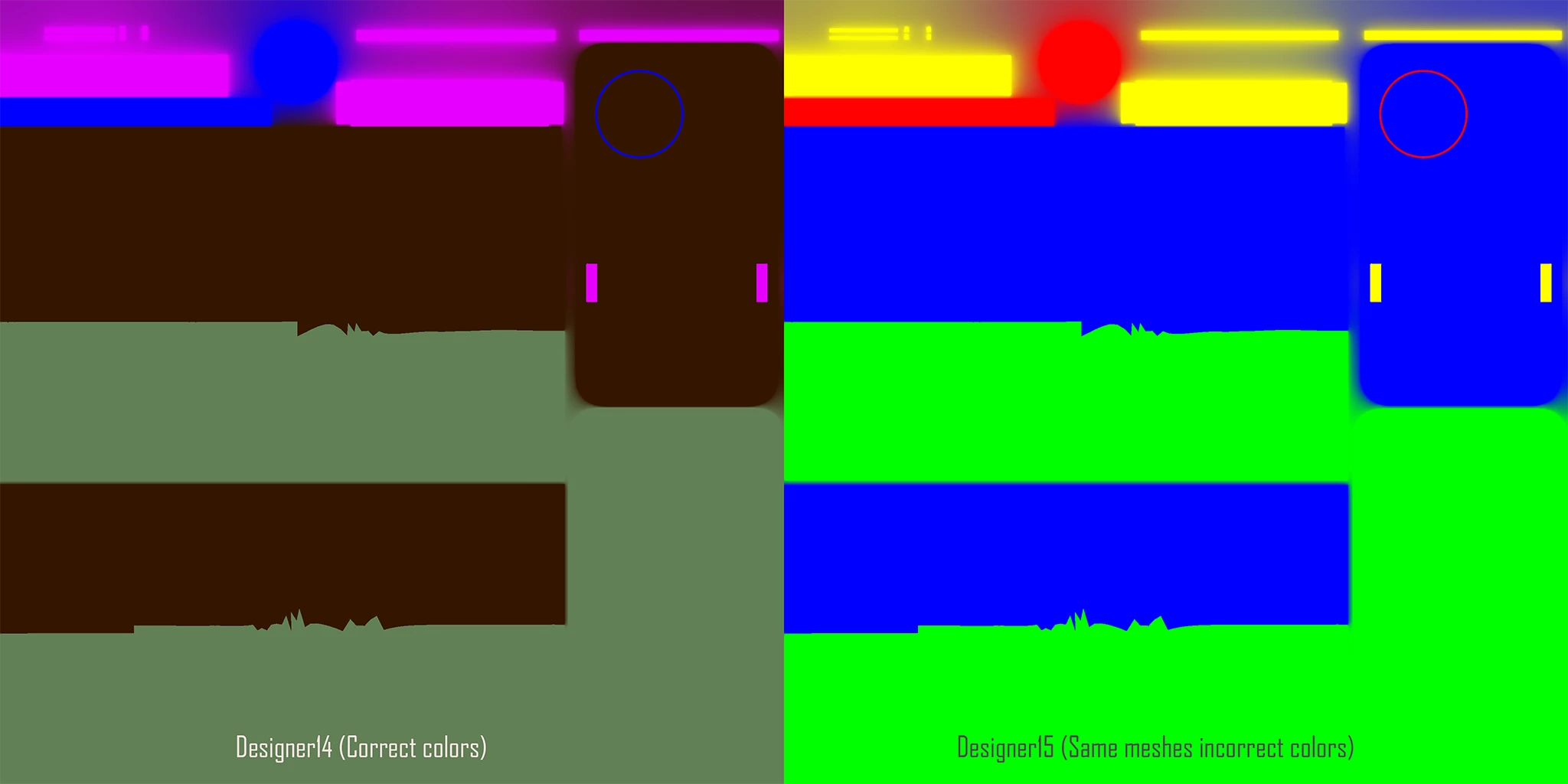
It worked correctly in v14 but chooses random colors in v15.  


Additionally, Color.Raytraced does not function correctly through the SAT.  If left to the default, or set to mesh_color through the --color_source flag, it renders a black image.  Example command:


<path_to_baker>/substance3d_baker.exe Color.Raytraced --inputs <path_to_low>\low3.fbx --output_path <out_path>\ --high_scene_paths <path_to_high>\new_colors7.fbx --output_size 1024,1024 --output_name ID_Test --padding_radius 10 --projection.max_height .5 --projection.max_depth .5 --color_source mesh_color


Assigning vertex colors to the high poly fbx and changing the color_source flag to vertex renders out the vertex colors correctly.  I have tested most of the other bakers through the SAT with no issue after updating the new flags, but mesh_colors seems broken both in Designer and through the CLI.  Please advise, I have multiple tools that rely on the ability to bake out correct material colors as IDs.

Thanks,

Chris

5 replies

Participant
November 20, 2025

Hello again, 

I was wondering if there was any update on this.  Unfortunately, rolling back to 14 is not an option and this bug is holding back a tools release in the studio.

Thanks,

Chris

Cyril Dellenbach
Community Manager
Community Manager
October 7, 2025

As Elio already mentioned:


"We are aware of this bug and are working on it. Unfortunately, there is currently no workaround for this issue, and all I can advise is to rollback to Designer 14.1.2 or sbsbaker.exe for this baker. I apologise for the inconvenience"


We'll update this thread as soon as the problem is fixed.


Cyril Dellenbach (Micro) | QA Support Artist | Adobe
Adobe Employee
October 7, 2025

Unfortunately, I cannot share an ETA this fix, sorry.


If you are using substance3d_baker in the SAT package, then yes, you will need to wait for a future release, but if you are using it in the Designer package, then you will only need to update Designer once we have fixed the issue.


Participant
October 6, 2025

Hi Elio,

Thank you for the response.  Do you have a timeline for this?  Also, would I be correct in assuming the fix will require an additional SAT release? 

Thanks,

Chris

Adobe Employee
October 6, 2025

Hello Chris,


thank you for reporting this issue. We are aware of this bug and are working on it. Unfortunately, there is currently no workaround for this issue, and all I can advise is to rollback to Designer 14.1.2 or sbsbaker.exe for this baker. I apologise for the inconvenience, I understand this must be frustrating.


Best regards,

Elio Meyer - QA Engineer