


Participant
November 7, 2024

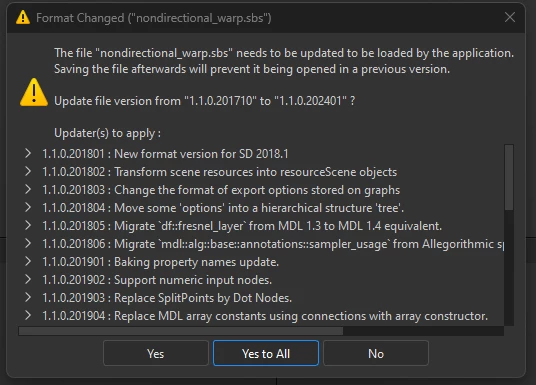
Format Changed warning for sbs file prompt appears everytime

  • November 7, 2024
  • 1 reply
  • 277 views

When i open an SBS file in substance designer, it always warns me that the sbs format has changed for a dependency. 
I go through the steps of clicking yes to all, it tells me it has completed the format change successfully, but doesn't give me an asterix on the file to suggest it needs saving. I try saving anyway, but then when i close the file an re-open it again it gives me the same format changed warning.

This seems to be an endless loop. How can I get it to save the format changes it wants to?
1 reply

Community Expert
November 9, 2024

This seems to be a dependent file, not your main graph. The warning appears everytime you open your graph, because it just gets temporarily updated but not saved, to get rid of the warning. You can right click on your graph in the Explorer window and "open dependencies" then you should see some files with the little star symbol, which means these files got changed but not saved. You can either hit Shift+Ctrl+S to save all open files or you save the files one by one. This should save the file with the updates and prevent the warning from happening. If it's still there try to open all dependencies from all opened graphs.

Stay healthy and creative Marco