Participant
March 17, 2023

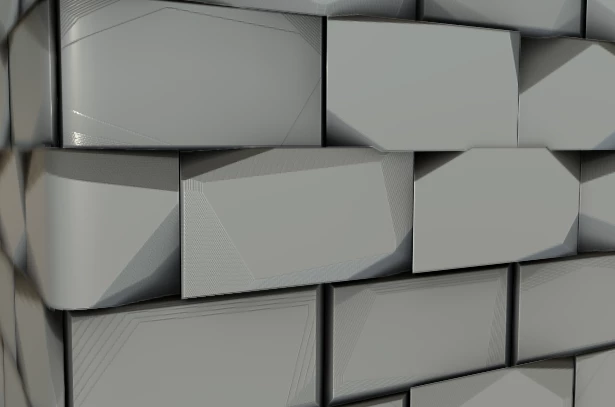
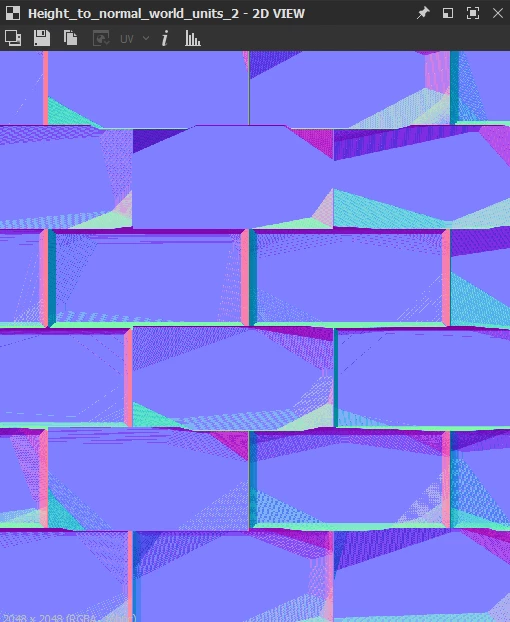
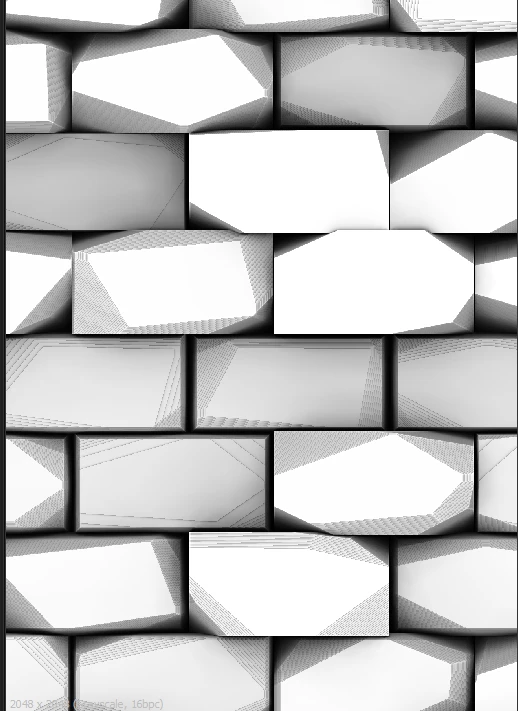
Normal or Ambient Occlusion not working properly. Weird Artifacts.
  • March 17, 2023
  • 3 replies
  • 1714 views


I couldnt tell you wehat the issue is. The Nodes are clean and fine TILL they reach the AO and normal. I cant tell what would be cuasing the issue. Any help or info would be great!

3 replies

Cyril Dellenbach
Community Manager
Community Manager
March 20, 2023

Usually, the Output format parameter is set to the Relative to input inheritance method, which can propagate the low precision throughout the graph. Ideally, by going upstream in the graph you will find the root cause of the issue, and you'll be able to solve it by switching the bit depth value.


Under the Base parameters of your node, set the Output format to Absolute and turn the value to 16 bits.


Best regards,


Cyril Dellenbach (Micro) | QA Support Artist | Adobe
Participant
March 17, 2023

Wow, thank you so much Cyril!
How do i change the output to 16 bit?


Cyril Dellenbach
Community Manager
Community Manager
March 17, 2023

Hi Daniel,


Thank you for the message and the .sbs


From what I can see, it really looks like a bit depth issue. Make sure that your height output is set to 16 Bits per channel, if not the maps won't have enough range to create a smooth gradient, causing this weird visual.


You can check a more detailled answer in the common issues section of our documentation.


Tell me if you need more guidance.


Cyril Dellenbach (Micro) | QA Support Artist | Adobe