


Scatter on spline node - misaligned shapes on export
Hello,
The issue I have is with a project created in Designer, but manifests when published as sbsar format and imported into Painter.
I find that the very end shape doesn’t appear where expected when I use the scatter on spline node. I’ve had the issue with spline cubic, quadratic and polyquadratic as the input splines.
I’ve replicated in a simpler file as below. I haven’t moved any of the points in the spline cubic node and I left the input pattern in the scatter on spline node as ‘disc’ for simplicity.
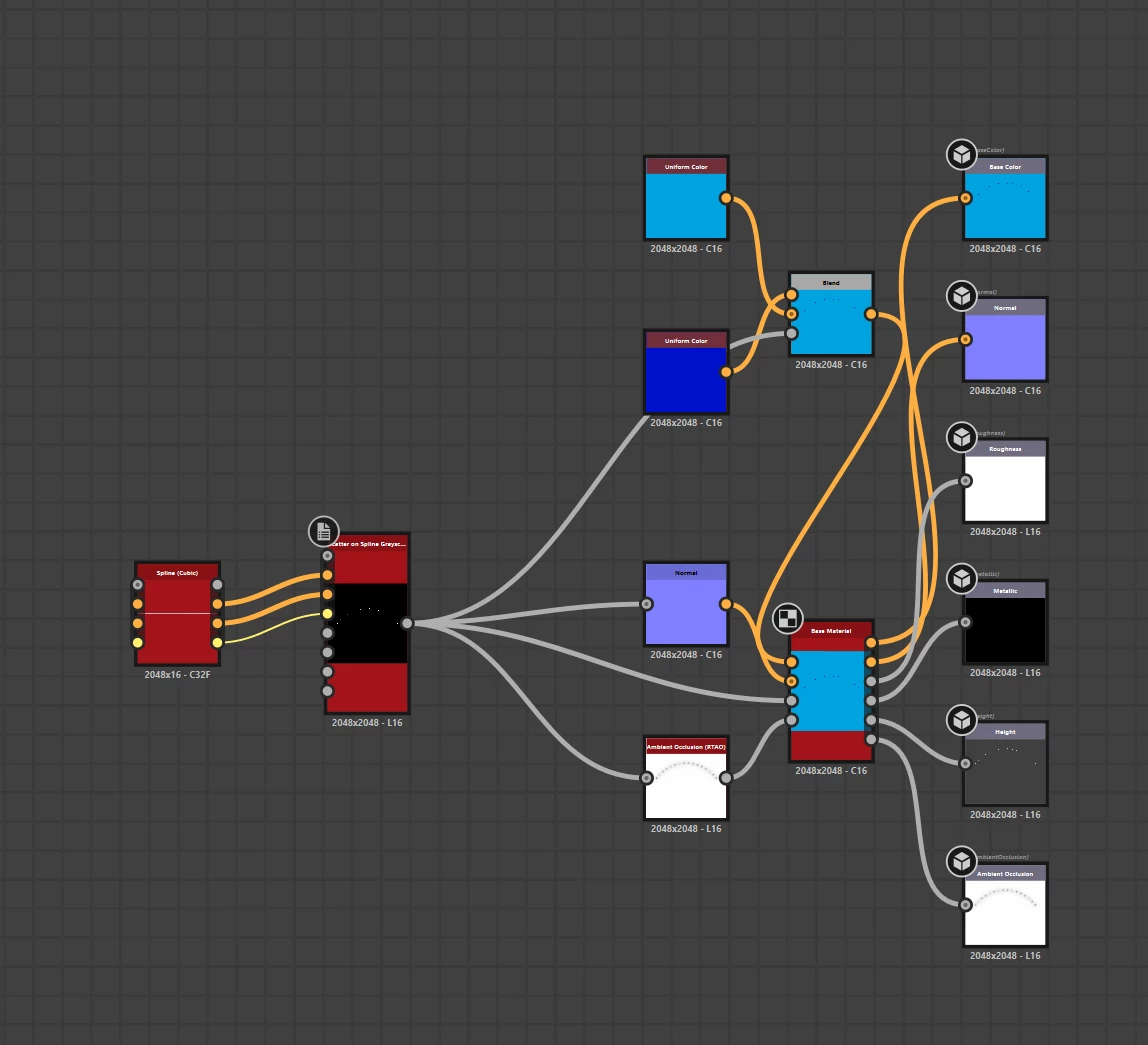
The result in designer is this:

When I publish to SBSAR and import into Painter, or use the “send to painter” button, I get this, where the end disc has moved.
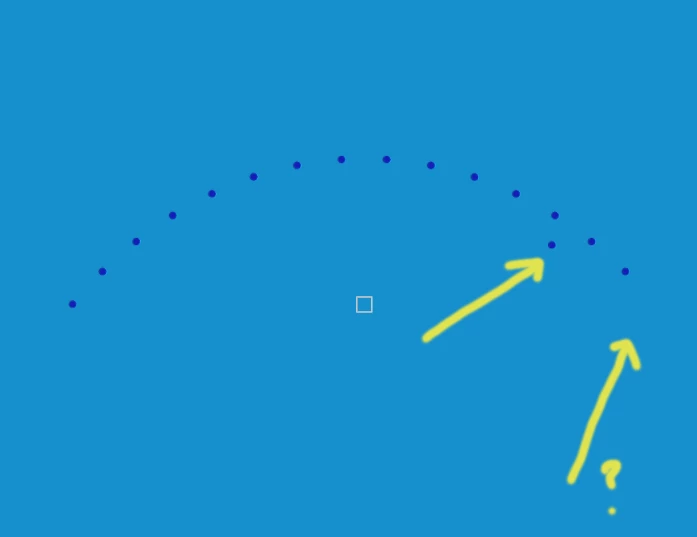
If I use the tools menu to export the base colour as a png, it is correct and opens as expected in any image viewer. It also is correct from the SBSAR format in substance player.
As the number of shapes being scattered increases more appear away from the spline. I’ve noticed that it always happens close to the end of the spline. When I’ve appended splines, the “misaligned” shapes will appear at the joins as well as at the end. I’ve tried variations on the instance parameters and I don’t get the issue when I move the end of the spline down to 0.7, 0.8 or 0.9 but the issue starts up again at 1. It doesn’t make any difference whether I use scatter mode “shape spacing” or “shape amount”.
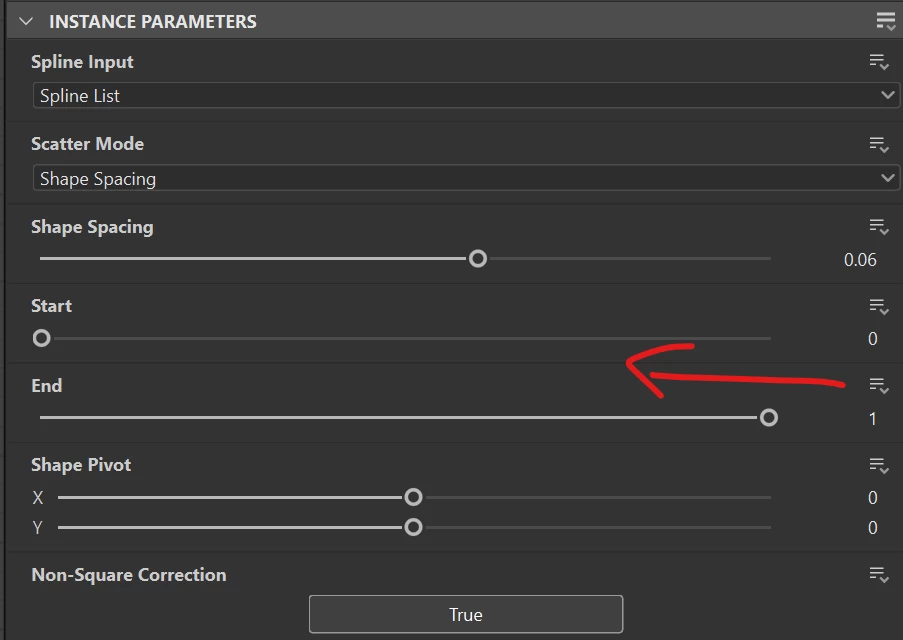
Is this a bug or is there a setting that I’ve missed? I’m pretty sure I’ve used this node in the past and not had any issues. I'm using v 14.1.1 of Designer and 11.0.0 of Painter.
 AdChoices