


Open for Voting
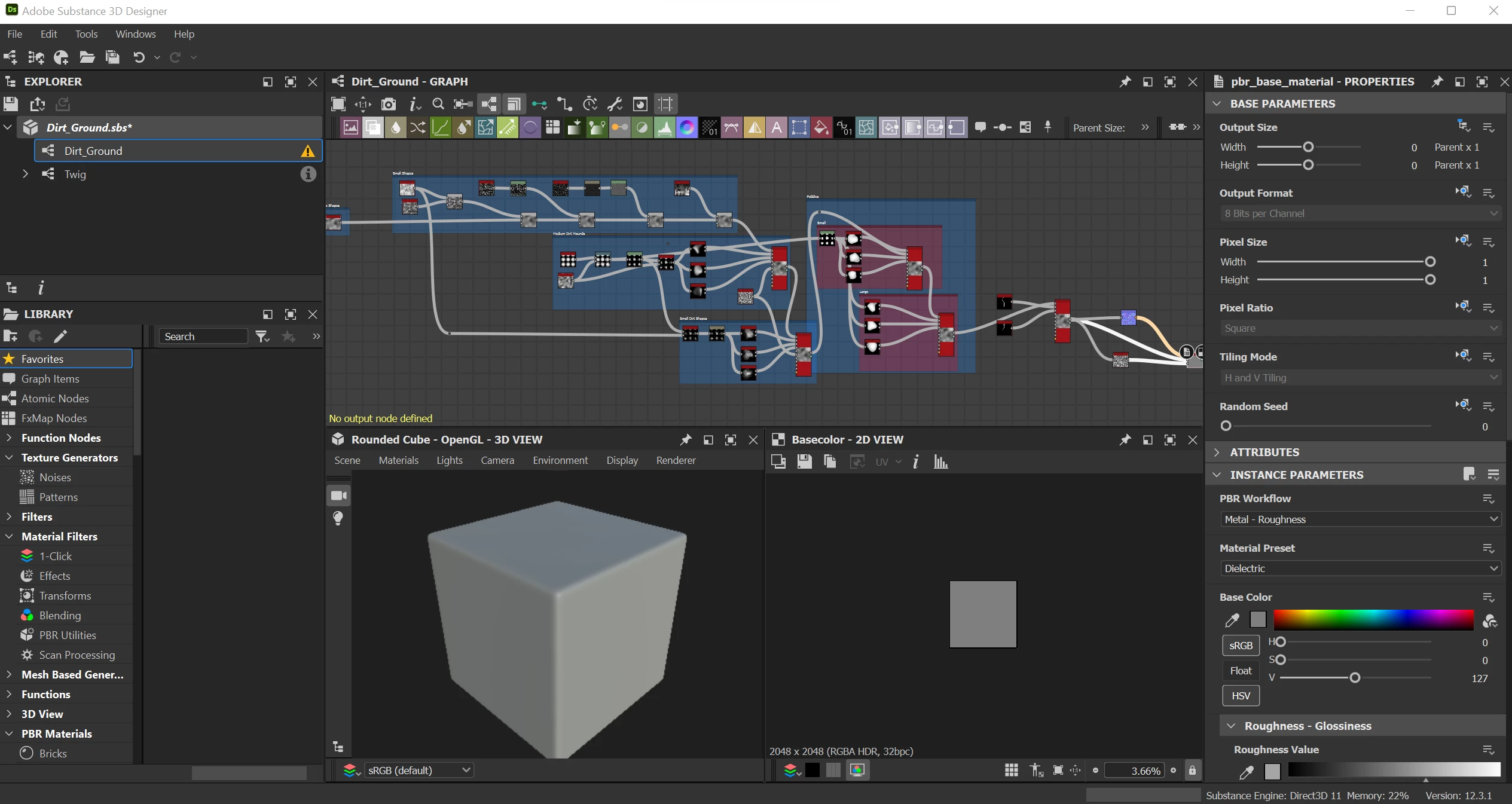
Substance 3D Designer 3D view not showing any texture
Hi! New to Adobe Substance here, need some help troubleshooting
So my 3D viewer stopped previewing.
- saved and close my file after working on it
- 3D view showed texture i was working on, with the scene being on plane (hi- res) as I've set it to be.
- opened it next day to find that the 3D view was in "Rounded Square", with no texture at all.
- graph remains the same.
- what happened and how do i fix it?
Version of App: 12.3.1 build 6274 commit 23ad2214 Release (2022-11-21)
Platform and OS version: Windows 11 Home 22000.1219
 AdChoices