


Open for Voting
Substande Designer - Flood fill mapper - rotation issue
Hi Geeks!
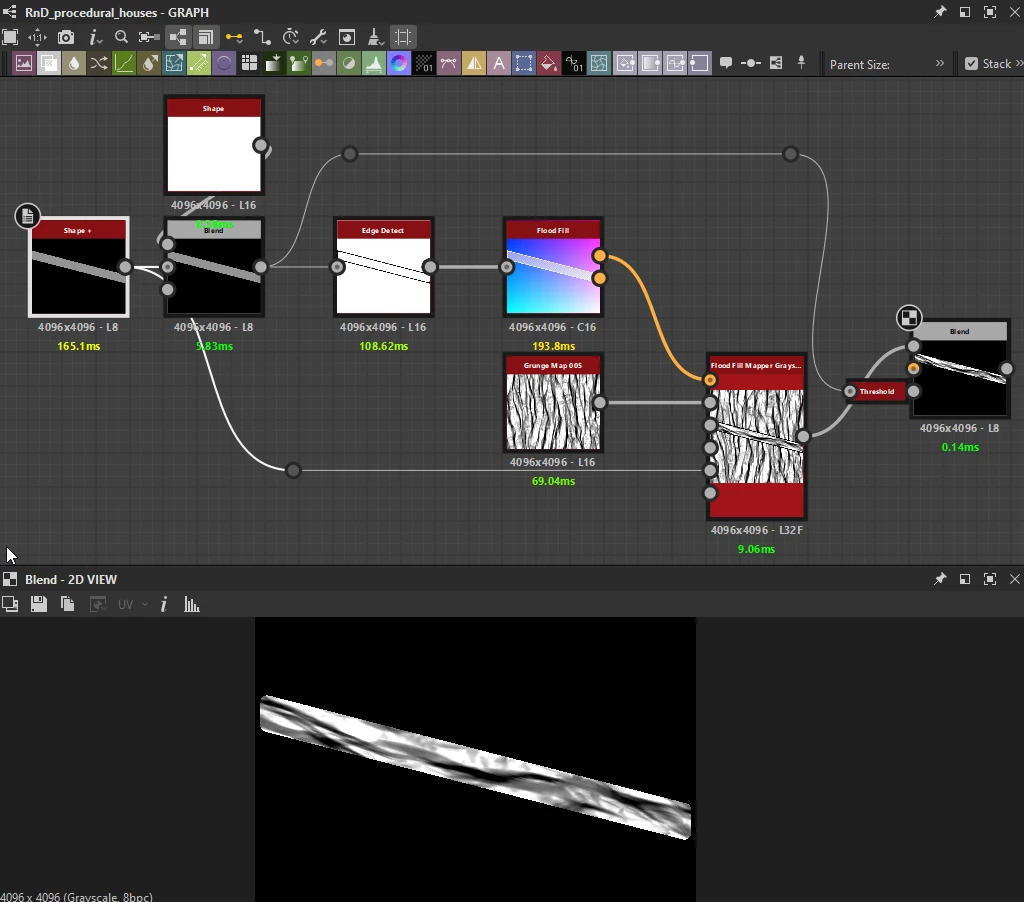
I'm working on a procedural wood log material, so far I can control the rotation of my logs with a grayscale value from 0 to 255 = 0 to 360°.
I use the flood fill family node to map a texture (wood grain, grunge, whatever) with the flood fill mapper node, however, it only uses half of my grayscale value to perform half of the rotation. No rotation of the texture between value 0 and 126, then it performs correct rotation. Is there a way for the flood fill mapper node to use the full grayscale value to perform 360° rotation of my texture?
 AdChoices