


artnerdray
Participant
November 27, 2022

Suggest an option to bake out any SVGs into PNG via Publishing SBSAR
  • November 27, 2022
  • 1 reply
  • 124 views

Hello,

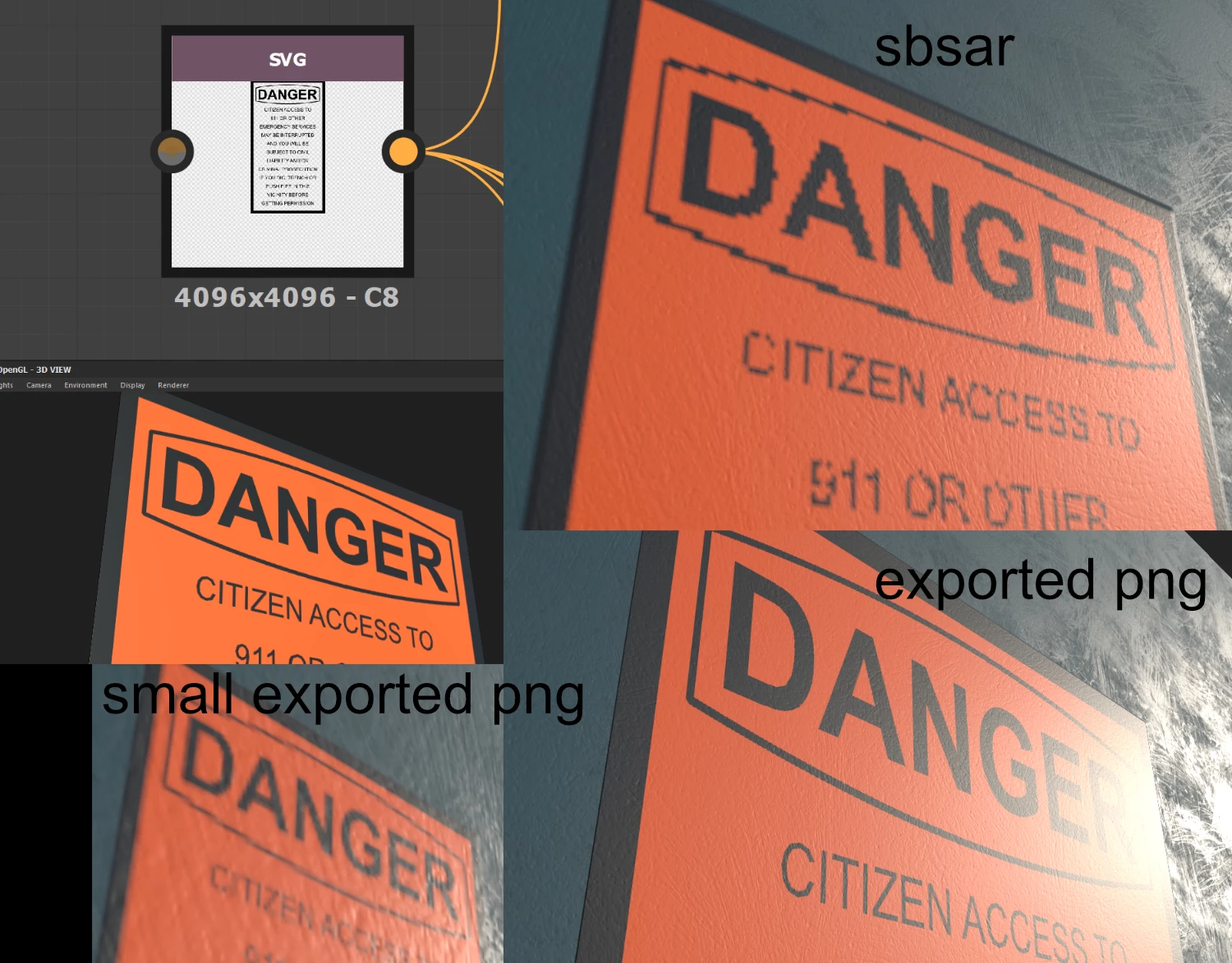
I ran into an issue where the text and line work on the SVG I imported looked great in Substance Designer but was poor looking alias when importing the SBSAR file into Painter.


I tried looking up info to see if there was a good anti-alias solution. One option I found was converting the svg and adding a slight blur. It didn't look great but it worked.


The best was simply exporting to bitmaps. So I'll probably just be exporting my future SVG files into bitmaps.


I wanted to suggest adding an option for converting the SVG into a PNG file when publishing SBSAR. This would seem to be the best way to get high quality anti-aliasing from the SVG image.

1 reply

artnerdray
Participant
November 28, 2022

I tried my idea of exporting my SVG into a PNG image. I'm using a non-Adobe app to make the vector graphics.

Anyways, the PNG was 4096 x 4096 and looked great in Substance Designer. I exported that as a SBSAR and looked at it in Substance Painter. It looked better than the SVG version however still looked a little low res. This was surprising since I used 4096 x 4096 throughout the whole test.


Makes me curious if there's feature I missed that is still reducing the quality of the image. Because exporting textures from Designer and importing them into Painter still looked better. That's not a good work flow. Dissapointed if that is what I have to do to get vector art to be as clean and smooth when making it into a raster.