



Gazelleboy
Participant
July 30, 2022

Unexpected Distance Node Output - Artifacts

  • July 30, 2022
  • 3 replies
  • 643 views

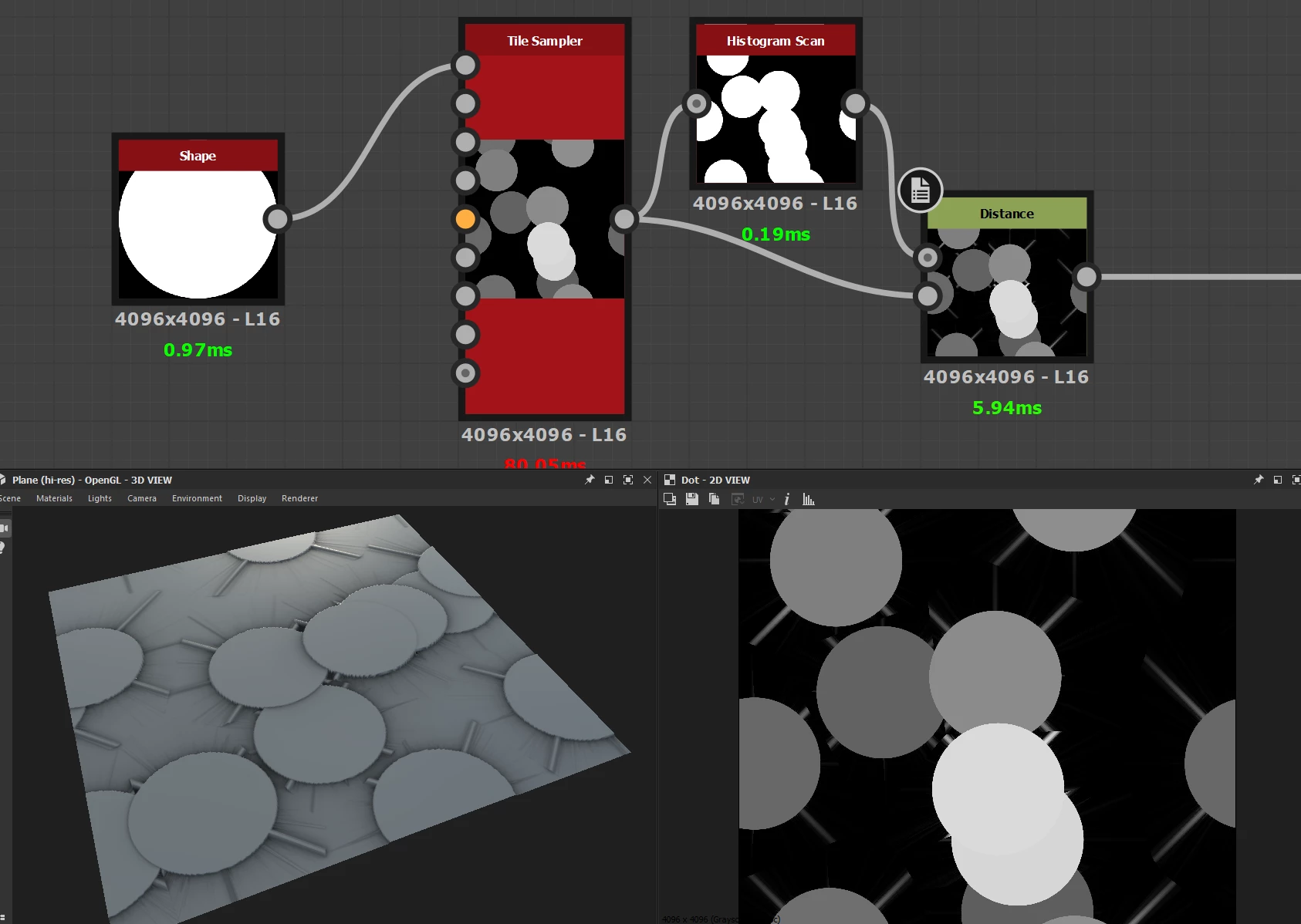
I am attempting to use the Distance Node to create a voronoi-like pattern with cells containing different values. The output of the node seems to be artifacting in a matter it should not be compared to outputs I have seen while doing research on the technique. Is this a bug in the current Designer build? Or possible a settings/configuration issue? See screen snip below for example of the (bugged?) output.


System specs:

Ryzen 5900X, 32GB DDR4 3600, Radeon RX 6700XT, Windows 10 Pro 21H2.


3 replies

Gazelleboy
Participant
July 30, 2022

Thanks Dave, I really appreciate you looking into this for me. I can confirm that changing the pattern filtering on the tile sampler results in expected output.

davescm
Community Expert
Community Expert
July 30, 2022

Ok, found the cause. It is the anti-aliasing on the pattern input filtering. In the Tile Sampler node , go to Pattern and change the pattern input filtering to 'nearest' which removes the softening on the input and the distance node then works as expected.


Dave

davescm
Community Expert
Community Expert
July 30, 2022

Hi

I am not sure why yet but the problem appears to come from the tile sampler. If  you set it to use its internal disc shape then the distance node after it works as expected. However if you use the pattern input to the tile sampler, which you would think would do the same thing, then you see the effect you are showing.


Dave