


Adobe Media Encoder Dynamic Link not connecting
I recently updated all my Adobe software, including Adobe Media Encoder to version 24.6.1, as well as other Adobe apps. However, after the update, my After Effects compositions and Premiere sequences stopped working with the Adobe Media Encoder dynamic link server. The connection only shows progress bar loading.
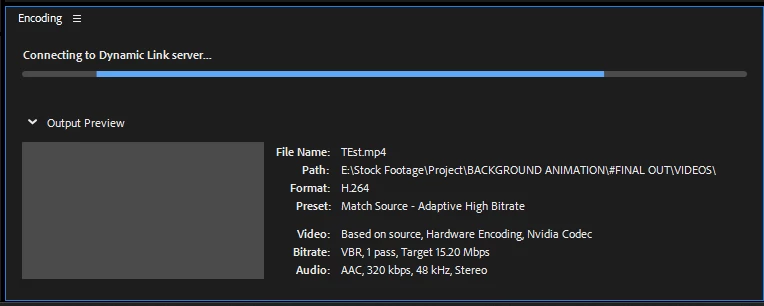
To troubleshoot, I downgraded Adobe Media Encoder, After Effects, and Premiere to previous versions, performed an Adobe cleanup, and reinstalled all the software. When that didn't work, I reset my PC, reinstalled Windows, and tried again, but the problem persisted.
I also tried using the latest After Effects version (24.6.1) with different older versions of Adobe Media Encoder, and it briefly worked with After Effects 24.6.1 and Adobe Media Encoder 24.3. However, the issue reappeared after one successful attempt.
Despite multiple software reinstallations and restarts, the problem remains. This all started with the latest Adobe updates (24.6.1). Please provide a solution for this issue.
 AdChoices