





AME Changing/Removing Metadata
Problem
Converting an audio file from any format to MP3, including MP3 to MP3, AME removes some embedded metadata and alters others.
Environment
macOS Sequioa 15.7.1 (but has been occuring for several versions of macOS now)
Adobe Media Encoder 2025 (25.5 Build 13), 2024 (24.6.5 Build 3), 2023, and all versions from the last 3 years at least
Steps to Reproduce
1. Create an audio file (examples below use WAV and 320 Kbps MP3)
2. Complete the audio file's metadata using Adobe Audition or a third-party metadata editor (Kid3 shown below, but confirmed results in four other metadata editors, including Adobe Audition)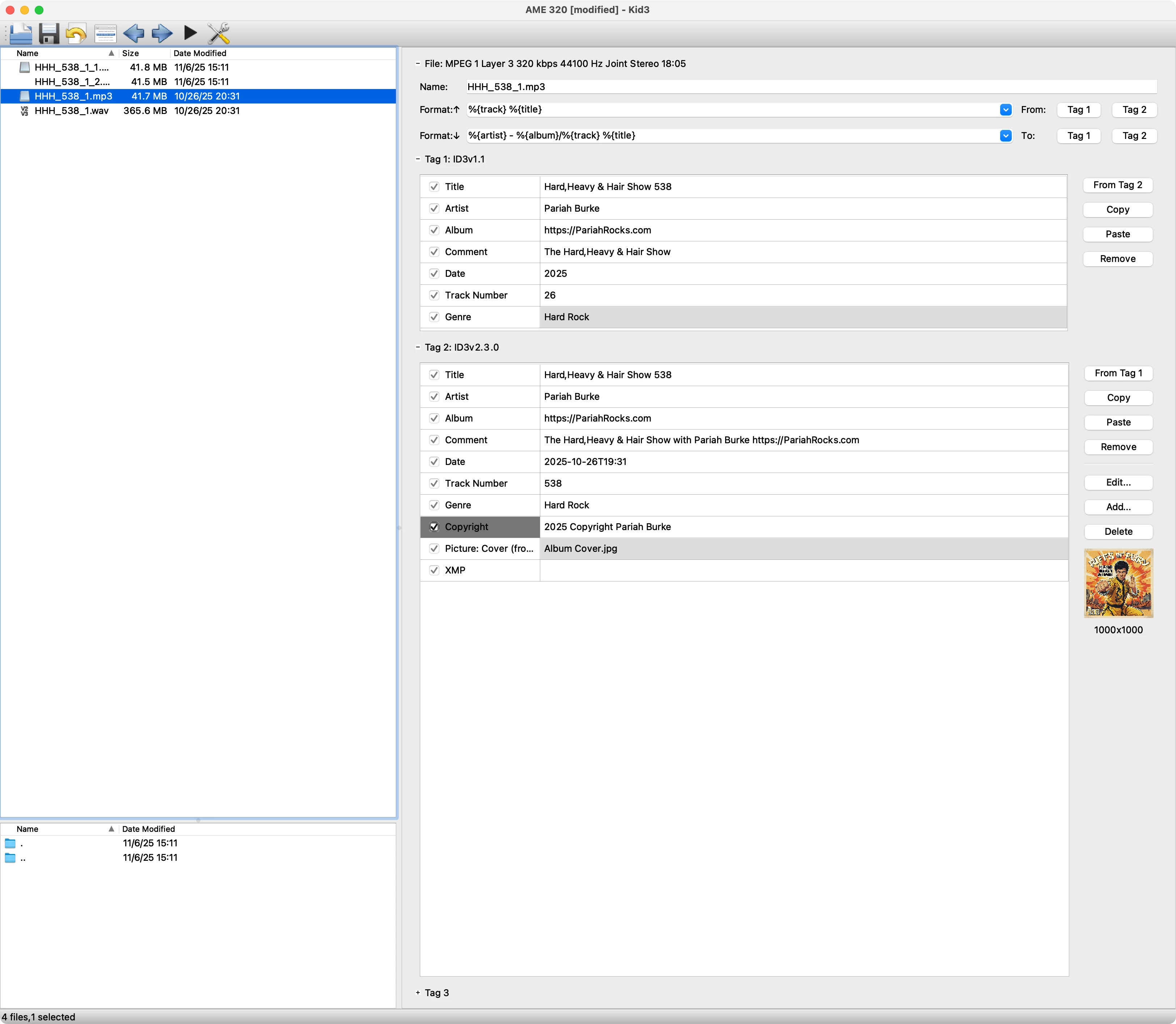
3. Add the file to Adobe Media Encoder's Queue directly, or via a Watched Folder
4. Set conversion options to be some type of MP3
5. Start the queue and wait for it to finish
6. Examine the output MP3 in a metadata editor.
Result
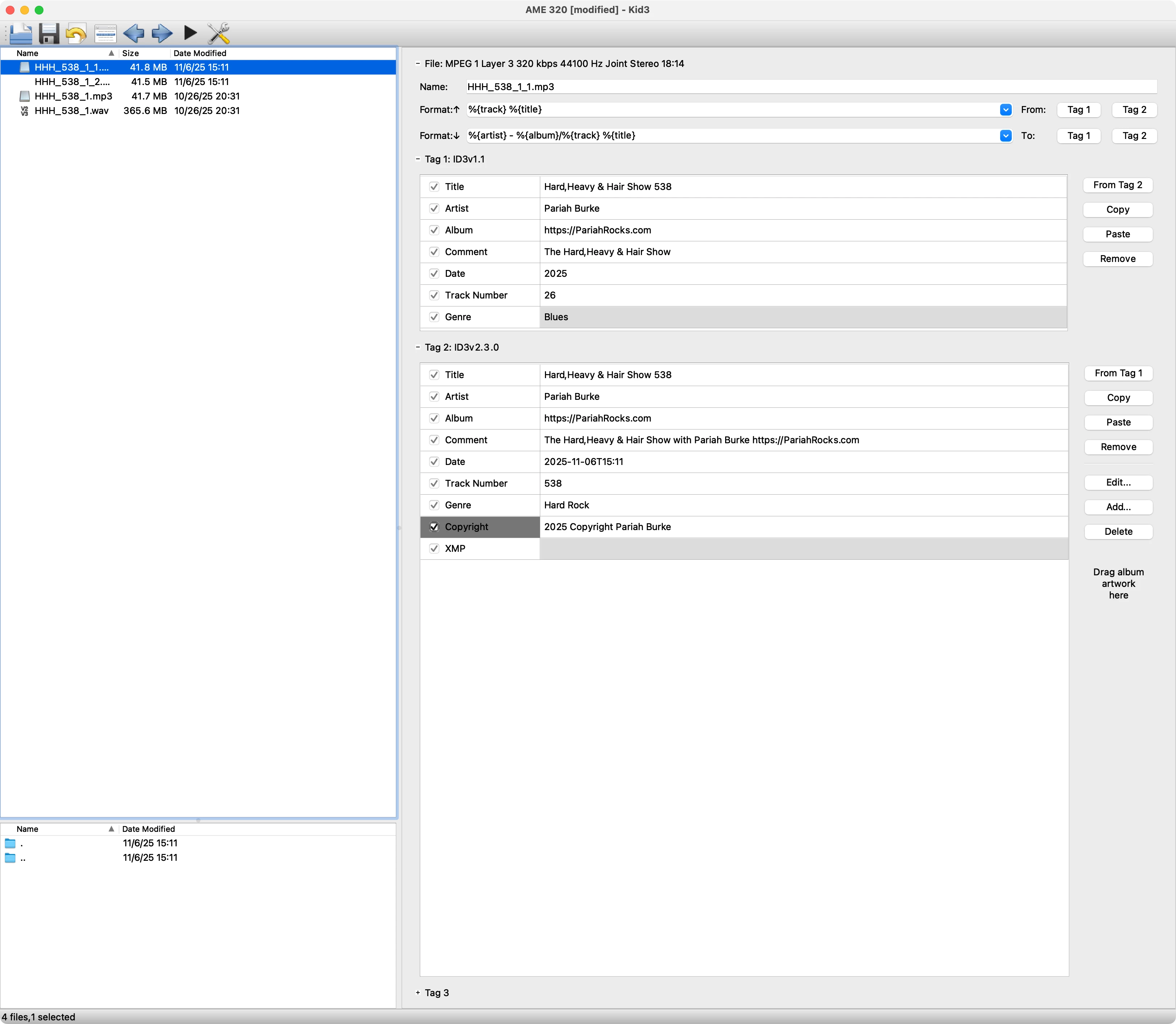
- The ID3v2 Picture/Album Art field will be stripped away completely.
- The ID3v1 Genre field will be reset to "Blues", which is not the first choise in the alphabetical list that begins with "A Cappella".
Details
- Origin of audio files seems irrelevant. Many are exported mixdowns from Adobe Audition 2025 (as been happening at least since AA 2022). Others are output from Pro Tools, MixMatch, and other sources (directly from record companies in most cases).
- I do these conversions weekly taking my voice-tracked radio show mixed in Adobe Audition and mixed down to WAV and exported WAV segments (for terrestrial radio) and converting to MP3 for online radio stations. Each show is 7 segments, plus a promo audio; plus a potential additional 7 segments if there's an uncensored version. That's a lot of work to fix the metadata errors introduced by Adobe Media Encoder.
 AdChoices