swrutherford
Inspiring
July 24, 2024

AME will not import MXF File - "File format is not supported."

  • July 24, 2024
  • 3 replies
  • 298 views

I am attempting to render proxy files via AME v. 24.4.1 (Build 2). The originals are MXF files and import correctly and without issue into both After Effects (24.5.0 - Build 52) and Premiere Pro (24.5.0 - Build 57) on Windows 11 Pro (PC & OS details at the end).


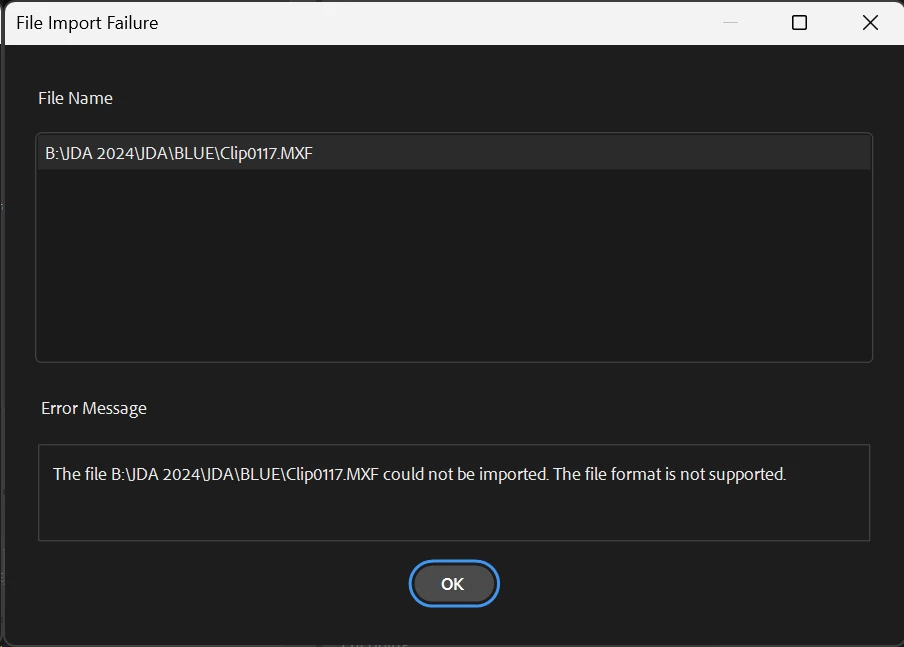
AME dialog box reads:


"File Import Failure"

Error Message:

"The file [path] could not be imported. The file format is not supported."
 

The same file imports, plays, etc. in both AE and PPro versions listed above, see the files imported into the project panels of each:
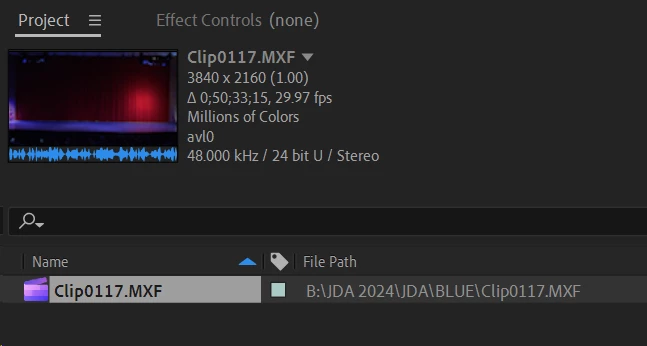
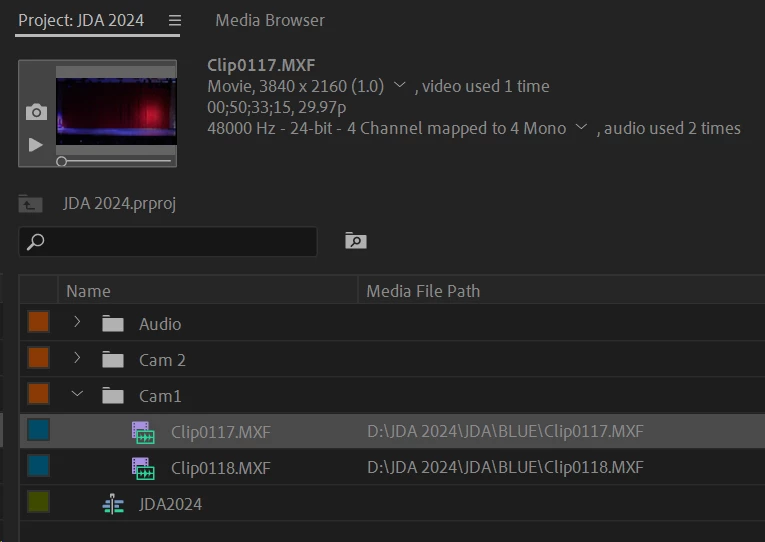
 

I would expect MXF files imported by AE/PPro to also be imported by AME.


Please help if you can. Thanks!


PC Info:

Processor Intel(R) Core(TM) i9-14900K 3.20 GHz
Installed RAM 128 GB (128 GB usable)
Device ID 04FEE4B2-8980-4A37-BB8A-3CB0F7D58730
Product ID 00330-80032-44482-AA911
System type 64-bit operating system, x64-based processor


Edition Windows 11 Pro
Version 23H2
Installed on ‎6/‎15/‎2024
OS build 22631.3880
Experience Windows Feature Experience Pack 1000.22700.1020.0

3 replies

EckiAME
Community Manager
Community Manager
August 26, 2024

Can you share the file? I can send you a private message in this forum.

Also: Did you try Software-only mode to verify if this is hardware/driver issue?

swrutherford
Inspiring
August 7, 2024

Update to this. I was finally able to import an .mxf file, but when I attempted to re-encode (yes, using hardware accelleration), the following log file was created:


===============

Log file created: 08/07/24 01:58:33
-------------------------------------
Ticks = 1109 <20596> <AnywhereLocalClient> <5> Local Hub HTTP port retrieved, port: 51761
Ticks = 7687 <600> <AMEApp> <0> Time taken to load MediaCore plugins: 1222.16 milliseconds.
Ticks = 8203 <600> <AMEApp> <1> Entering RunEventLoop
Ticks = 8406 <23088> <GPUFoundation> <5> Done loading modules, sec: 2.09939, device: CUDA(0)
Ticks = 9156 <20596> <EACL> <5> Connecting local hub to remote hub, requestID: "e087b36a-67ce-4cf6-8aac-ca86d7d119f1", server: "https://cc-api-teamprojects.adobe.io:443", serverType: 2, user: "srutherford@holidayworld.com", machineID: "ae6aab36-8f4a-482c-9231-9bd60306040c"
Ticks = 9641 <11128> <dvanet::HTTP> <4> Mismatched HTTP response, requestID: "e90e3013-d2f3-4308-bcac-3dfd799a0a38", expected: "dvanet-e90e3013-d2f3-4308-bcac-3dfd799a0a38-c96a6d2f-1380-47d6-ae4a-10666b316fe2-14", received: "dvanet-1c4d743d-aac8-4647-9c52-f8ddc16155ec-61193f79-00a8-47ba-9eec-5e6e6fd670af-12", corrected: "dvanet-1c4d743d-aac8-4647-9c52-f8ddc16155ec-61193f79-00a8-47ba-9eec-5e6e6fd670af-12"
Ticks = 9641 <11128> <EACL.CloudProjectsLogin> <5> Finished sending new access token to LocalHub, result: 0, requestID: "dvanet-e087b36a-67ce-4cf6-8aac-ca86d7d119f1-c96a6d2f-1380-47d6-ae4a-10666b316fe2-6", duration: 0.151, httpStatusCode: 200, httpLibCode: 0, payload: "[{\"authorized\":true,\"connected\":true,\"forbidden\":{\"error_code\":\"\",\"message\":\"\"},\"lastAuthorizationStatusCode\":200,\"serverURL\":\"https://cc-api-teamprojects.adobe.io:443\",\"serverVersion\":\"2016.92.0.1271\"}]"
Ticks = 9641 <20596> <CCFilesEOL> <5> Setting feature enabled: true, in app messaging enabled: false
Ticks = 12312 <20596> <AMEApp> <5> Activated codec is: MPEG4
Ticks = 52156 <600> <NvidiaCodec> <5> ERROR - Nvidia Encoder does not support encoding in provided Encode settings
Ticks = 91312 <600> <NvidiaCodec> <5> ERROR - Nvidia Encoder does not support encoding in provided Encode settings
Ticks = 2643437 <29532> <signal> <4> Unhandled exception!
{
}

Stephen
swrutherford
Inspiring
July 24, 2024

Also, to clarify - I attempted to both "Create Proxies" from PPro as well as simply drag-and-drop the files into AME and neither option worked.

Stephen