Known Participant
May 6, 2025

Crop Preset Issues

  • May 6, 2025
  • 12 replies
  • 781 views

Hello,

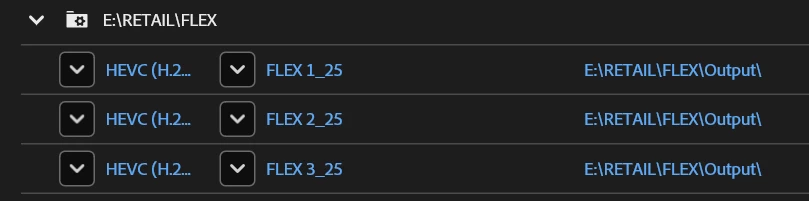
I've been using crop presets to make Retail screen exports. (splits a 16x9 video into 4 9x16 videos) The latest update has broken this crop feature.

It still works if i build the crop presets on my machine however when I share them with another user it no longer works and just defaults the crop to the center.

I've included a google drive link for assets to test.
https://drive.google.com/drive/folders/1WqCvs135gR757TpGMfEn2MEJh2Xmj3P1?usp=sharing

Any ideas?
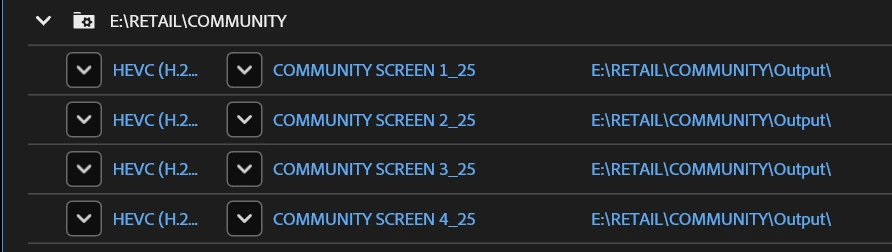

The obvious solution is to have an older version of media encoder installed for the presets/watch folders, i'm trying to refrain from doing this as multiple users will be effected.


Cheers

12 replies

ChWard
Community Manager
Community Manager
May 7, 2025

Hi, I guess I can repro your issue with the presets provided. However if I adjust the crop areas and save them as a new preset, it seems to be okay. Tested with the latest AME beta 25.4x007. Could you verify if that works as a workaround, while we figure out why the original presets lost the cropping settings?

Known Participant
May 7, 2025
They work locally until I share with another users. Could you share your presets you have made?

Thanks,
Ian


Ian Brown
Senior Video Editor| Gymshark Ltd.
Web:gymshark.com
GYMSHARK LTD is a limited company registered in England and Wales with registered number 08130873 with its registered office at GSHQ, Blythe Valley Park, 3 Central Boulevard, Solihull, United Kingdom, B90 8AB. This email may contain confidential information. If you are not the intended recipient, please let us know before permanently deleting it. Do not use, copy or disclose the information contained in this message or in any attachment. Although we have taken reasonable precautions to ensure no viruses are present in this email, we cannot accept responsibility for any loss or damage sustained as a result of any virus. For information about how we process data please see our Privacy Notice: https://uk.gymshark.com/pages/gymshark-privacy-notice
ChWard
Community Manager
Community Manager
May 7, 2025

Hey Ian, 

thanks for reaching out. We will check your sample media and try to repro what you experience. Do you know with what exact version you have created the crop presets? And with 25.2 they ain't working anymore?

Known Participant
May 7, 2025
I presets have been working for about a year before updated to the latest version.

I've tried to re-create the presets with the current version and it still doesn't work.

Thanks for your response


Ian Brown
Senior Video Editor| Gymshark Ltd.
Web:gymshark.com
GYMSHARK LTD is a limited company registered in England and Wales with registered number 08130873 with its registered office at GSHQ, Blythe Valley Park, 3 Central Boulevard, Solihull, United Kingdom, B90 8AB. This email may contain confidential information. If you are not the intended recipient, please let us know before permanently deleting it. Do not use, copy or disclose the information contained in this message or in any attachment. Although we have taken reasonable precautions to ensure no viruses are present in this email, we cannot accept responsibility for any loss or damage sustained as a result of any virus. For information about how we process data please see our Privacy Notice: https://uk.gymshark.com/pages/gymshark-privacy-notice