


Participant
March 14, 2024

h.264 video output damaged

  • March 14, 2024
  • 7 replies
  • 348 views

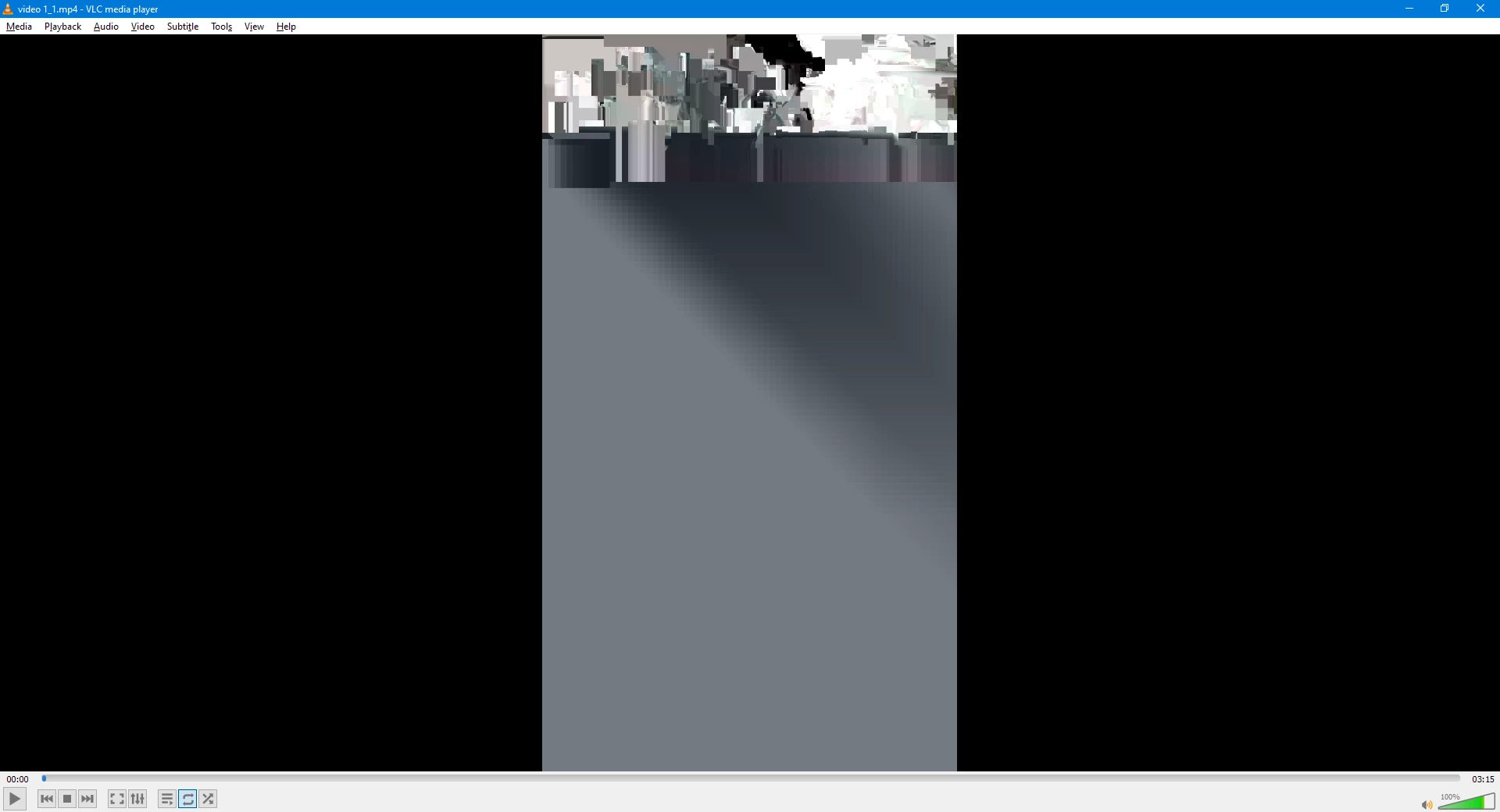
When I export any video to H.264, medium or high vibrate, the result is a damaged video. The audio is complete, but image got like attached picture. It happens with Premiere pro and Encoder. Quicktime or AVI output doesn't have any export issue. It is not a custom preset or any damaged footage, It happens with any project. Please help. 😞
 

7 replies

Bonzo DHMAuthor
Participant
March 27, 2024

Well, I instaled the Nvidia Hotfix you shared and thankfully, today (27/3/24)  just were released new updates for Premiere, After effects and Encoder so the problem solved. Thanks for your answer. 🙂

Adobe Employee
March 27, 2024

This issue might be because of Nvidia driver. Nvidia released a hotfix driver related to corrupted video with NVENC encode.
Same fix is present in Nvidia's latest driver 551.86.
Please try out below drivers, if any of it solves your issue:
Nvidia latest driver 551.86: https://www.nvidia.com/Download/driverResults.aspx/223431/
Nvidia hotfix driver 551.68: https://nvidia.custhelp.com/app/answers/detail/a_id/5525

Please let me know if any of the above driver fixes the issue.
If this doesn't solves the problem, you can always use Software Encoding in the Export window.

EckiAME
Community Manager
Community Manager
March 27, 2024

Looping in our friends over at the Formats team.

Bonzo DHMAuthor
Participant
March 26, 2024

Yes it does.

EckiAME
Community Manager
Community Manager
March 26, 2024

Does this also happen with direct export?

Bonzo DHMAuthor
Participant
March 26, 2024

I have Windows 11, Intel core i5 10300, Nvidia geforce 1650 TI, last Premiere Pro and Media Encoder version.

EckiAME
Community Manager
Community Manager
March 26, 2024

Which OS, CPU, GPU do you use? Which versions of Premiere Pro and Adobe Media Encoder?