



Open for Voting
Media Encoder overrides captions export settings set in Premiere
Hi!
I’m encountering a bug when exporting sequences with captions from Adobe Premiere Pro to Adobe Media Encoder (AME).
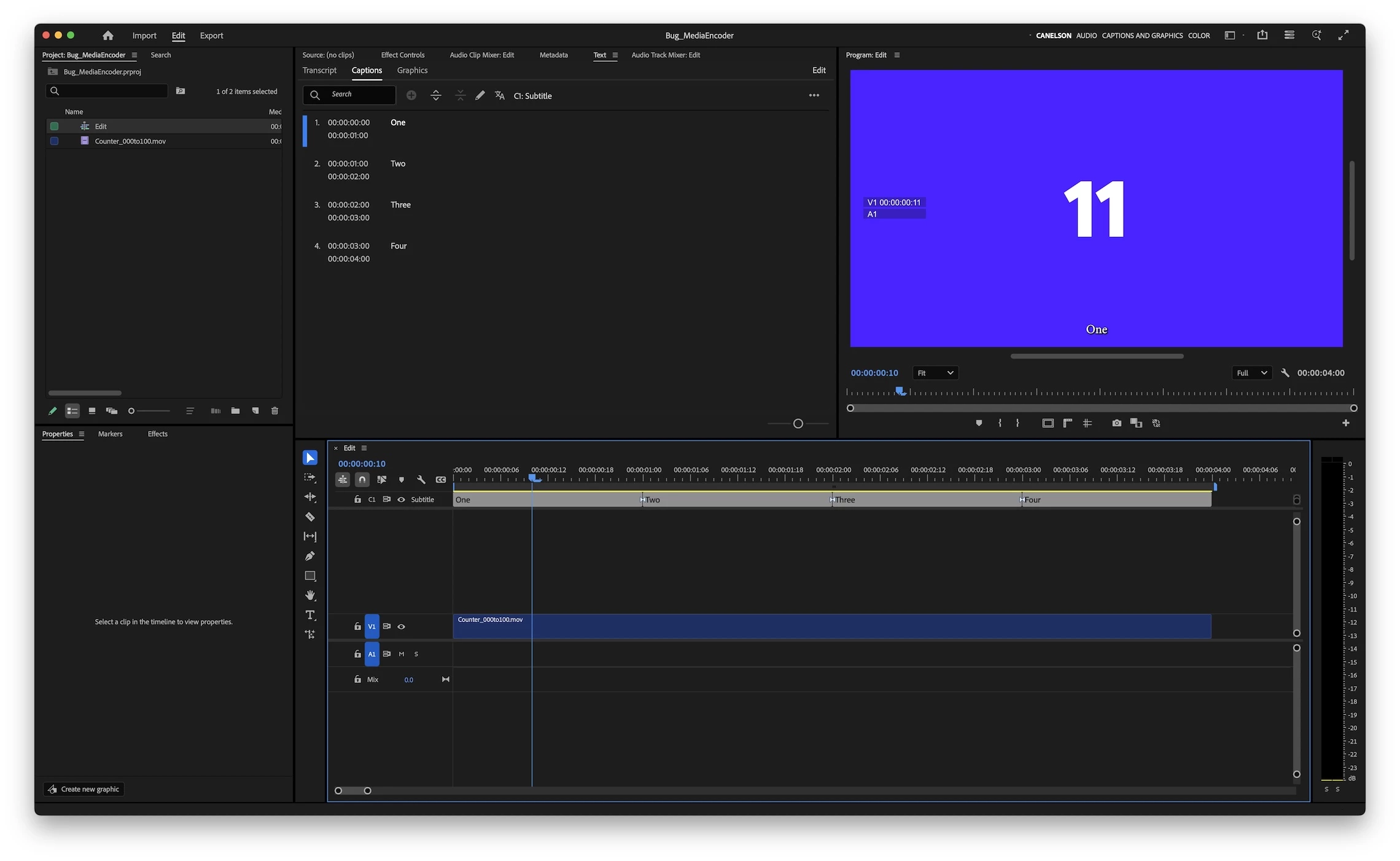
In Premiere Pro, I have a sequence that includes captions (see image01 below). When I send this sequence to AME to render, I choose not to include captions in Premiere's Export window. However, once the sequence reaches Media Encoder, the captions are automatically turned on, and the video is exported with burned-in captions even though I disabled them.
Settings and Behavior
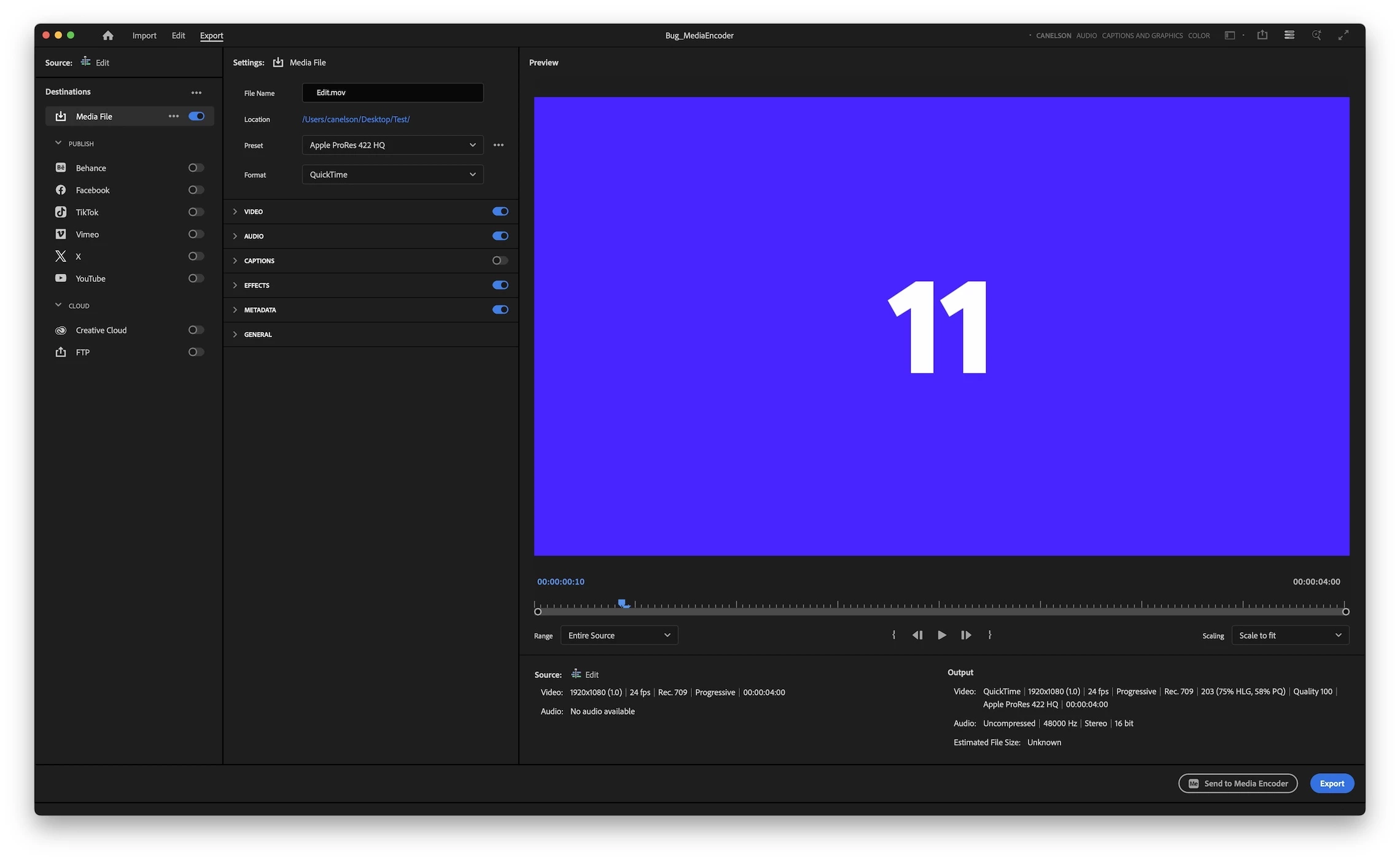
I always use the built-in Apple ProRes 422 HQ export preset in Premiere (see image02 below). Here’s what I’ve found:
- If I export using the preset without modifying any settings in Premiere's Export window, the sequence is exported correctly by AME, with no captions burned in.
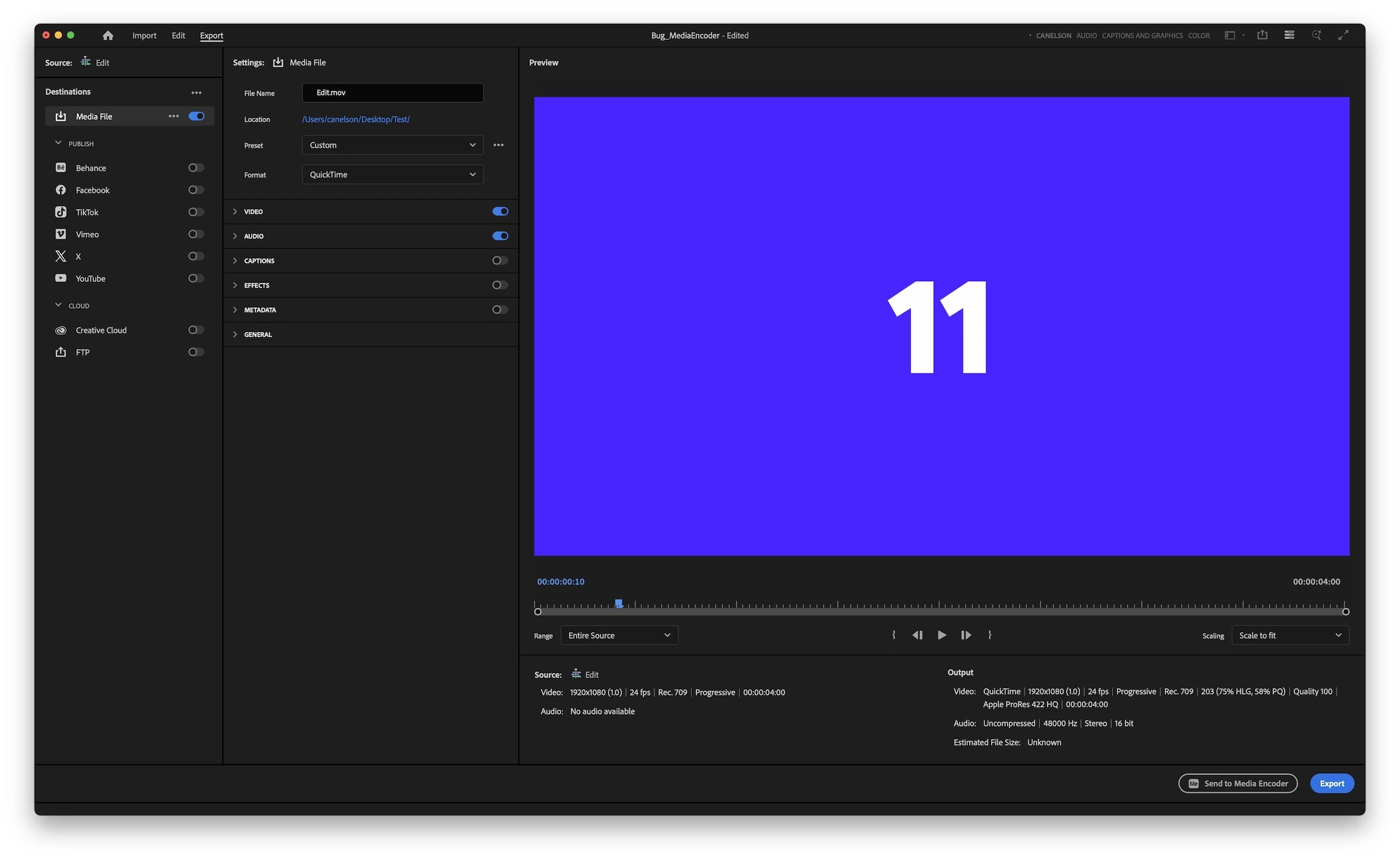
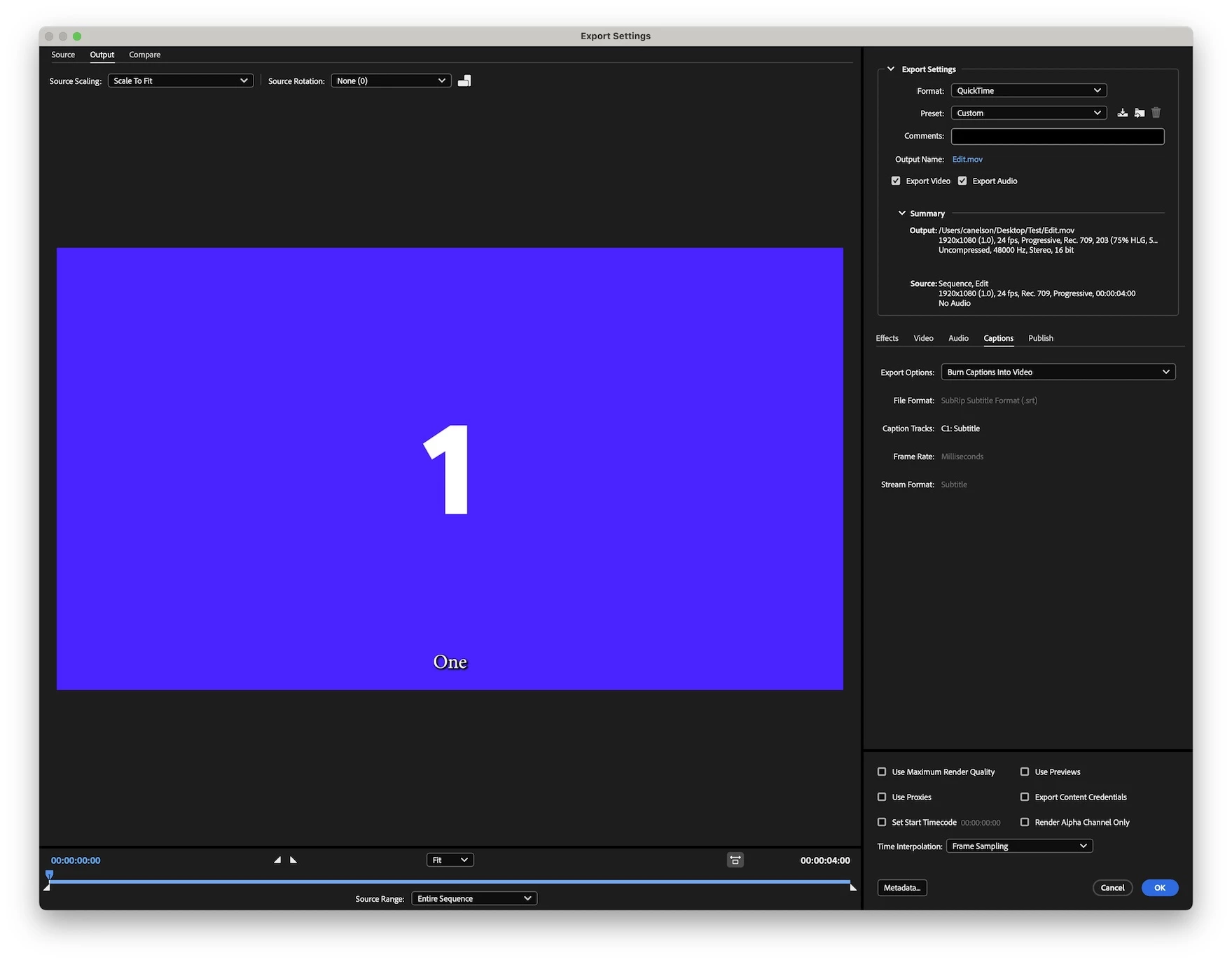
- If I modify any part of the preset settings in Premiere's Export window (for example, I typically disable Effects and Metadata, see image03 below), and send the sequence to AME, the exported video ends up with burned-in captions. Upon inspection, I found that AME has re-enabled the captions setting (see image04 below), even though I had explicitly disabled it in Premiere.
Tested Environments (I added a test project to this post)
• Mac Studio M2 Max, macOS Sonoma 14.7.5, Premiere Pro v25.1, using MP4 media.
• Mac mini M4 Pro, macOS Sequoia 15.4, Premiere Pro v25.2.3, using ProRes 422 HQ media.
Additional Note
I’m aware that I can manually open the settings for each clip in AME and turn captions off again, but the issue is that I already disabled captions in Premiere, so AME should not override that decision.
Images
Image01:
Images
Image01:
Image02:
Image03:
Image04:
 AdChoices