



Media Encoder scrambling .mxf footage on output
I am working on a project that includes a lot of 4k .mxf footage captured using a Sony Fx9. When exporting multicam sequences the .mxf camera is output as a scrambled image (see attached). The footage will play normally, in the premiere pro timeline, but I cannot seem to be able to get the footage to export properly.
This has happened in multiple projects in both multi-cam and regular sequences.
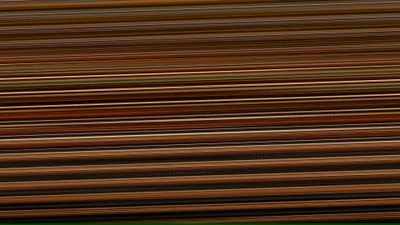
I have tried to delete and re-import the affected clips in Premiere Pro.
I have tried to delete and rebuild the media cache by deleting it from within the app and by manually deleting the cache from the library.
I have updated the sequence settings and switched preview files to quicktime, pro res 422.
I have updated to the latest version of Media Encoder v23.3 Build 57
None of these has worked and I am at wits end - please help!
Here are my export settings:
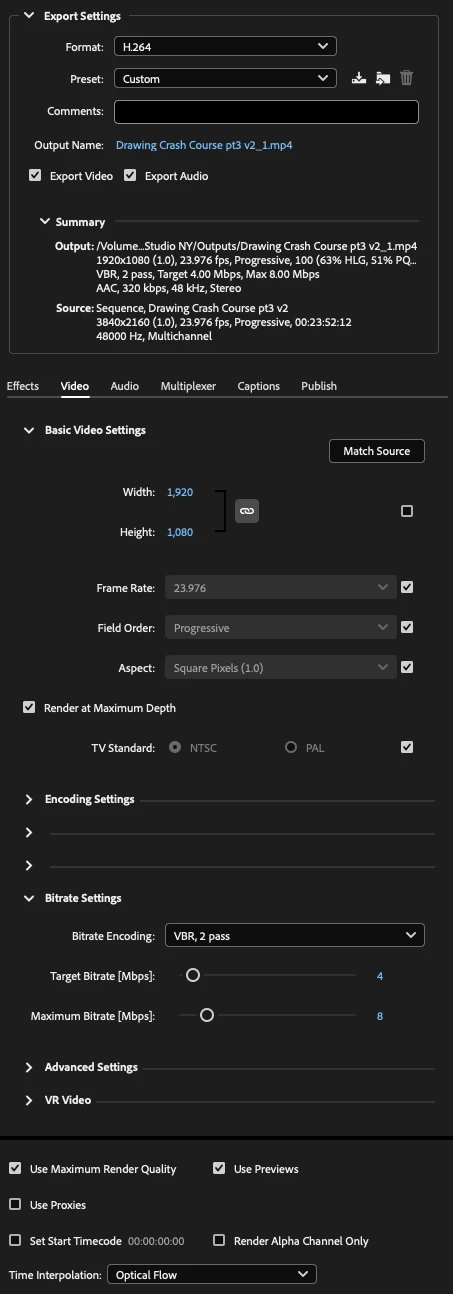
Editing on a 2022 Mac Studio M1 Max system.
Thanks in advance!
 AdChoices