



.Mov Files Not Leaving Watch Folders
Hello,
The tech specs:
App version: 24.6.1
Platform and OS: Windows 11 Home - 23H2
I am hoping you all can possibly help me/guide me on the path to fixing this!
At my work we use AME connected to a NAS to encode our master videos to various different file/video sizes. Recently however there has been an issue where if a .MOV file is placed in a watch folder AME will encode the file okay, however it will leave the file in the watch folder and will not move it to the source folder.
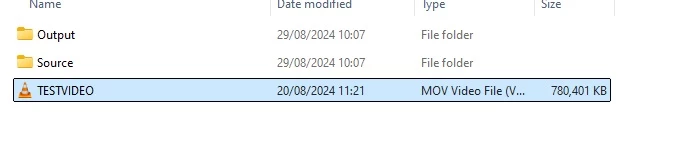
When you go to delete the file, it states that AME is using the file and it cannot be deleted.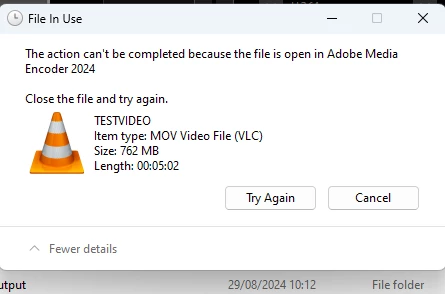
If you close ME and then reopen it will encode the file again and repeat the above issue. The only way to clear these files from the watch folder is to close ME and then delete it off of the PC that we use to encode.
I found that if you encode the .mov file to the likes of AS-11, it would then encode and be moved to a source folder with no issue. However if there is a way to help solve this issue without having to get all .mov files encoded individually and manually. I would really appreciate any advise!
Here is the media info for that 'testvideo' that wouldn't move from the watch folder.
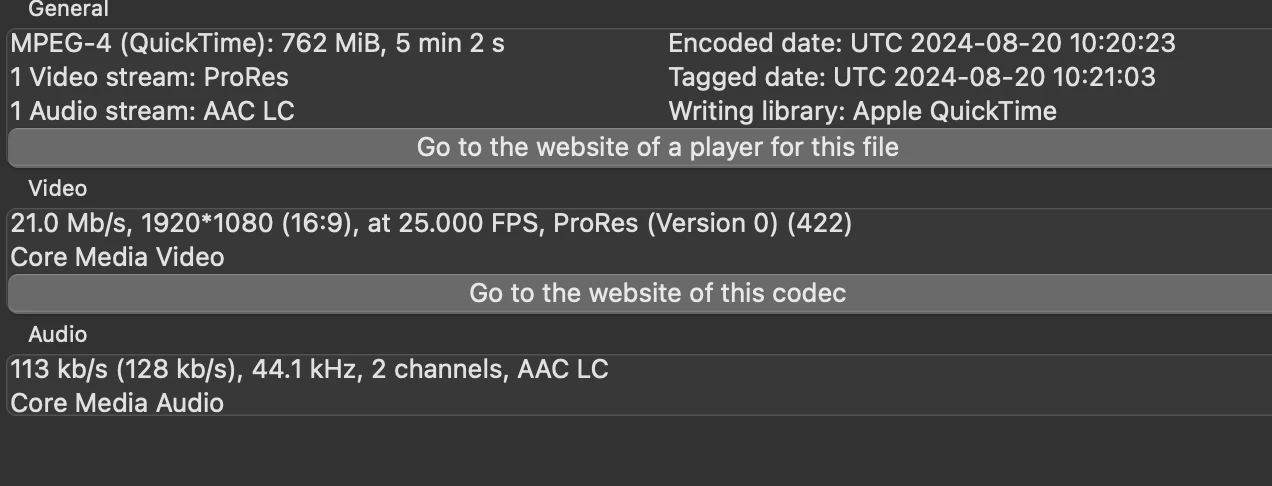
Thank you in advance and if you need anything from me, please let me know!
Alex
 AdChoices