Ann Bens
Community Expert
Community Expert
April 21, 2023

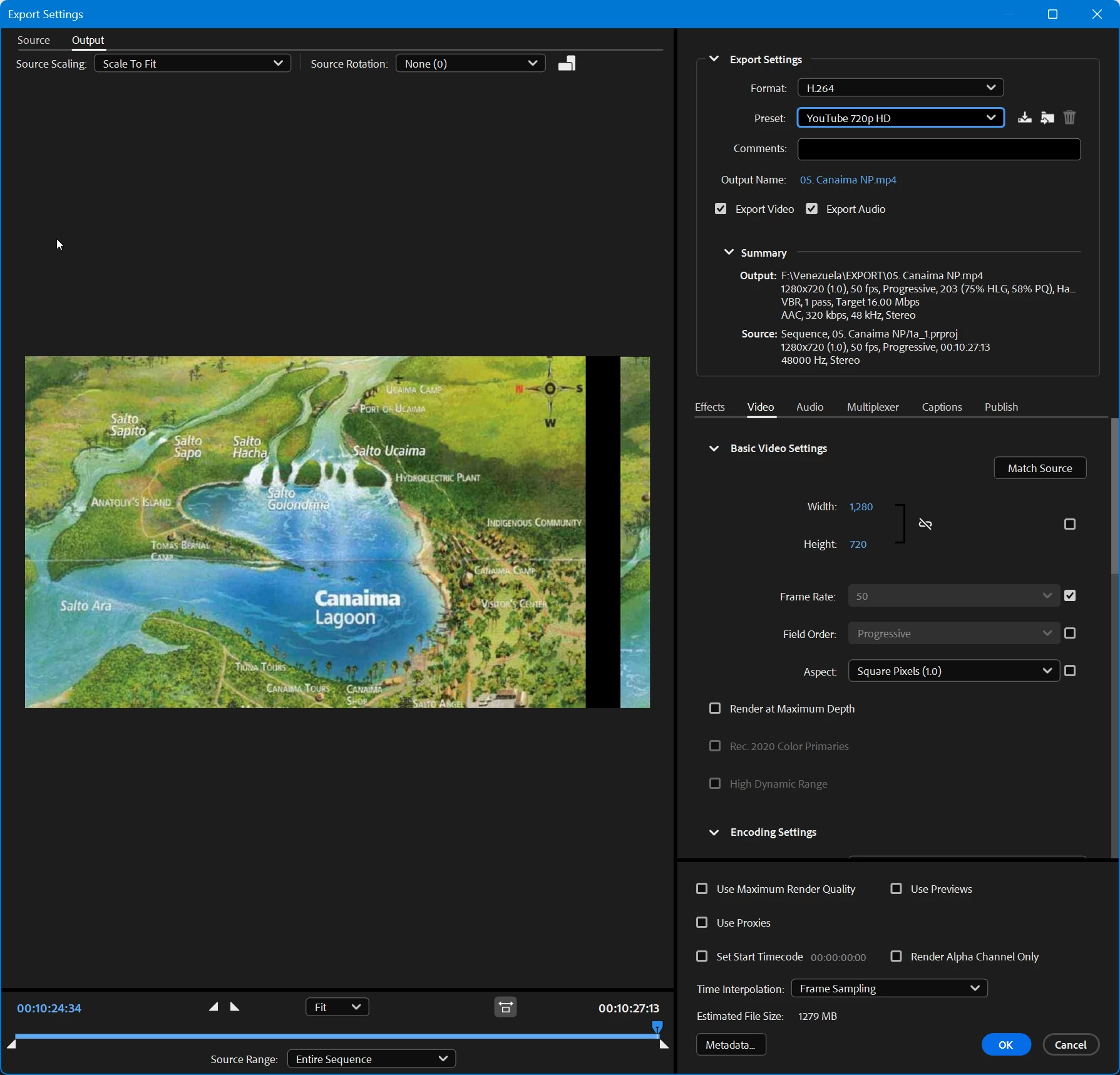
Offset image in AME export settings

  • April 21, 2023
  • 8 replies
  • 1363 views

Image is pushed to the left of the frame.

In Premiere, it's in the center.

23.5.9

 

8 replies

Adobe Employee
July 20, 2023

Sorry for my latin here. I meant Adobe Digital Video and Audio products (Premiere Pro, After effects, Mediea Encoder, Caracter Animator, Audition, …).

Participant
July 20, 2023

I'm having this problems - what are DVA apps?

Adobe Employee
July 20, 2023

Please make sre that your DVA apps are all up-to-date. This is a known issue when DynamicLink versions do not match.

Participant
July 20, 2023

Has your problem been resolved? I faced the same

Ann Bens
Community Expert
Ann BensCommunity ExpertAuthor
Community Expert
April 21, 2023

Moved post to the AME beta -bugs forum.

Adobe Employee
April 21, 2023

Sorry to hear that. I'll send you a private message with instructions on how to provide the files.

Ann Bens
Community Expert
Ann BensCommunity ExpertAuthor
Community Expert
April 21, 2023

Export is also broken.

Tried different projects and formats, same result.

It also shows in Encoding preview.

23.4 was fine.

I can send you the project file.


Adobe Employee
April 21, 2023

Interesting. Ist the export okay or also broken? Would you be able to share the project/media? I can send yoou a private message in this forum.