


Open for Voting
Adobe Audition 26.3.0.79: Amplitude Statistics window renders values unreadable
- Adobe Audition 26.3.0.79 on macOS 15.6.1 (24G90), Mac Studio, Apple M4 Max
- Open a mono audio aif file
- Go to menu Window > Amplitude Statistics
- Click “Scan Selection”
Result:
The number format of all amplitude values is rendered totally unreadable (see attached screenshot)
Regression:
Since I am using the Amplitude Statistics quite regularly, I assume that this bugs was introduced recently.
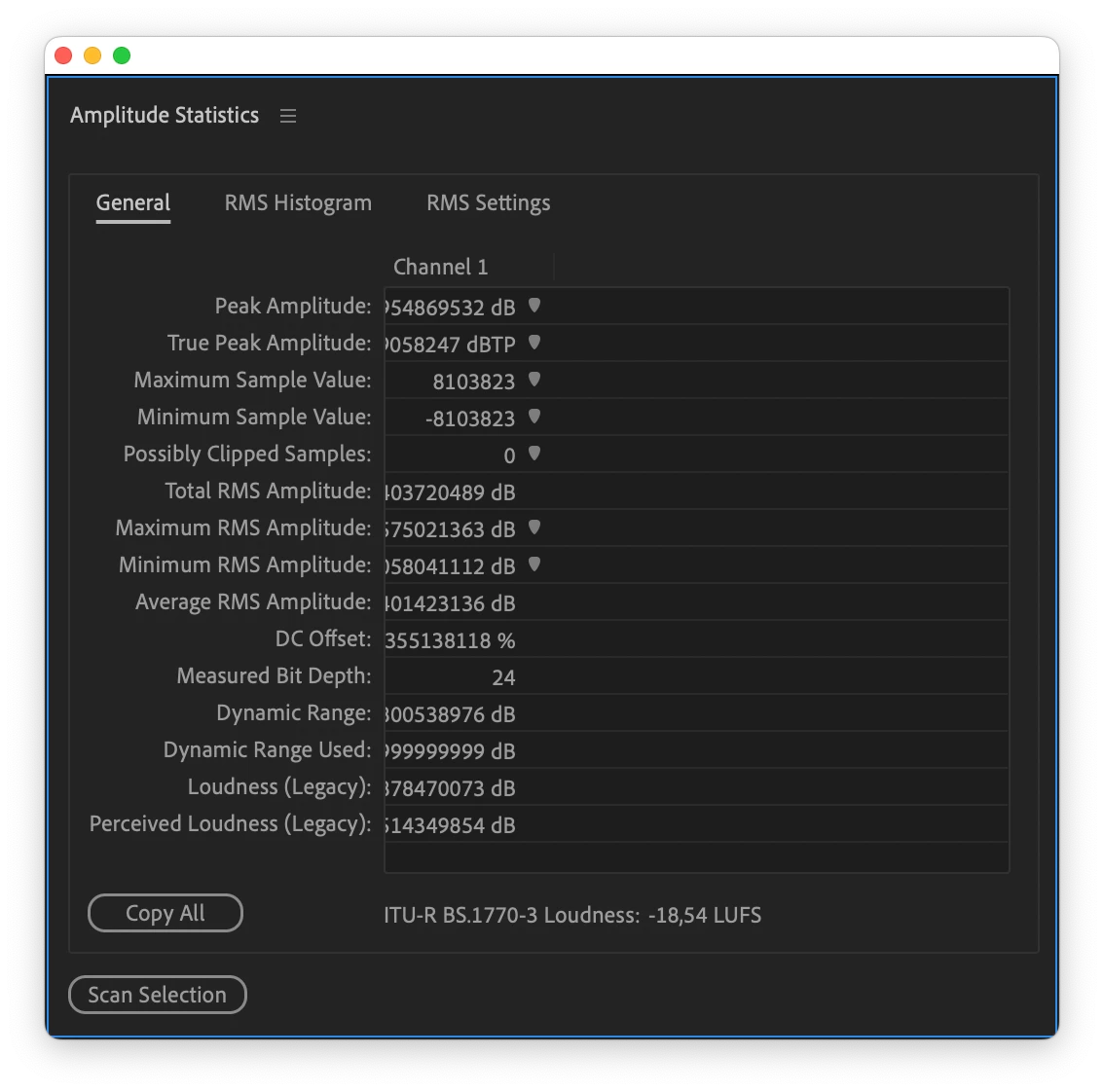
[Moved to Audition by a moderator]
 AdChoices