


Open for Voting
Amplitude Statistics display
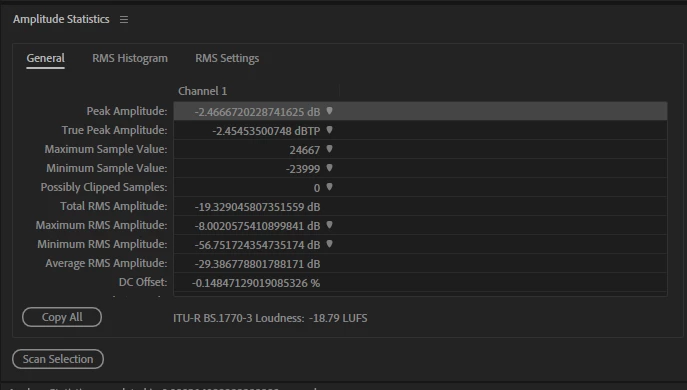
Since my update to Audition v 26.3 the Amplitude Statistics display shows my display has changed to show more digits than before, changing from 2 numbers after the decimal point to 15 numbers after the decimal point. I can't seem to change it, very annoying as I have to stretch the column width open to see the first digits before the decimal point, plus it won’t keep the column width every time I go away from it.
 AdChoices