4 replies

Participant
May 11, 2023

Thank you for you help, I found the culprit.


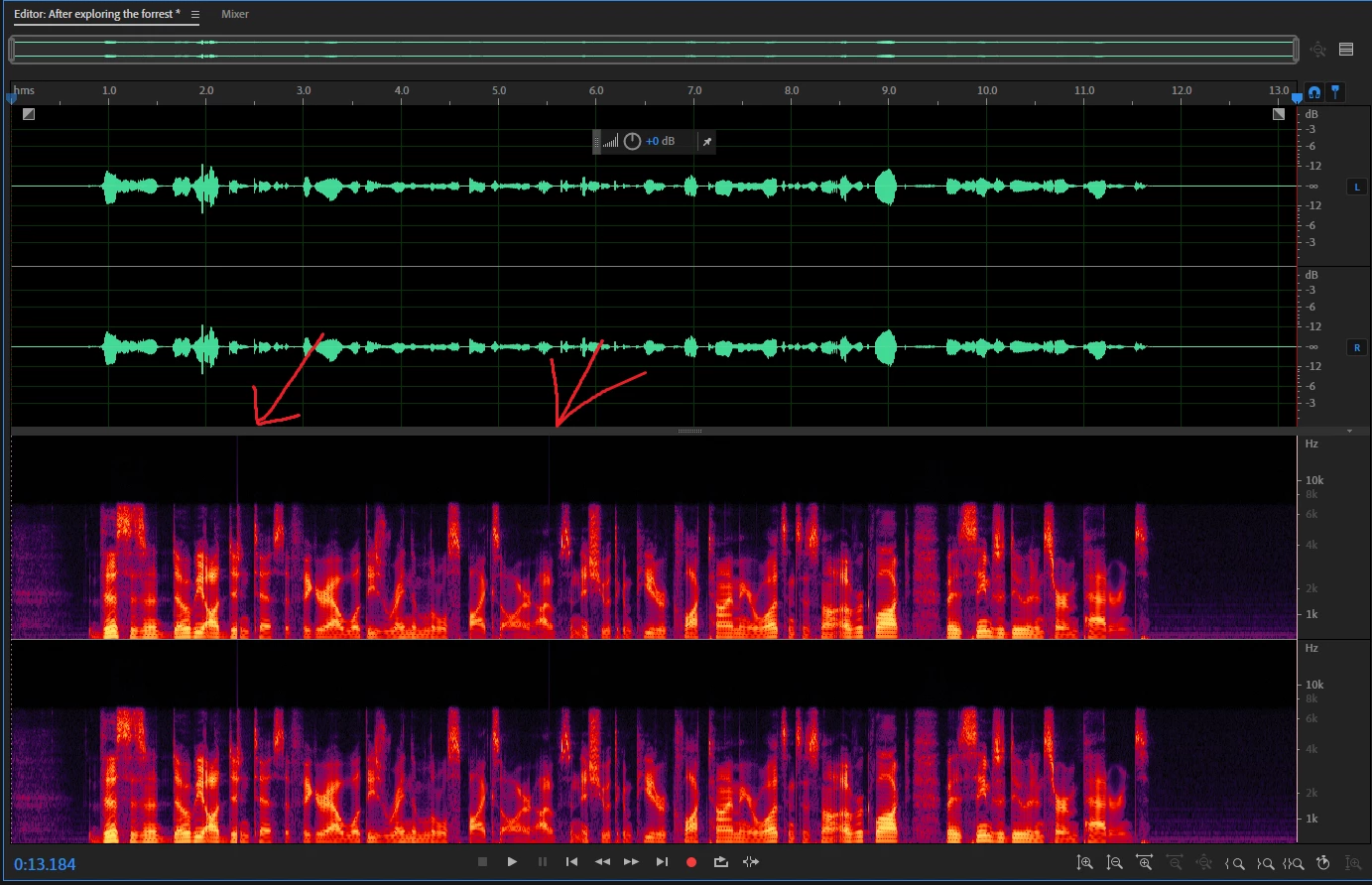
I have Corsair's desktop application, called iCUE, installed on my PC. It controls fan speeds, keyboard macros, and my mouse settings. It is also the brand I use for my mic (using a headset mic) which also has an integration in the software. After exiting/shutting down the software, the audio spikes disappeared.


This isn't the only time Corsair has messed with my setup so I think I'm done with Corsair products.

SteveG_AudioMasters_
Community Expert
Community Expert
May 11, 2023

The other thing that occurred to me subsequently is that the buffer size/latency value on your sound device is set too low, although I would have thought that the disturbances would have been rather greater. Other than that, you have to look for something happening in your computer that takes priority.

Participant
May 10, 2023

Thank you for the reply and the insight, unfortunately, I am still running into the issue.


- I uninstalled and reinstalled audition onto another drive.

- I changed the temp location to that same drive.

- I tried recording in multitrack and the issue still occured.

- I also changed Audition to Realtime on the priority list in task manager.

- Issue still occurs.

SteveG_AudioMasters_
Community Expert
Community Expert
May 9, 2023

Audition normally gets very high priority whilst recording, so if this happens, it's almost certainly caused by something that's got even higher priority in your system. There are several possibilities; the system polling for a Wifi signal, or your virus protection having a poke around are a couple, but the most likely one is the OS grabbing hold of your temp location for its own purposes. Really, you need to have Audition's temp files located in a different place - by default they are with the OS ones, and that can cause problems if a resizing exercise happens, which it will unless you've taken steps to prevent it. In Waveform view, Audition records to a temp file and this doesn't get written to your actual file until you do a save.


The best thing you can do though is not record in Waveform view, but use Multitrack for recording instead. This writes direct to disk, and generally this is far more reliable. It's even possible to recover from system crashes if something goes setiously wrong - you can generally recover everything up until the crash point.


So try that first, and if it works, then it's almost certainly your temp file arrangements that are causing the difficulty.