


Participant
March 20, 2023

Master output muting during playback and export

  • March 20, 2023
  • 2 replies
  • 126 views

Hello everyone,

I have a problem.  While playback of my recording, about every 30/40 seconds master track mute for a second. I have a proper output in preferences. There are no changes on volume envelope. The bigest problem however is that seconds od silence are kept in exported file. Please help, I want to get rid of that issue. Exported session below

Best Regards
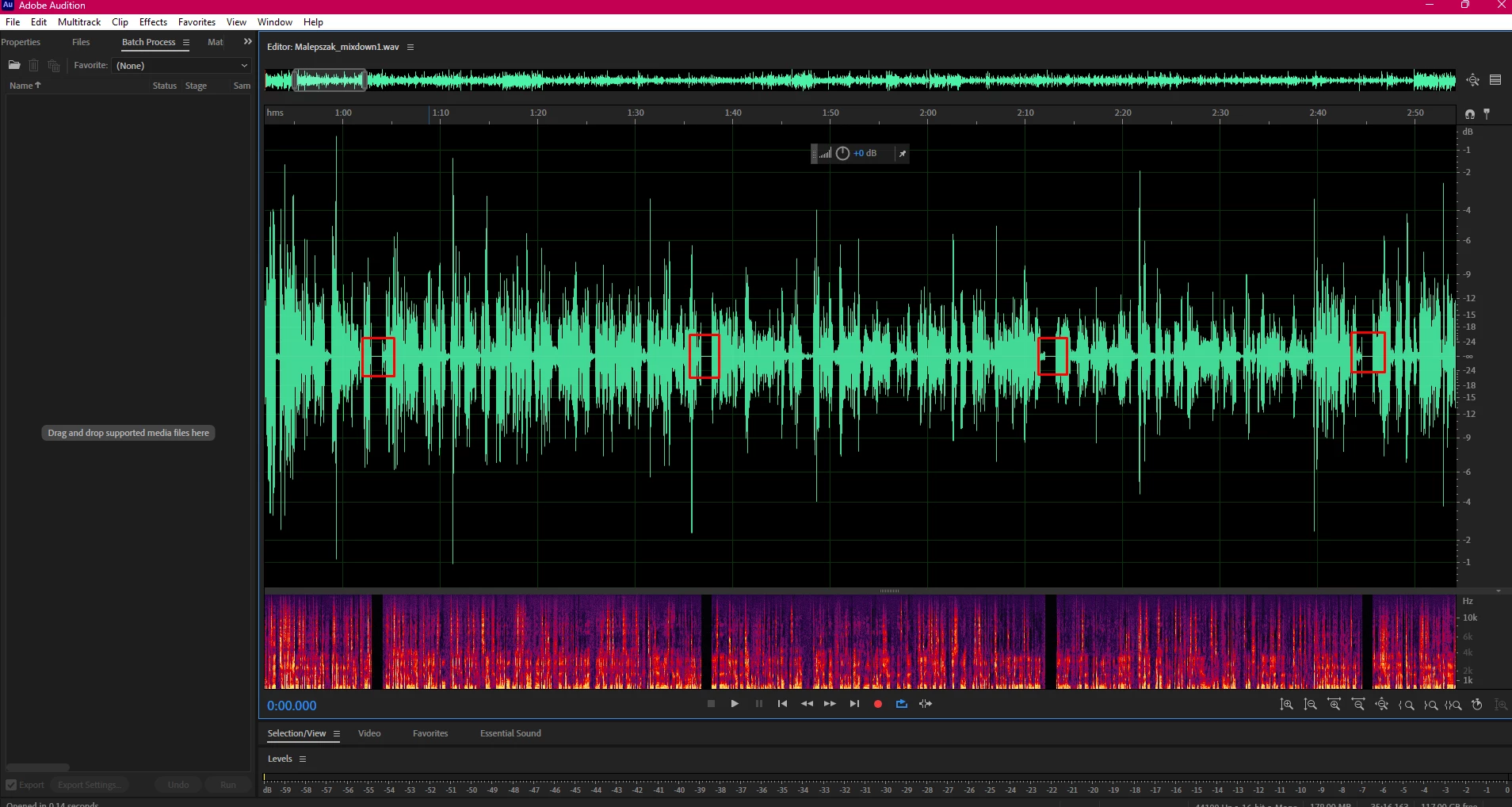
2 replies

Participant
March 22, 2023

Thank You @SteveG_AudioMasters_  the issu was about "Detected Dropped Samples" notification. So I have found Your other tip about pre rendering of tracks. Problem solved. Thank You very much good Sir

SteveG_AudioMasters_
Community Expert
Community Expert
March 20, 2023

Since this is written to the file, I'm moderately convinced that this is a recording issue, not a playback one. Initially, try altering the buffer (or latency) value in your audio hardware settings, although whilst it's possible that this is causing the issue, I don't think it's that likely. It is the easiest thing to alter though. The other thing to note is more likely, if you are recording in Waveform mode, and that is that you are recording to a temp file - this is how it works. By default this file is in a folder that the OS system has access to - and it can over-ride anything you are trying to do. The thing to do here is to relocate the temp file to a different location - preferrably on a different drive.


Of course the recommended action isn't to record in Waveform view at all, but to use Multitrack view for recording. This prints direct to file, and is a far more reliable system to use.