Agamemnon74
Participant
January 8, 2026

"Save selection" fails regularly

  • January 8, 2026
  • 2 replies
  • 65 views

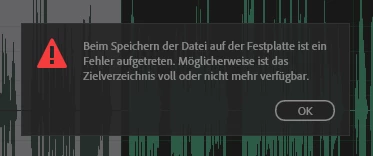
Screenshot 2026-01-08 160736.png

I have large MP3 files that I am gradually ‘splitting’ into individual files. To do this, I use right-click > Save selection as. When saving directly to the network drive, the save fails in about one out of three cases with the following message: ‘An error occurred while saving the file to the hard drive. The destination directory may be full or no longer available.’
This is extremely annoying and has been happening repeatedly for many months. What is the cause and how can it be prevented?

2 replies

Agamemnon74
Participant
January 12, 2026

I am connected via a LAN cable and use a 250 Mbit line, so that shouldn't be a problem. It is a company network with correspondingly good performance.


No other program has any problems saving files on this network – including other audio tools (e.g. Audacity). Even video editing with Premiere works without any problems directly on this network drive.


It is therefore not clear to me why Audition has problems when no other programme has any.

SteveG_AudioMasters_
Community Expert
Community Expert
January 8, 2026

How is your network drive connected to your computer?


If it's an external drive, I'm surprised that it's not failing more! Network drives tend to be connected by the electronic equivalent of a piece of wet string, and saving audio to them directly has always been a no-no. The way around this is to make the save to a file on your actual machine, and then transfer that to the network drive. The handshaking protocol is somewhat different, and way more robust than an audio save.