


Participant
August 17, 2023

Unspecified Error when opening file

  • August 17, 2023
  • 5 replies
  • 446 views

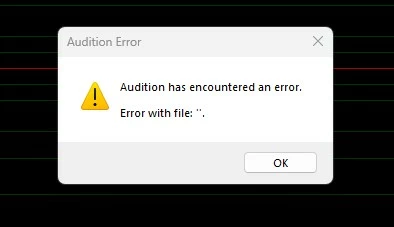
I am receiving an unspecified error (pic of message attached) after starting a new audio file. I have uninstalled and reinstalled Audition and the error is still there. I am uncertain what to look for. Thus far the only issue I've noted during use is that the data in the "Selection/View" pane is all zeroes and does not react to anything I do. Please advise.
 

5 replies

SteveG_AudioMasters_
Community Expert
Community Expert
August 26, 2023

If you've set updates to automatic, it may have done it already! It did that on this laptop...

Participant
August 26, 2023

The latest updated patch of Audition 23.6.1 is not showing up on Creative Cloud -Updates.

Adobe Employee
August 25, 2023

 Today we have released a patch(23.6.1) containing the fix for this problem. Please update your Audition(In case update is not showing up, try Creative Cloud->Help->Check for updates) . 

Adobe Employee
August 17, 2023

Thank you @orrynemrys for informing us. We have found this issue in latest Audition release(23.6). We have identified the problem and working on a fix.
Workaround  most probably work - keep the metadata window closed(Menu Window->Metadata)

SteveG_AudioMasters_
Community Expert
Community Expert
August 17, 2023

The devs know about this, and will fix it in due course. Meanwhile, as long as you do a Save As, your file should be fine - just dismiss the message.