



P: Camera Raw/Lightroom: Dehaze altering the color-balance/white-balance of photos
As much as I love the Dehaze slider, there is one thing about it that I absolutely HATE and that is when it decides to go psycho in altering the color-balance/white-balance of photos.
These example photos may not show up (I've had issues with photos disappearing from being uploaded), but here is one pair from earlier today... the tint setting on WB is just 50k apart, one click on the arrow key.. but the difference is HUGE.
All settings are identical between the 2 photos, the only change was hovering the mouse over the WB tint slider and pressing the up/down key once.. changing from 5850k to 5800k
I often get similar shifts going from consecutive, continuous-high photos from frame to frame with the exact same settings, no changes in wb settings, and it all seems related to the dehaze slider and the way it analyzes the photos.
Years ago, I thought I actually had a defective camera, as the photos would change biggly even using the same exact settings 0.1sec apart. Eventually, I tracked down the cause. The programming of the Dehaze feature.
So, the problem I wish they could figure out is some way to get Dehaze to not do massive shifts in WB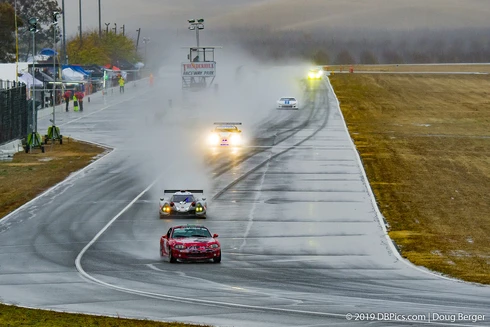
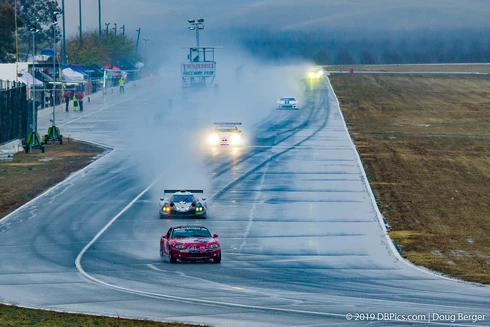
 AdChoices