


Participating Frequently
June 9, 2021

P: CR/LrC/LrD: Sony files have a yellow/green tint

  • June 9, 2021
  • 38 replies
  • 1934 views

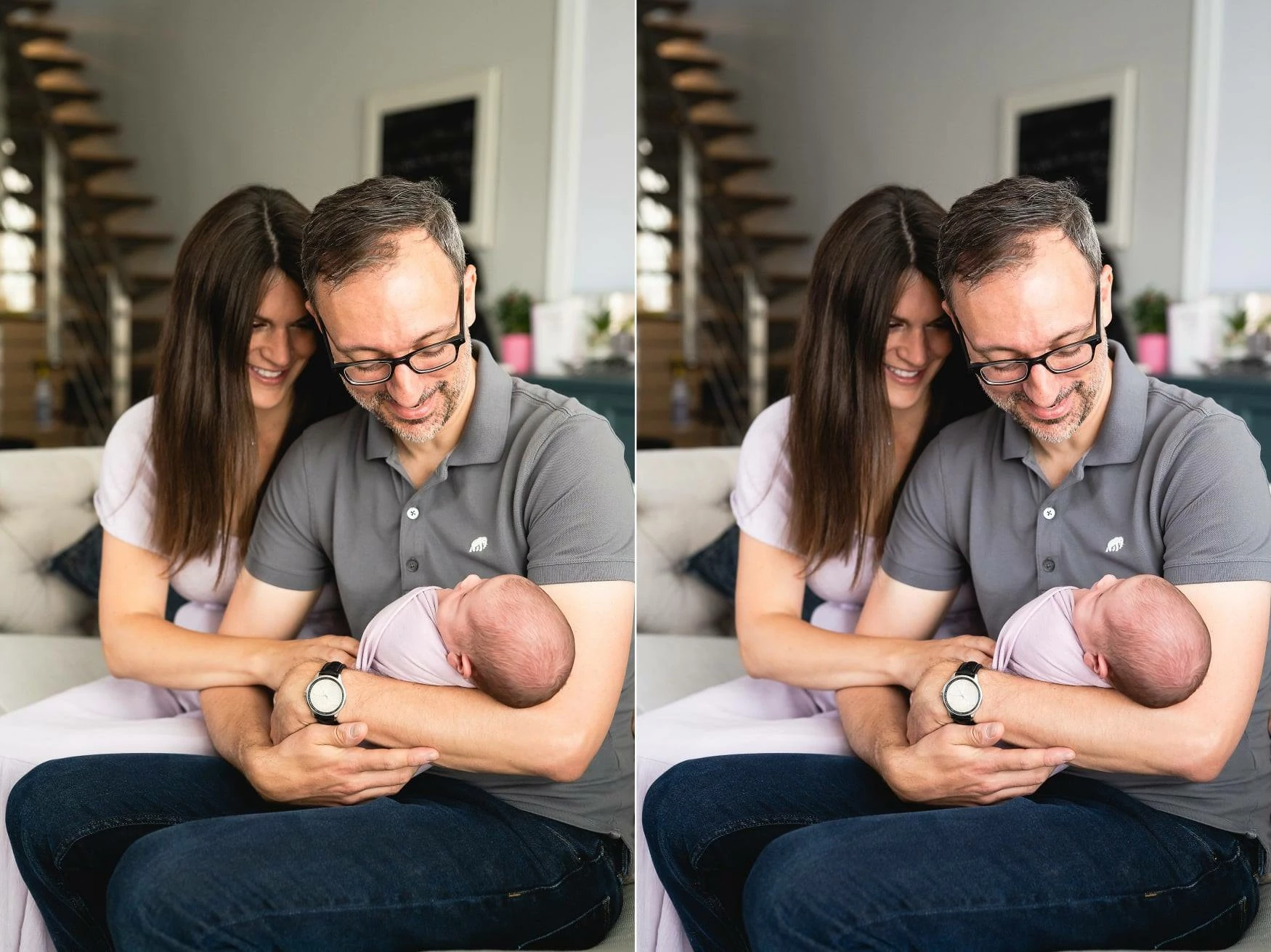
I updated to Lightroom 10.3 (from LR9.4), and when I did so the colors in my images changed and have taken on a green/yellow cast. The image on the left was exported from LR10 and the image on the right from LR9. Absolutely nothing changed in any of the settings. All of the images in my LR10 catalog now have a similar green/yellow tint. Has anyone experienced this and is there something I can do to fix it?
 

This topic has been closed for replies.

38 replies

Rikk Flohr_Photography
Community Manager
Community Manager
June 9, 2021

I would recommend getting the latest driver from nVidia's site and trying it. 

https://www.nvidia.com/Download/driverResults.aspx/175869/en-us 

Am I correct in saying that your thumbnails in Grid View look OK?

Rikk Flohr: Adobe Photography Org
Inspiring
June 9, 2021

I do not calibrate my monitor.

I'm using a laptop, so no.

NVIDIA GeForce GTX 1650 with Max-Q Design

27.21.14.6611

Rikk Flohr_Photography
Community Manager
Community Manager
June 9, 2021

Sorry but I need to ask a few more questions:

Do you calibrate your monitor?

Do you have more than one video card in your system?

Which card do you have?

What is it's current driver version?

Rikk Flohr: Adobe Photography Org
Inspiring
June 9, 2021

I turned it off and and restarted lightroom and the tint is still there.

Rikk Flohr_Photography
Community Manager
Community Manager
June 9, 2021

If you go to Preferences>Performance and set your GPU to Off, does the color tint go away?

Rikk Flohr: Adobe Photography Org
Inspiring
June 9, 2021

@Rikk : 4.3 x64 [ 20210526-1005-d4527c2 ] (May 26 2021)

Rikk Flohr_Photography
Community Manager
Community Manager
June 9, 2021

Please go to Help>System Info… and get us the exact installed version number of your software. 

Rikk Flohr: Adobe Photography Org
Inspiring
June 9, 2021

I have tried to color correct based on the photo when I have it opened, but then the preview image will become much cooler, and if I undo the action, the preview image will update to match the yellow tint, but if I unselect and reselect the image, the preview will again show my original, correct color grade but the open image will have the yellow tint.