


Participant
November 22, 2025

P: GPU acceleration disabled for the remainder off the session after using landscape masking

  • November 22, 2025
  • 8 replies
  • 706 views

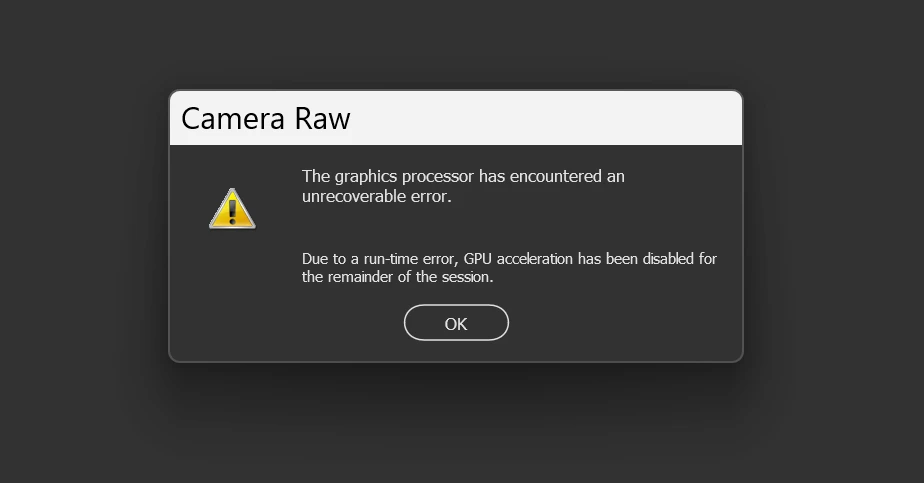
I have a Windows 11 pc that has all requirements to run Photoshop properly ( 4 gb graphic card , 32 gb ram, 100gb cache ) . However when working in Camera Raw(latest version) i get an error message only when using the "Landscape mask" option.

The message i get is in the photo below . I tried all options possible in the performance window.....non work. Everything else works perfect until i want to use a Landscape mask.
8 replies

Known Participant
December 15, 2025

@Rikk Flohr: Photography  hey, do you have any idea? I can not use any mask in camera raw. I always get the error above. Thanks a lot.

Participant
December 12, 2025

Hi 

The way to install an earlier version can be found here. I installed version 17.4 and this works for creating all masks even the landscape mask that takes much longer. https://community.adobe.com/t5/camera-raw-discussions/camera-raw-revert-to-earlier-version/m-p/10763092

Known Participant
December 12, 2025

@3054903 Did you have any idea? i can not use Camera Raw - because creating any mask doesn't work.

Known Participant
December 12, 2025

Hello Peter,

i have the same issue - everything (Software i have) is updated (Windows 11, Graphic,.....). Meanwhile i can not use any mask creation in Camera Raw - i get the above message too --> what should do? it make Camera Raw/Photoshop use useless 😞

In Lightroom everything works finde.

Known Participant
December 12, 2025

@Peter292769639kse Thanks for this advice. But how do you install an older version of raw. I haven't the possiblity in creative cloud.

Additional: in Lightroom i haven't the problem with the GPU.


@Srishti Bali14648992 Do you have a solution for me - i haven't got an answer. Thanks


Meanwhile i can not use any mask creation in Camera Raw

Participant
November 22, 2025

I installed an earlier version of Camera Raw that allready had the "landscape mask" option. By replacing CameraRaw 18.0 by version 17.4 everything works without errors. Perhaps this could be a workable solution for other users that have GPU error problems??

Participant
November 22, 2025

The pc is not new....but it has worked perfectly fine previously. Since Windows 11 , latest update Photoshop ( beta and regular) and Camera Raw i have this issue just by using Landscape mask. All the other masking options still work perfectly.

Rikk Flohr_Photography
Community Manager
November 22, 2025

I have seen this on an older machine with a 4 GB card as well. 

Rikk Flohr: Adobe Photography Org