

logan683
Participating Frequently
November 13, 2024

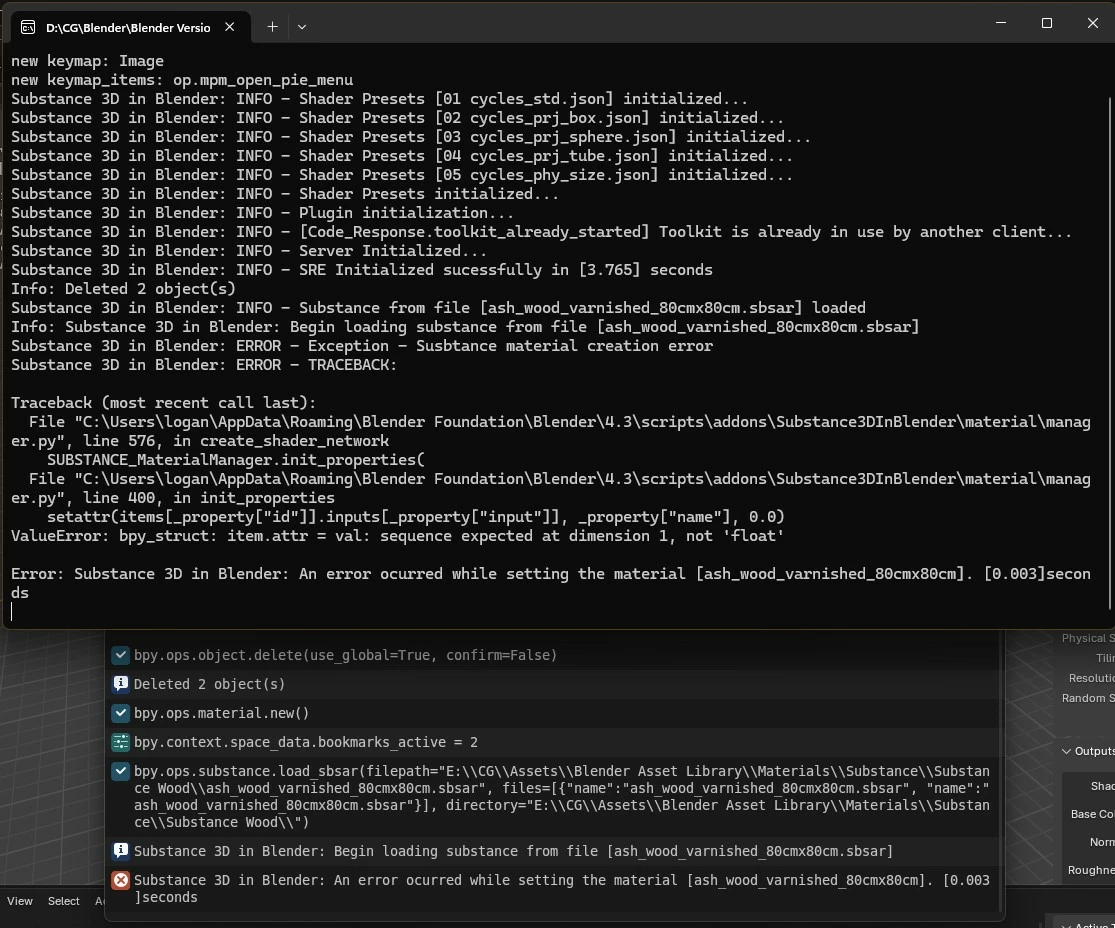
Blender 4.3 Substance Add-on Material Error

  • November 13, 2024
  • 19 replies
  • 2363 views

Latest Blender Substance add-on

Substance Integration Tools 2.1.1

Blender 4.3

Material renders black.


19 replies

Adobe Employee
February 5, 2025

Hi @logan683, thanks for reaching out. There are actually a few settings you need to adjust in the addon preferences:

  • First, enable Cycles-auto update textures. This will force an update to Cycles when parameters are adjusted. This is off by default to improve performance on lower end machines and those in Eevee workflows.
  • Second, enable Auto-Apply Materials, and possibly switch the Apply Type to INSERT. By default, Auto-Apply is disabled to prevent accidental material overwriting. The Apply Type of INSERT will set the material to the current material slot of the material properties tab, and APPEND will create a new material slot instead.

With regards to the mapping, are able to set your materials box mapping in the Shader tab under the Outputs section of the Substance 3D Panel?

Best,
Aldo

logan683
logan683Author
Participating Frequently
February 3, 2025

The addon does not apply desired mapping set in the settings.

Cycles/EEVEE Box Mapping is applied in settings but the addon doesn't recognize this and applies the material using flat mapping in image texture node.

Thank you.

logan683
logan683Author
Participating Frequently
January 30, 2025

The Substance addon will not load a material properly if the selected mesh/object already has a material applied.  This doesn't seem like desireable behavior.

Thank you.

logan683
logan683Author
Participating Frequently
January 29, 2025

Edit: The setting to apply materials automatically is enabled in the addon settings.


Thank you.

logan683
logan683Author
Participating Frequently
January 29, 2025

No, this addon does not work properly.  Yes, it is possible to get the proper textures after changing settings of a material, but there are issues.


1. If Cycles is currently running, a material can be applied.  However, if material settings/presets are changed the material will not update until another viewport shading mode is switched to and then when switching back to viewport render textures will update.

2. Materials do not apply automatically.


Having to change viewport settings back and forth isn't ideal and could possibly be confusing for many as it took me a couple mins to figure out.


Thank you.

Community Manager
January 27, 2025

Awesome! Thanks for letting us know that the latest release resolved the issue.

logan683
logan683Author
Participating Frequently
January 26, 2025

Seems to work now on Blender 4.3.  Thank you.

logan683
logan683Author
Participating Frequently
January 26, 2025

Any update?  Thank you.

Participating Frequently
January 5, 2025

I just unistalled and reinstalled in both the add-on and intgration tools, but still not working. Has anyone heard if there is a fix available or comming soon? (I just get black materials)

Participant
December 16, 2024

Has this been fixed as of yet?
