


Participant
March 9, 2024

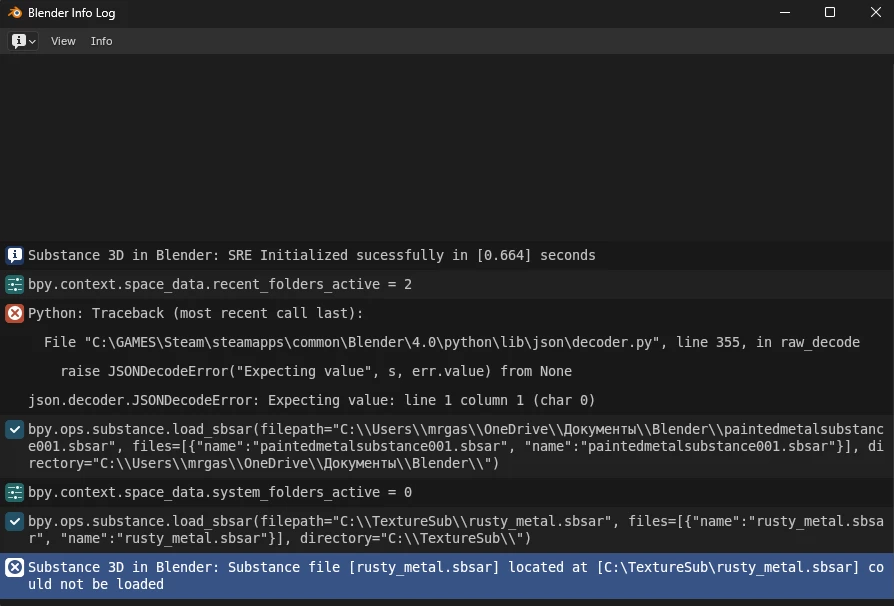
Error: "Substance 3D in Blender: failed to load the Substance file"

  • March 9, 2024
  • 1 reply
  • 401 views

Error: "Substance 3D in Blender: failed to load the Substance file" when loading the texture, the version is new, everything was downloaded yesterday, but here is an error.
 

    1 reply

    Adobe Employee
    March 13, 2024

    Hi @Chek35964819j6ap , there is an issue where the .sbsar can't be loaded if the file path contains non-english characters or special characters with umlauts. In this case, the Cyrillic characters in the file path trigger the error. This is something we're looking into. As a workaround, could you try moving your .sbsar folder to one that does not contain these characters?