


Inspiring
February 8, 2023

Substance 3D material not working.

  • February 8, 2023
  • 4 replies
  • 467 views

Hi all,


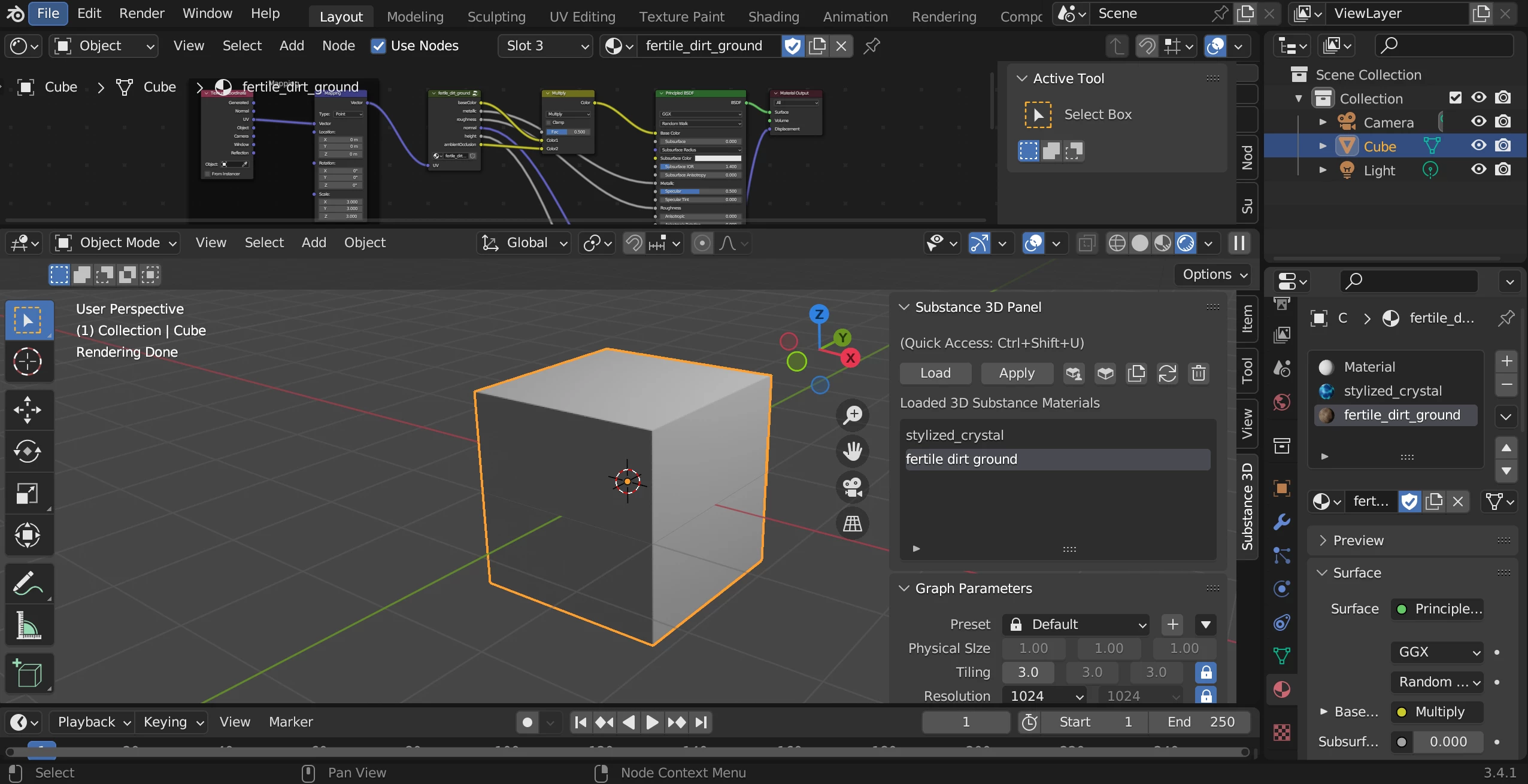
I have installed latest version of Blender (3.4.1) and Adobe Substance Intergration Tool version (1.0.2) on my laptop and desktop and there seem to be a bug? the materials are not displaying through the render panel. Am I doing this wrong? can anyone help me? thank you!  see screenshot
4 replies

Inspiring
March 3, 2023

Hi!

yes, it works now .

thank you so much !

Community Manager
March 3, 2023

Hi,

Let us know if the above instructions work for you.


Community Manager
March 3, 2023

Hi,
This is incurring because the default material is not removed from the object. With the default material selected, you can use the drop-down to change the material or remove it from the material properties panel (The right-most panel in the image you have shared here).

Participant
February 19, 2023

i also have same problem so