


Open for Voting
Substance 3D Plugin for Blender – Base Color shows inverted colors for some SBSARs (e.g., flower_pat
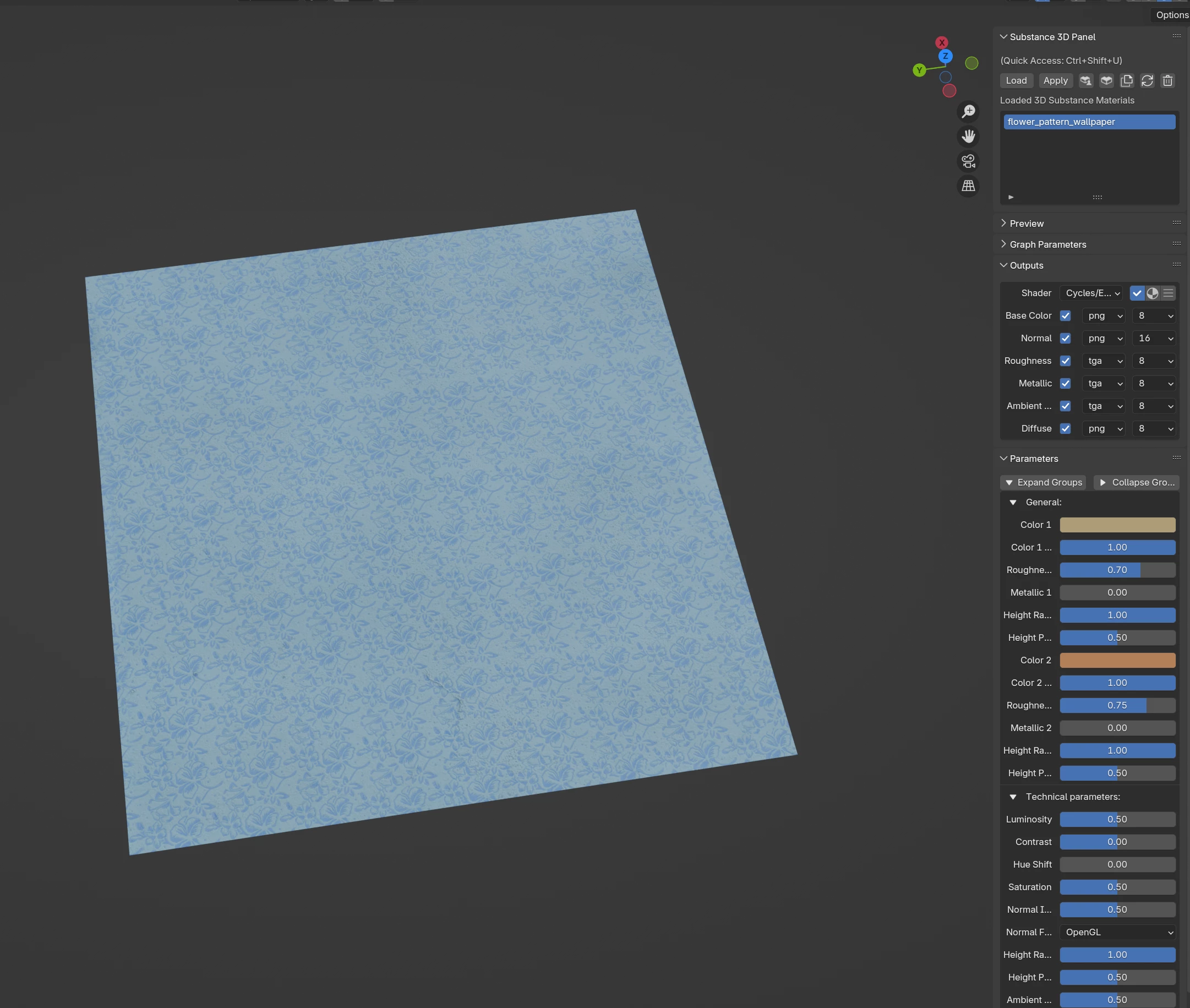
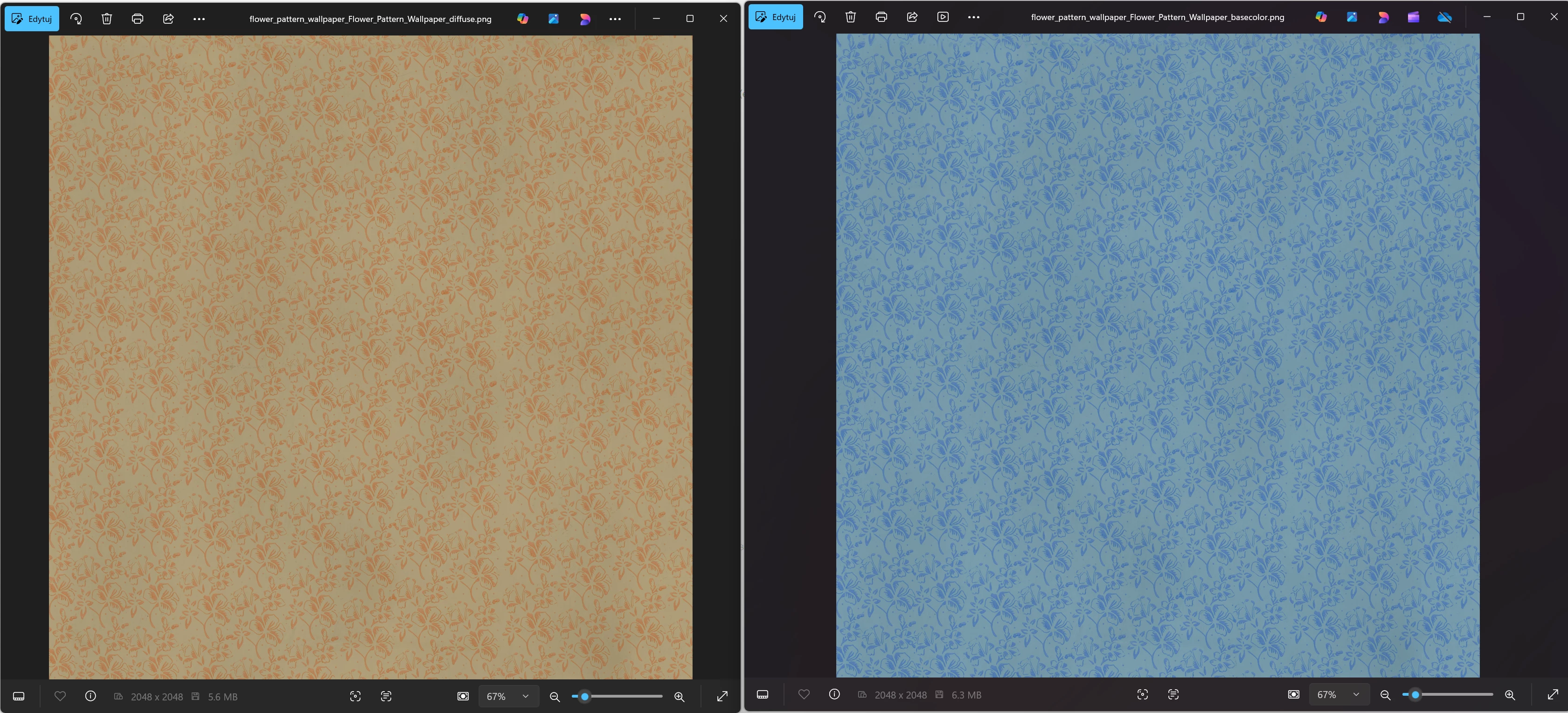
When using the Substance 3D Plugin for Blender, certain SBSAR materials (for example, flower_pattern_wallpaper.sbsar) produce inverted colors on the Base Color output.
The Diffuse output shows the correct color, but it is not connected by default in the generated material node tree — only the Base Color map is used, which results in visibly incorrect (color-inverted) shading in Blender’s viewport and renders.
Additional Notes:
Tested in Blender 4.4 and 4.5 with Substance Plugin 2.3.0 on Windows 11.
The issue seems to occur only on some materials (so far confirmed with flower_pattern_wallpaper).
Manual workaround: replacing the Base Color connection with the Diffuse map fixes the issue temporarily.
 AdChoices