


Substance 3D Plugin for Unreal 5.5 – Texture Sets Incorrectly Reassigning After SBSAR Reimport
Issue Summary:
We are experiencing a severe pipeline issue that has cost our team hundreds of hours of manual correction when reimporting an SBSAR file with multiple graph instances that use presets.
After importing and configuring textures in Unreal 5.5, we integrate the generated textures into a Material (MLS or Material Layering system). However, when making updates to the Substance Designer source file, republishing the SBSAR, and reimporting it into Unreal, the following issue occurs:
- Textures regenerate correctly based on the updated SBSAR.
- All material texture references are overridden to use only the most recently imported texture set.
- Material layers referencing other textures are obliterated, forcing us to manually restore each material.
This completely breaks our material workflow and is clearly not intended behavior.
Expected Behavior:
- After reimporting an SBSAR, texture references should preserve their original assignments per material instance.
Actual Behavior:
- All texture references in affected materials are overwritten, defaulting to the last imported texture set regardless of prior assignments.
- Materials utilizing multiple texture sets collapse into a single texture set, breaking asset variations.
Steps to Reproduce:
- Set up a Material Layering system in Unreal 5.5.
- Create a new material instance for an object.
- Import an SBSAR file (ensure “Create Material” is unchecked – only create Substance Graph Instances).
- Duplicate the Substance Graph Instance, renaming each instance with a unique suffix for different preset variations.
- Apply the material to an object.
- Use Vertex/Mesh Painting to reveal and blend different texture sets.
- Verify that the textures appear correctly.
- Modify the textures in Substance Designer, export the SBSAR, and reimport the SBSAR into Unreal.
- Observe the issue:
- The textures themselves import correctly,
- But all texture references across all material layers switch to the last imported texture set.
Visual Example (Playground Plastic Example):
Before Reimport (Correct Behavior):
Three texture sets used (As shown in the interface through highlighting, arrows and circling):
- Base Plastic
- Scuffed Plastic
- ScuffedAndScratched Plastic
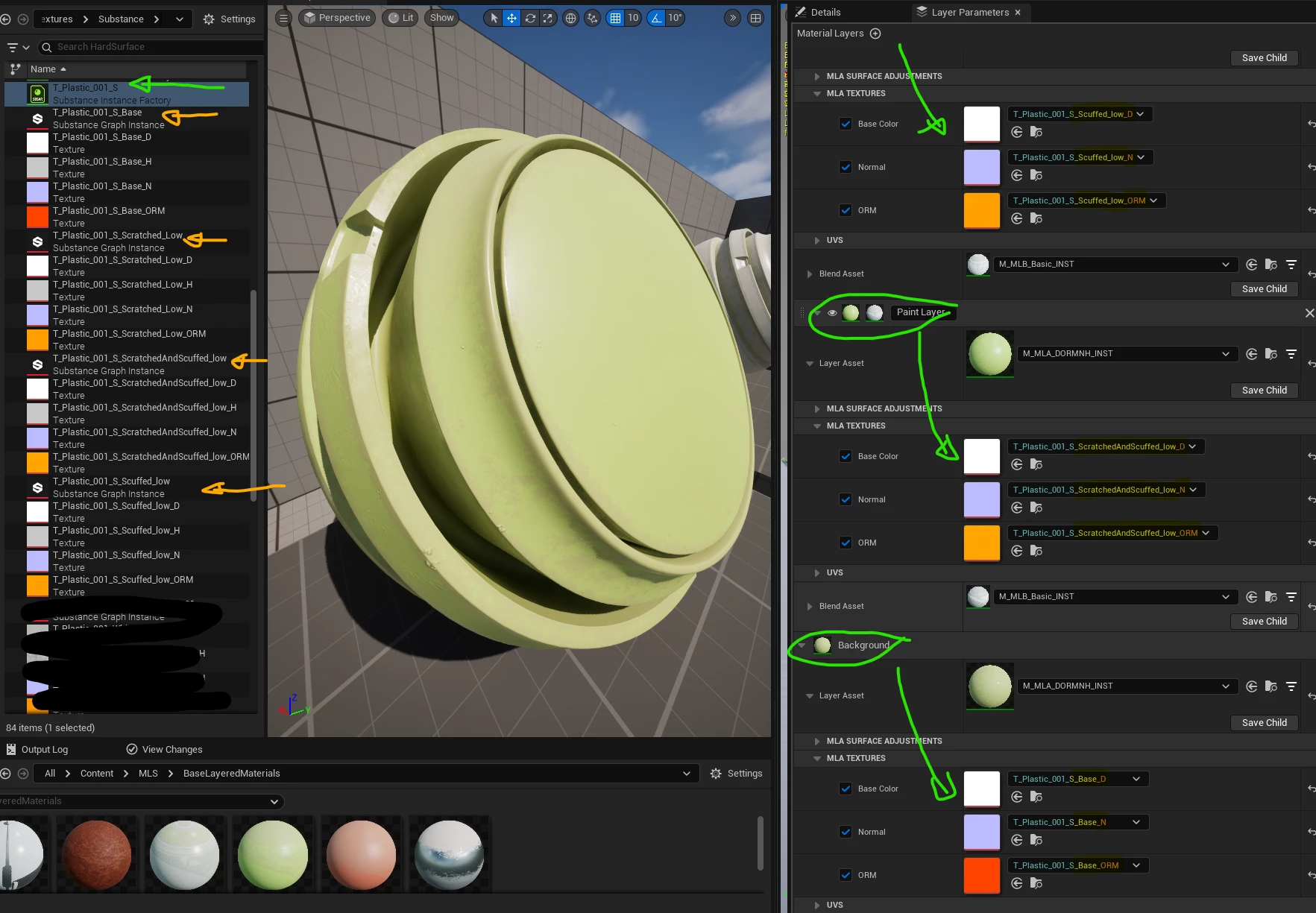
After Reimport (Bugged Behavior):
Only one texture set remains, replacing the original three across all material layers.
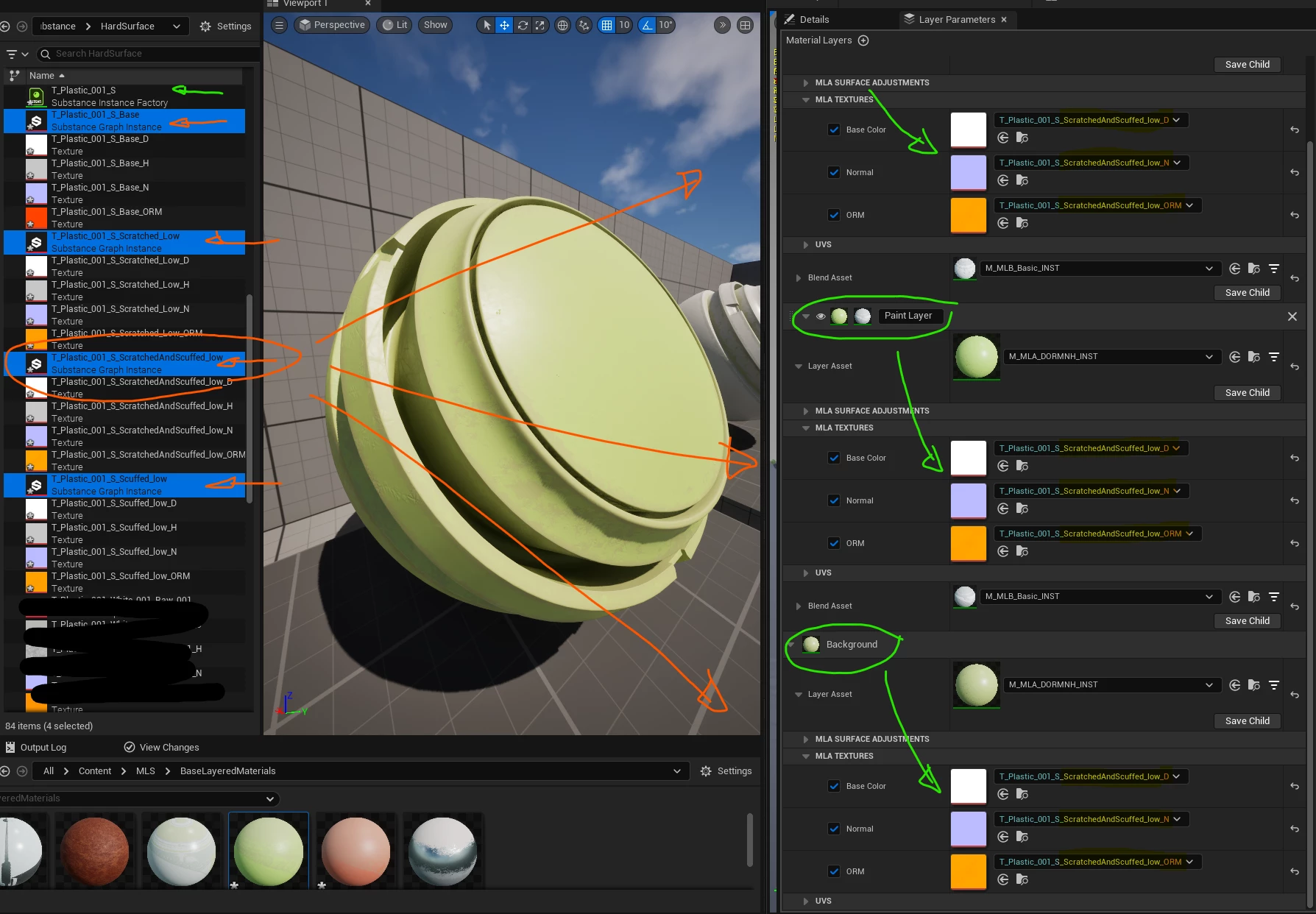
I know the visual result of the actual object does not show a large visual change, but the examples above are only to help illustrate the point of the textures changing.
Visual Example (Brushed Metal Material Example):
Before Reimport (Correct Behavior):
Three texture sets used:
- Clean Brushed Metal
- Tarnished Brushed Metal
- Weathered and Tarnished Metal
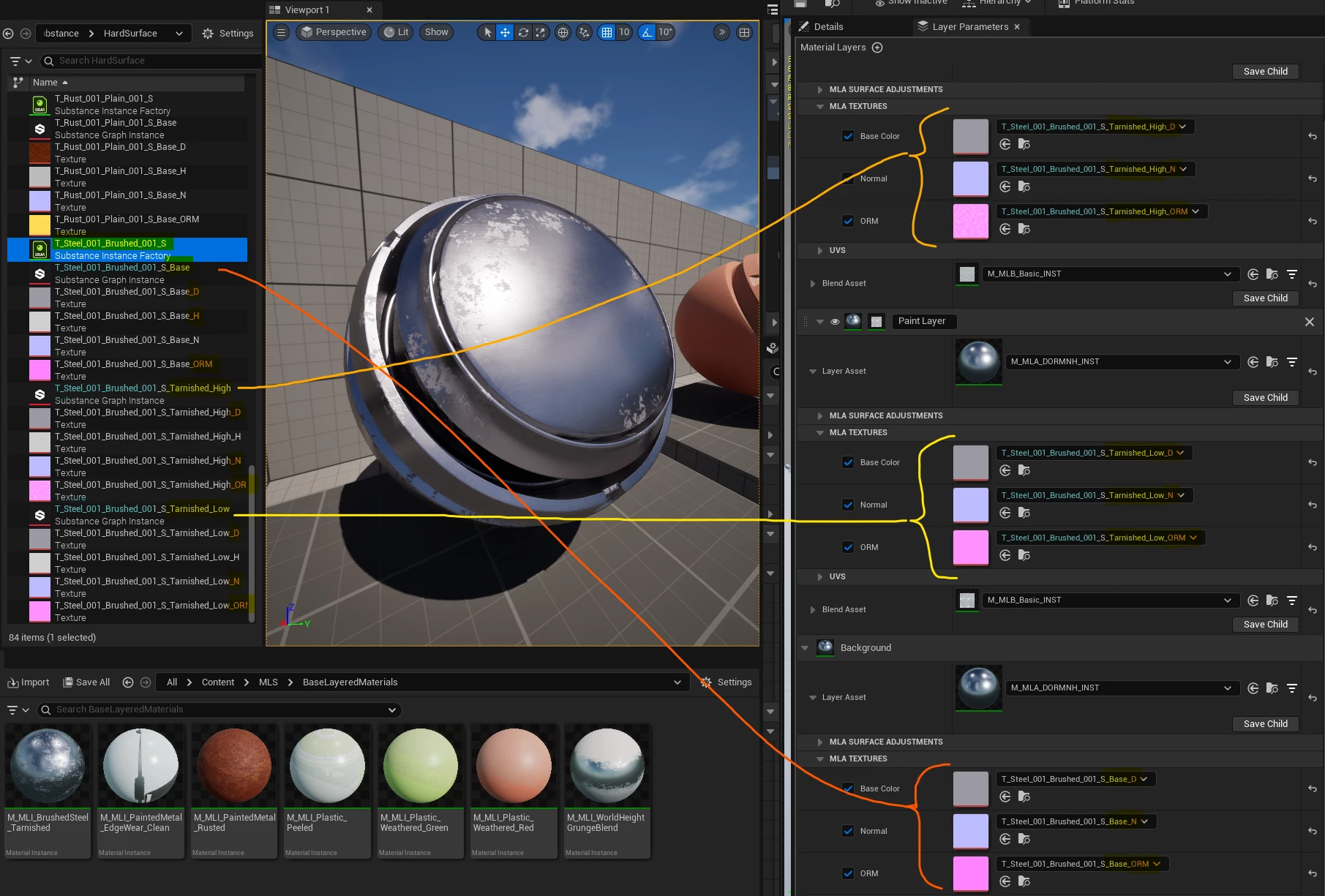
After Reimport (Bugged Behavior):
Only one texture set remains, replacing the original three across all material layers.
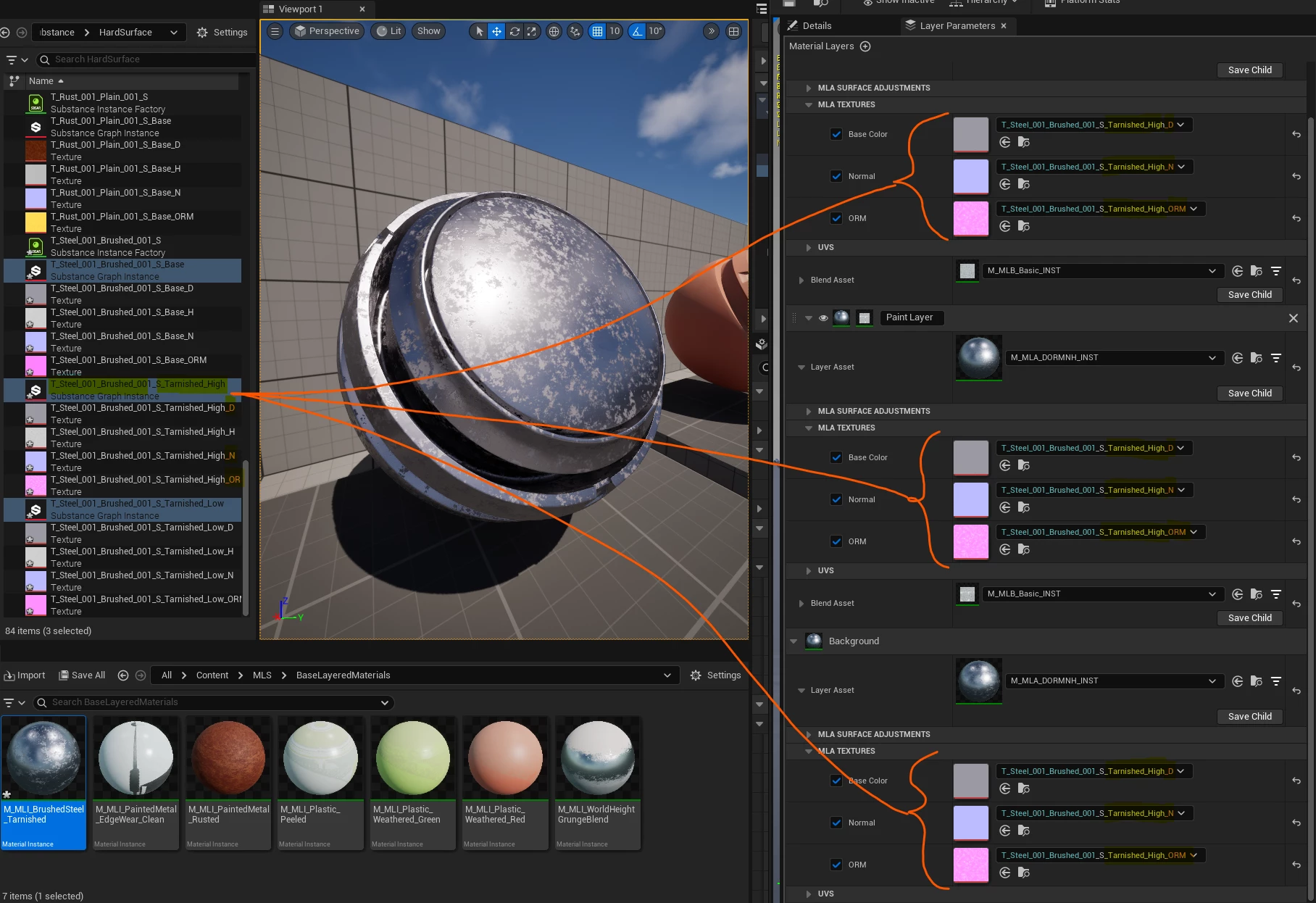
This texture hopefully shows how agregious this issue can be.
Impact:
- Severely disrupts our texturing and material pipeline in Unreal 5.5.
- Massive manual workload to correct materials after each SBSAR reimport.
- Inconsistent behavior makes iterating on textures difficult and time consuming.
Please investigate this issue ASAP, as it is drastically impacting our production workflow and the whole purpose behind having a plugin like this.
 AdChoices