


Participant
June 22, 2023

Substance Instance Image Inputs Need Re-Linking on Project Open UE 5.0

  • June 22, 2023
  • 2 replies
  • 307 views

Good Morning!


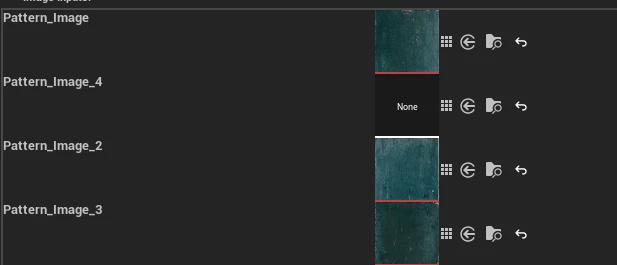
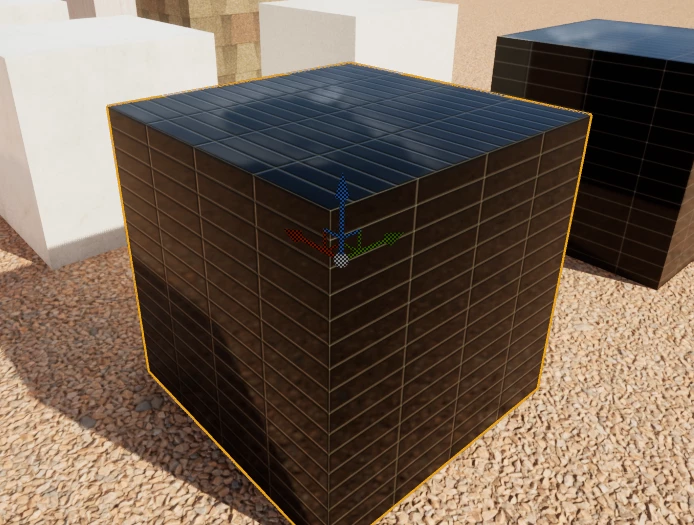
So I've been using subtance for a while and recently started porting my materials into UE 5.0 with the Substance Plugin. I have a custom SBSAR that has image inputs and it works fine when I link the correct files from inside the Unreal Project. The issue happens when I reload the project, all the Substance Instance generated maps lose those image links, even though they are still present in the instance graph.


Substance Graph:
Resulting Material:
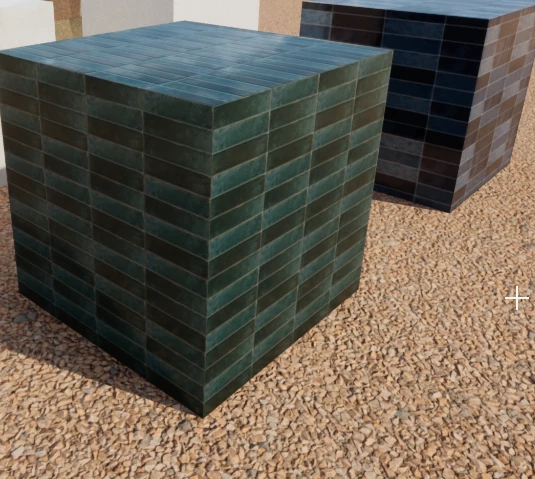
Once I relink one image input the graph regenerates properly but I am creating a tempalte for other users and cna't have them do this each time they open a project.
Is there a simple option to regenerate outputs or something I'm missing here?


Thanks!

Mackenzie


2 replies

Adobe Employee
July 21, 2023

Hi @Mackenzie28224074hpf2 , I'm not able to reproduce this on my end. Could you please provide some additional info? What version of UE5 are you using? And what version of the plugin? Does the console print any errors after you reopen your project? On my end I am trying the following but am not able to reproduce:
*UE 5.0.3, Plugin version 5.0.5*

  1.  Load substance that accepts an image input
  2. Attach material to mesh
  3. Select image input and confirm it is being used by the material
  4. Save project
  5. Close project
  6. Reopen project
  7. Inspect Substance Graph Instance for material

After re-opening and inspecting the graph instance, the image is still linked in the graph and assiciated parameters can be adjusted. 

Community Manager
July 20, 2023

Hi, thanks for reporting this issue. We'll investigate this further.