
Participant
August 22, 2025

Stuck in Isolation Mode in Illustrator (AI) Web Version

  • August 22, 2025
  • 1 reply
  • 128 views

I can't click out of isolatin mode in my project in Illustrator web (beta) version. Even when I close my browser and open new tabs, it still remains in isolation mode and does not allow me to edit my work. When right cliking in an empty space, no options to exit isolatin mode pops up. Very frustrating becaues my project has a deadline and I would much rather not have to start over. 
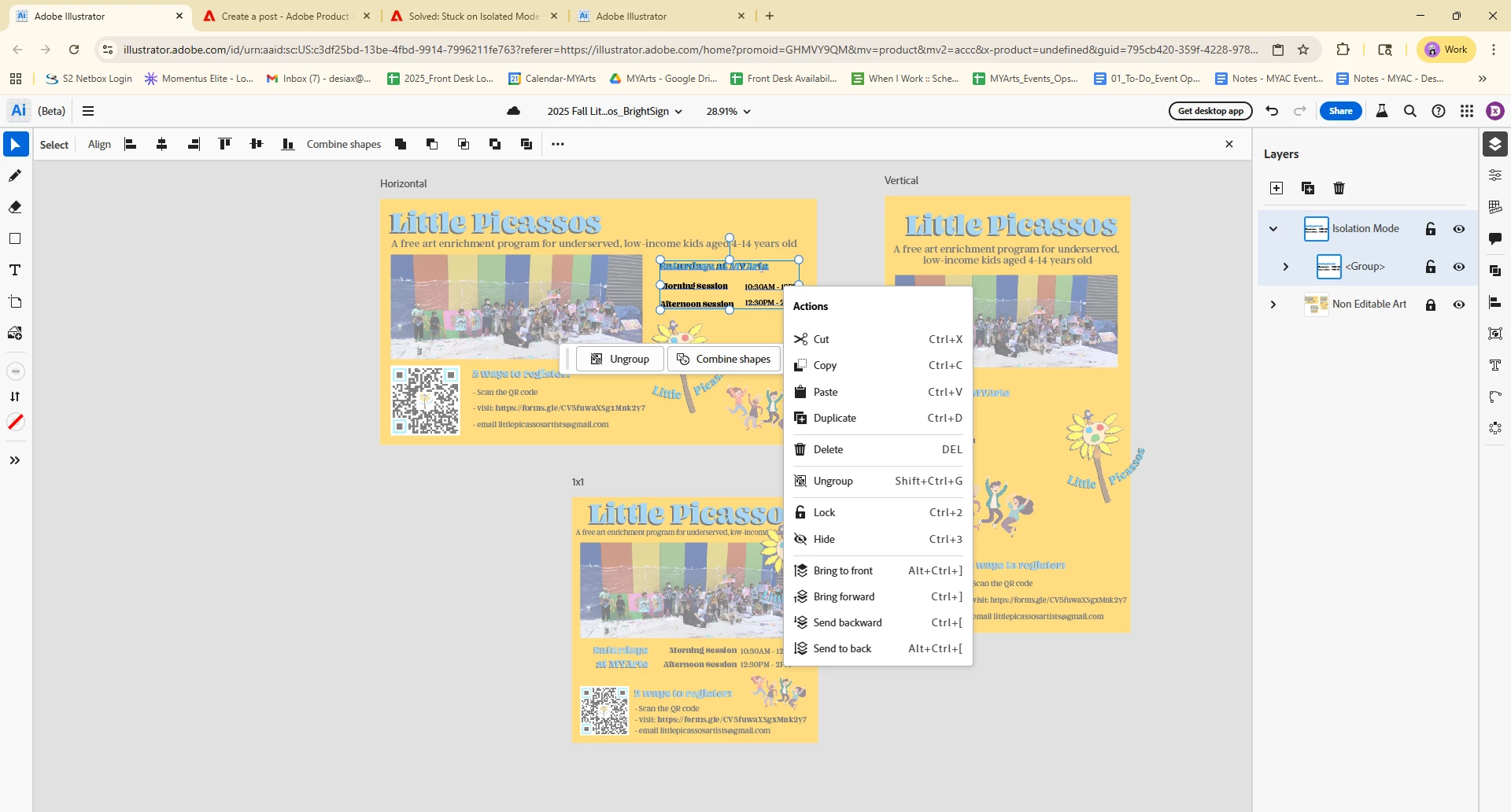
    1 reply

    Abhishek Rao
    Community Manager
    Community Manager
    September 2, 2025

    Hi @desiaxiong,


    I understand how stressful it must be to get stuck in Isolation Mode, especially with a deadline. In the Illustrator web beta, you should normally be able to exit Isolation Mode by double-clicking outside the selected object or group. If that does not work, please try clearing your browser cache and relaunching the file in a fresh tab or a different browser to see if the issue resets. Also, could you confirm if this happens only with this specific file or with any new document you create in Illustrator web?


    Let me know how it goes.

    Abhishek