
Known Participant
June 23, 2026

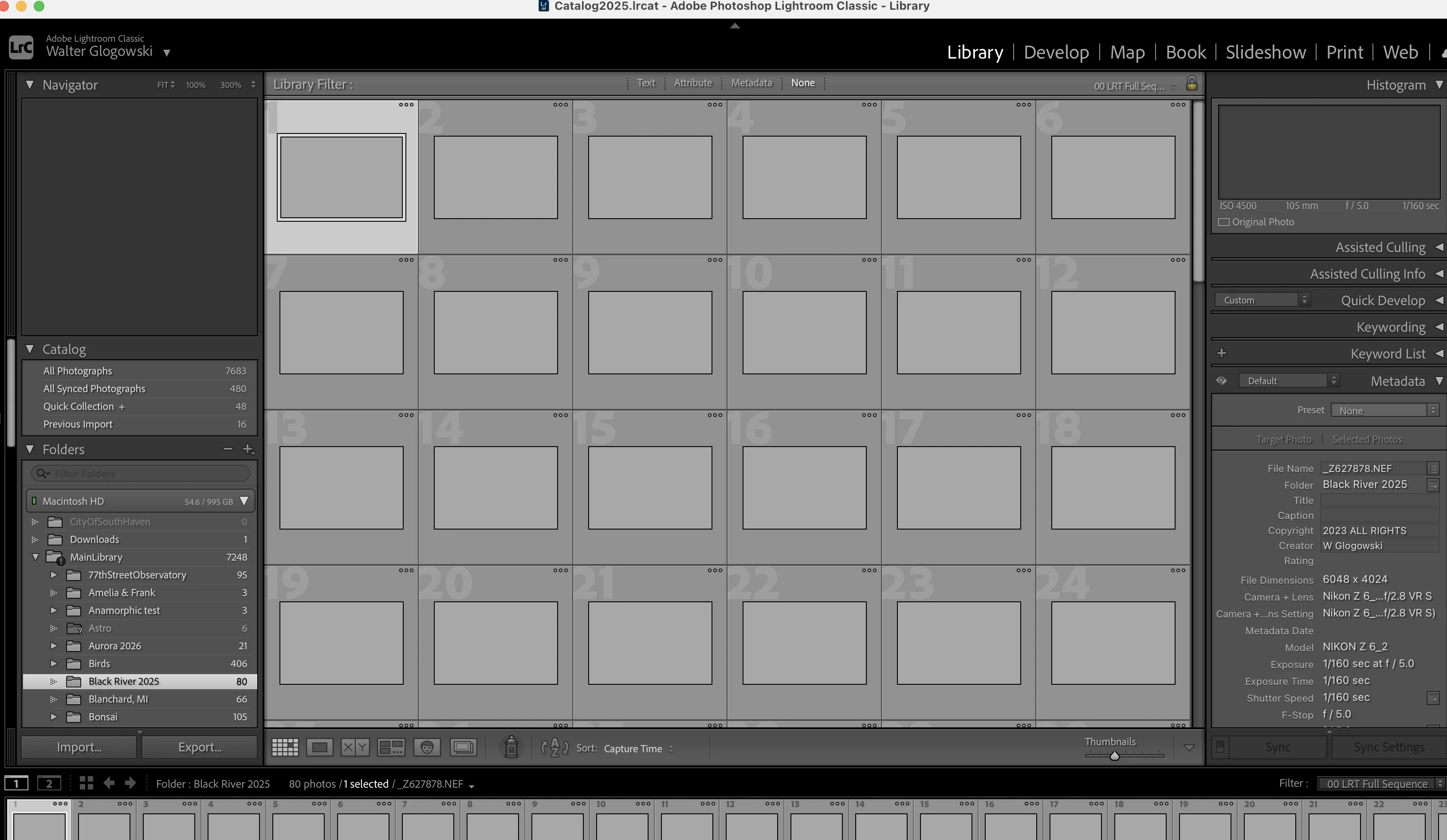
Light Room Classic opens opens but all the image previews are greyed out. When I try to quit the application freezes and I have to force quit. I'm running Tahoe 26.5.1 (25F80) on a MacBook M5 chip.

  • June 23, 2026
  • 1 reply
  • 0 views

When LR Classic opens I can see all of my folders but the previews are all grayed out as the screen shot shows. I tried uninstalling the application and reinstalling it but the problem still happens. 
 

    1 reply

    Community Expert
    June 23, 2026

    In most cases the issue is a corrupt monitor profile.

    See here: How do I change my monitor profile to check whether it’s corrupted? | The Lightroom Queen


    My System: Intel i7-8700K - 64GB RAM - NVidia Geforce RTX 3060 - Windows 11 Pro 25H2 -- LR-Classic 15 - Photoshop 27 - Nik Collection 9 - PureRAW 6 - Topaz Photo AI
    Known Participant
    June 23, 2026

    I have my monitor set for XDR Display, and this worked with the previous version of LR CLassic