

Lightroom 15.2 - Color Label, Metadata and File Info not working
Preamble: In case this case is a duplicate, please merge. Clostest I did find was this one. But it has issues with the filters themselves whereas I have issues with the display mode and file metadata.
Hi and welcome back to yet another episode of me running my head against a wall with Lightroom Classic issues. As always, here are my relevant specifications first:
Lightroom Classic 15.2.1, CameraRAW 18.2.2, German Language installed
Windows Pro 11.0.26200 (25H2) x64 (Also known as Windows 11 Business Edition)
AMD Ryzen 9 7950x3D, Adrenaline 26.3.1, Driver 25.10.43.05-260303a-19874C
64GB RAM 6000MTs CL30
Nvidia RTX 4070ti, Studio Driver 595.79
Lightroom Catalogue located on C: drive in default location, SSD M.2 Gen4, more than 2TB space left.
The issue: For a while now, I’ve been unable to do three things. I will from here on out try to refer to these issues by their number.
- Mark images with a color label will not mark the labels in the gallery module with that color.
- Displaying file information in the edit module doesn’t work
- File metadata in the gallery module does not show / load…. ever
The first simple fixes I have tried:
- Backup Catalog and move to an external drive. (Safety Step)
- Optimize catalog
- Reset preferences / settings (start holding alt, also using alt in settings and clicking “reset”)
- Deleting the helper data and settings folder within the catalog folder
- 1) Make sure the “show color labels in grid” is checked in the library view settings
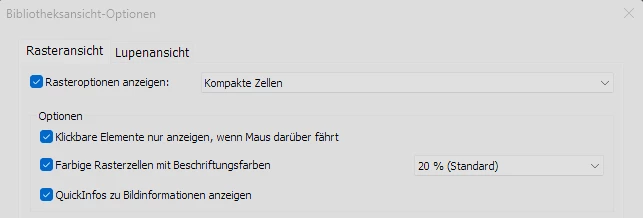
“Use colors on grid” is checked and set to 20% - 1) Make sure the color label presets in the “metadata” menu are reset to defaults (should be after reinstall anyway - see below)
- 2) “Show Information” is checked in the view settings for the files in edit mode
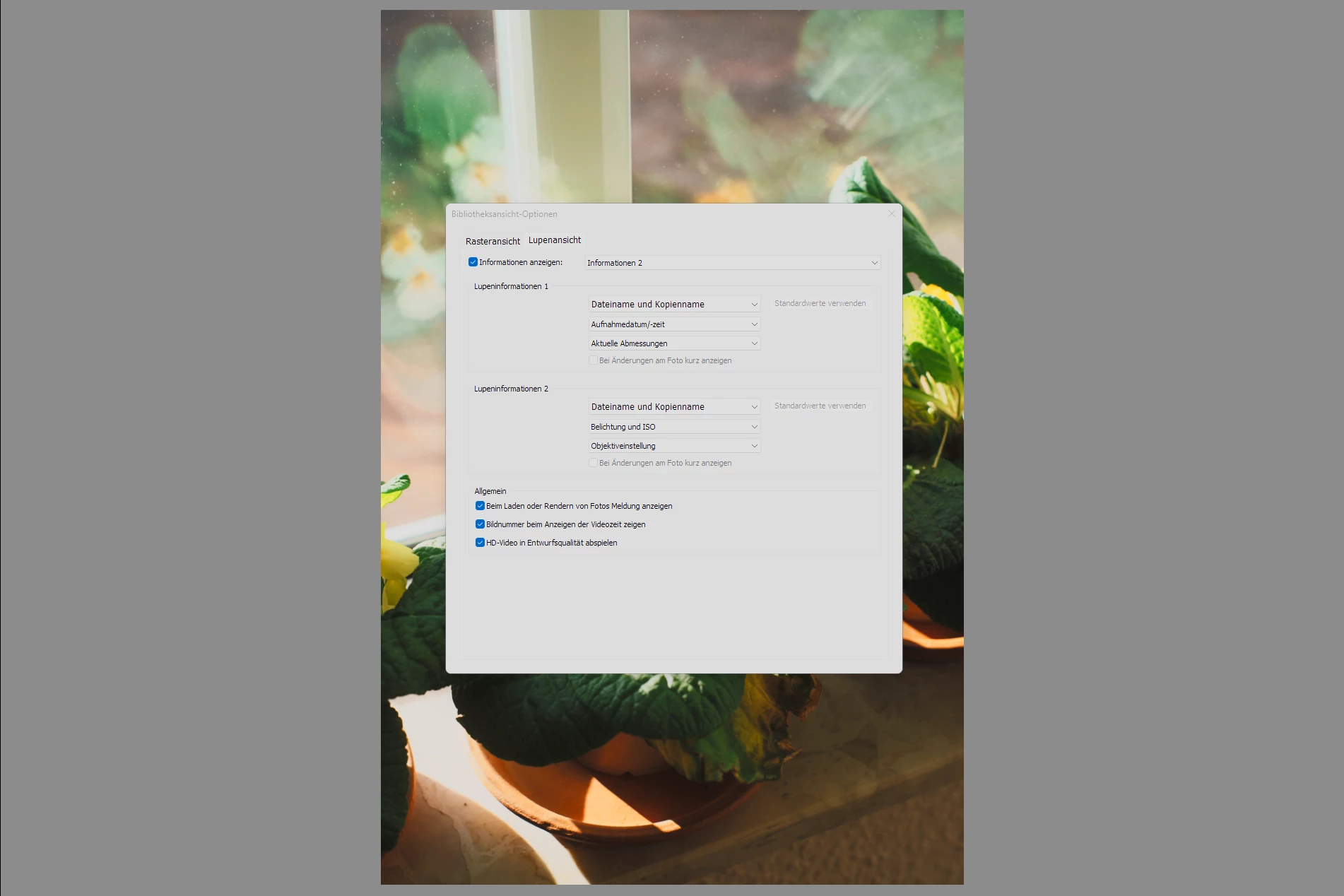
“Show information” is checked (tried checking and unchecking) - Make sure Lightroom has full read/write permissions on the respective folders (Save location for photo files and catalog location)
- 3) Try using “Read Metadata from file” manually on a single image at a time
- Uninstall and re-install GPU drivers (Nvidia GPU and AMD iGPU both. Full clear with Display Driver Uninstaller DDU in safe mode)
Sadly these did not help with any of the issues, so I tried the following, more extreme measures:
- Fully uninstalling Lightroom and Lightroom Classic, including CameraRAW and Creative Cloud. Clearing the full install via the official Creative Cloud Uninstaller and removing any remaining registry entries via external tools and manual search in RegEdit.
- Reinstall all needed requirements and Lightroom after a complete reboot of the system (shutoff, not restart) with German selected as my language (important, since color labels are string dependent and vary between languages) via the Creative Cloud application
- Opening a completely new catalog file at a different drive location and using the “import from catalog” option to import only the .lrcat file from the old catalog without any presets, profiles, addons or similar extras. Clean catalog at new drive location on clean install
These steps sadly also didn’t fix my issues. I still cannot see color labels in my gallery (1) on the grid. When using the “metadata” panel on the right in the gallery module (3) metadata will never finish loading. And when opening an image in edit view, I cannot hit “I” or choose “loupe information” to show me image metadata (2).
There are a few interesting observations though:
- When I have the filter panel expanded in grid view, I can see that applying a color label does indeed give the image the color label as it shows up in the “label filter” and also when right clicking the image.
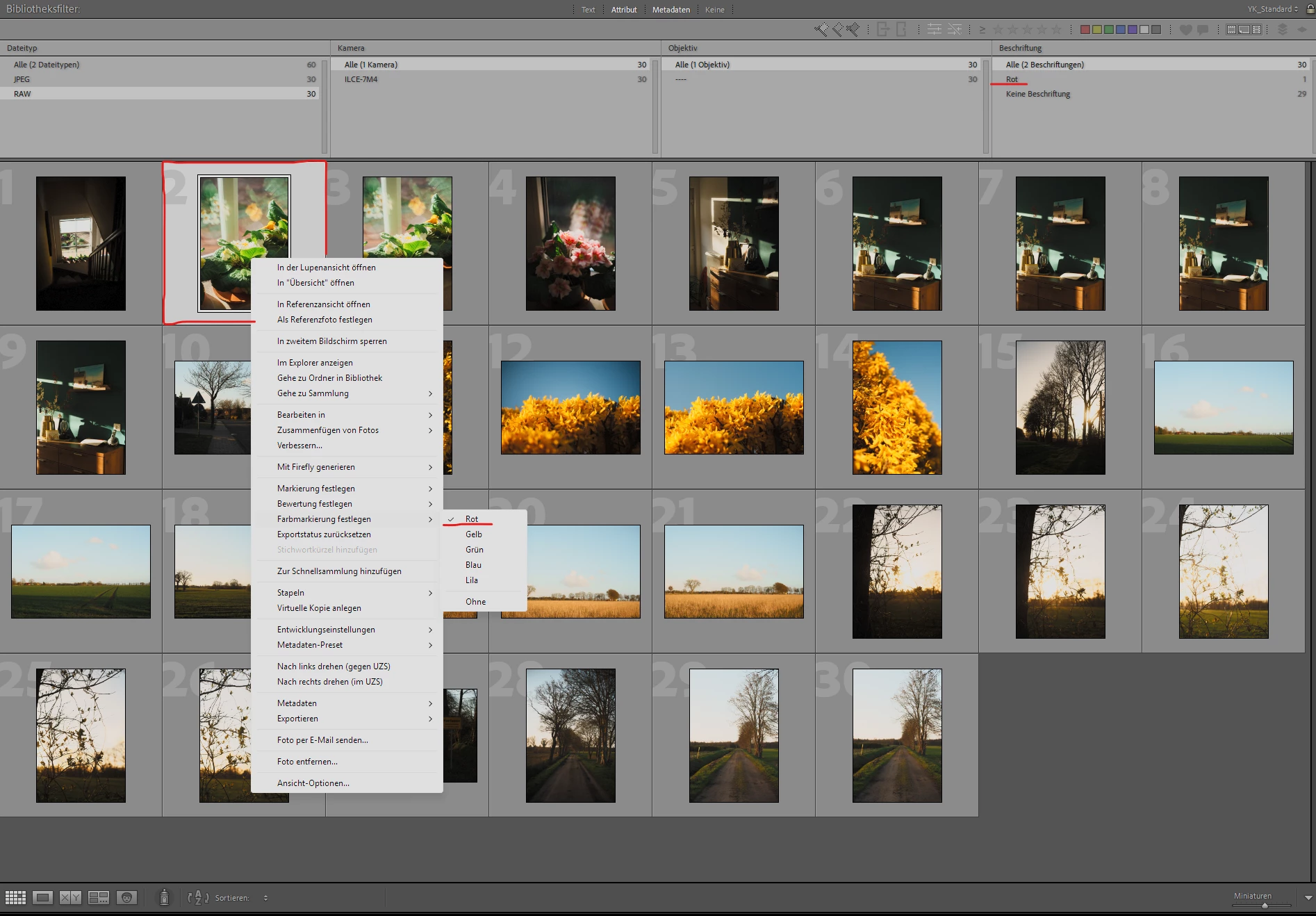
Filter options show that “red” was assigned as a color label - Marking an image with red, closing and then reopening Lightroom will start showing the color mark on the grid view
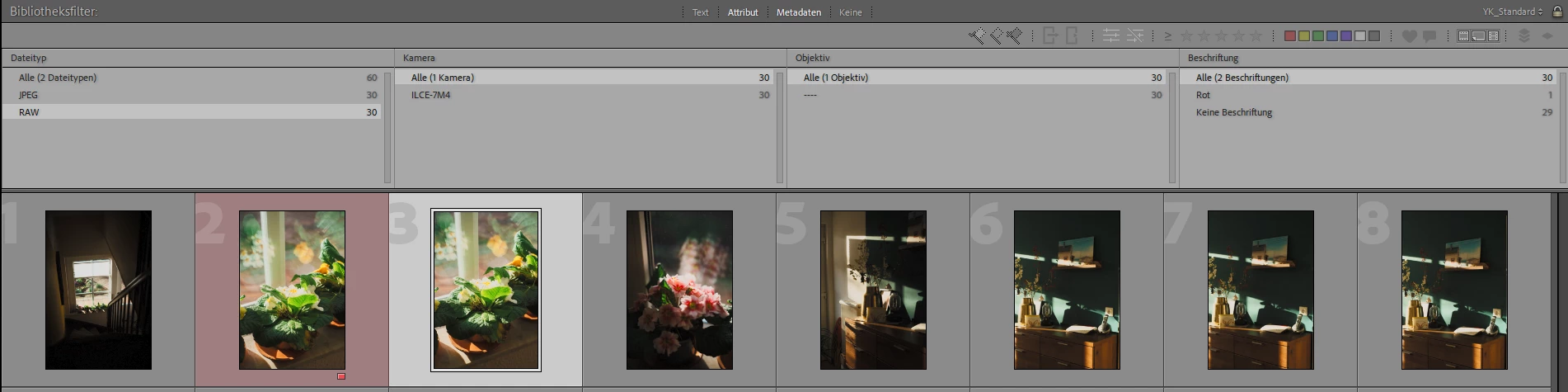
The respective image receives its red color label after a program restart. Taking the label away requires another full restart of t - The metadata on the files does exist when viewing the file in other programs e.g. MediaInfo
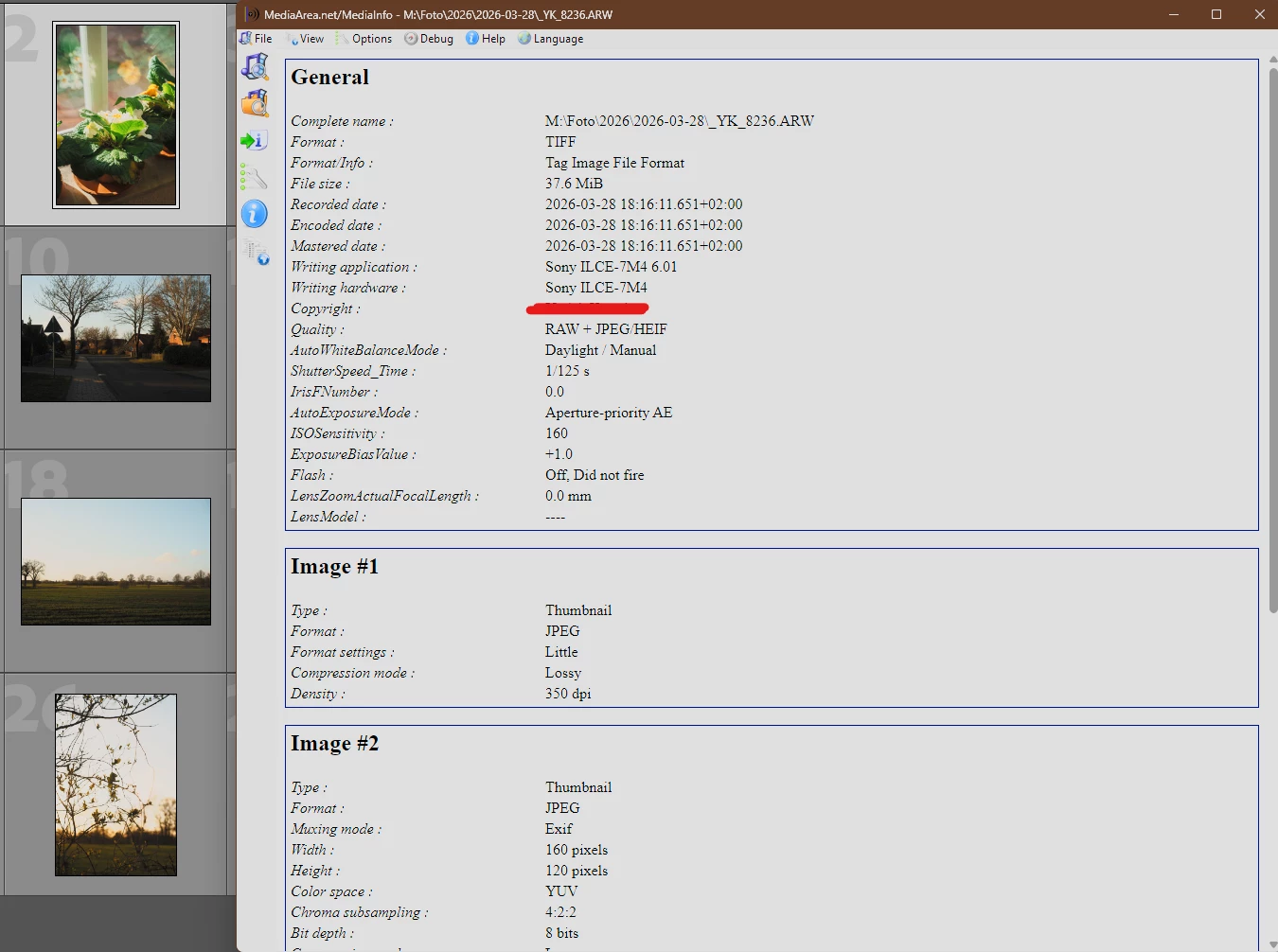
File metadata does exist on the file and is readable.
At this point, I tried exploring every option I know of. At the point of reinstall of the software, there shouldn’t have been a single trace left of the program on my device. No prior settings or presets were existent after the reinstall, making me relatively sure I did remove them all successfully.
The functions also do not get fixed when opening a new catalog file, as explained above. Re-importing the old catalog into the new one to keep my edits and catalog structure worked, but doesn’t remidy the issues.
Sadly I do not get any crash-reports or other error-messages when using these functions, so I cannot send an automatic error report as there is no crash happening.
As a last resort, I have attatched a diagnosis file creates from the settings (holding alt on the general tab → create diagnosis file.) The file is attatched to this post. In it I did find a single issue I cannot identify myself:

Interestingly, it also lists my integrated AMD iGPU despite being set to run on the Nvidia GPU.
Thank you for your time and potential help.
Best regards!
 AdChoices