


Participant
11月 2, 2026 3:51 午後 UTC
Open for Voting

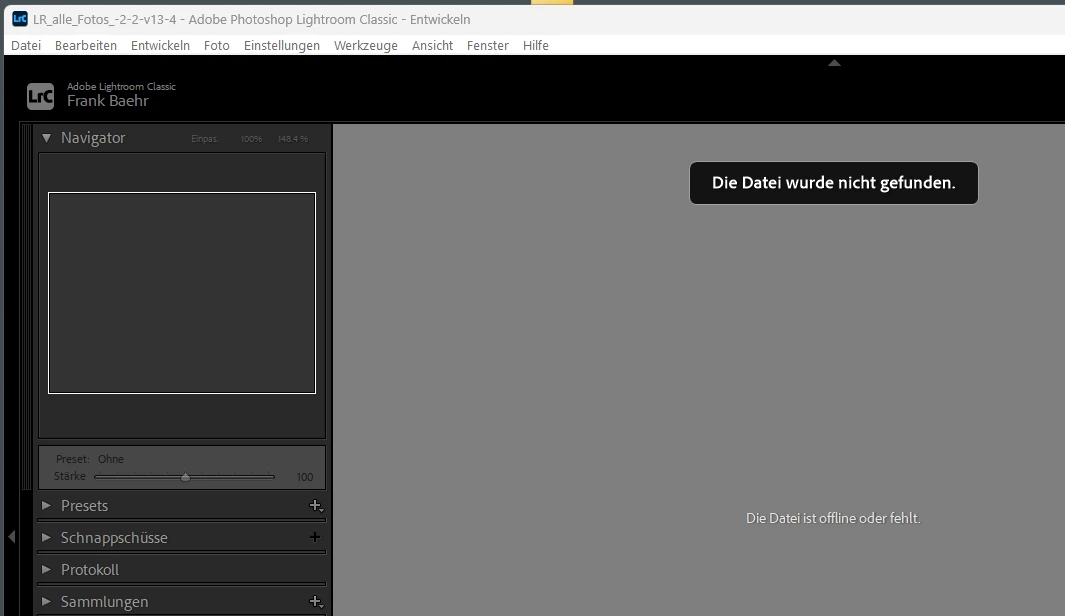
nach dem Start von LrC wird ein katalog gefunden, es werden aber keine Dateien angezeigt. Eine Bildschirmmeldung besagt: Die Datei wurde nicht gefunden. Auch die Wahl anderer Kataloge funktioniert nicht.

Nach dem Start von LrC wird ein Katalog gefunden, es werden aber keine Dateien angezeigt.
Eine Bildschirmmeldung besagt: Die Datei wurde nicht gefunden. 
Auch die Wahl anderer Kataloge funktioniert nicht. 

Was ist zu tun??


    返信数 1

    Community Expert
    11月 2, 2026 6:17 午後 UTC

    On which drive the catalog flies are located? If on a external drive, is the drive connected?

    On a cloud drive (which isn’t recommended)? If yes, you are logged in and have access to the drive?

    Do you have the appropriate access rights to the catalog folder?

    What has been changed on your system before the error occur?

    Please post a screenshot from the content of your recent catalog folder.

    Do you’ve tried a cold boot of your computer?

    Please provide a copy of your 'System Info'. This can be get from the Lightroom menu item Help > System Info. There's a copy button in the System Info dialog. Press this button and paste the info into your next forum post.

    Try to hold the Ctrl-Key while starting LrC. This should opens a catalog selection dialog. Do this work and what is showing in this dialog?


    翻訳
    My System: Intel i7-8700K - 64GB RAM - NVidia Geforce RTX 3060 - Windows 11 Pro 26H2 -- LR-Classic 16 - Photoshop 28 - Nik Collection 9 - PureRAW 6 - Topaz Photo AI